File: C:/Users/fred/.vscode/extensions/ms-vscode.powershell-2025.4.0/changelog.md
# PowerShell Extension Release History
## v2025.4.0
### Wednesday, October 08, 2025
With PowerShell Editor Services [v4.4.0](https://github.com/PowerShell/PowerShellEditorServices/releases/tag/v4.4.0)!
New stable release! Now with screen reader support from PSReadLine [2.4.4-beta4](https://github.com/PowerShell/PSReadLine/releases/tag/v2.4.4-beta4)
and arbitrary path mapping support in the debugger.
See more details at the GitHub Release for [v2025.4.0](https://github.com/PowerShell/vscode-powershell/releases/tag/v2025.4.0).
## v2025.5.0-preview
### Tuesday, September 09, 2025
With PowerShell Editor Services [v4.4.0](https://github.com/PowerShell/PowerShellEditorServices/releases/tag/v4.4.0)!
Now with screen reader support!
See more details at the GitHub Release for [v2025.5.0-preview](https://github.com/PowerShell/vscode-powershell/releases/tag/v2025.5.0-preview).
## v2025.2.0
### Monday, June 30, 2025
With PowerShell Editor Services [v4.3.0](https://github.com/PowerShell/PowerShellEditorServices/releases/tag/v4.3.0)!
New stable release!
See more details at the GitHub Release for [v2025.2.0](https://github.com/PowerShell/vscode-powershell/releases/tag/v2025.2.0).
## v2025.3.1-preview
### Wednesday, June 25, 2025
With PowerShell Editor Services [v4.3.0](https://github.com/PowerShell/PowerShellEditorServices/releases/tag/v4.3.0)!
PowerShell installed via `brew` now found!
See more details at the GitHub Release for [v2025.3.1-preview](https://github.com/PowerShell/vscode-powershell/releases/tag/v2025.3.1-preview).
## v2025.3.0-preview
### Tuesday, March 18, 2025
With PowerShell Editor Services [v4.3.0](https://github.com/PowerShell/PowerShellEditorServices/releases/tag/v4.3.0)!
Now with [PSScriptAnalyzer v1.2.4](https://github.com/PowerShell/PSScriptAnalyzer/releases/tag/1.24.0)
and [PSReadLine v2.4.1-beta1](https://github.com/PowerShell/PSReadLine/releases/tag/v2.4.1-beta1).
See more details at the GitHub Release for [v2025.3.0-preview](https://github.com/PowerShell/vscode-powershell/releases/tag/v2025.3.0-preview).
## v2025.0.0
### Tuesday, January 21, 2025
With PowerShell Editor Services [v4.2.0](https://github.com/PowerShell/PowerShellEditorServices/releases/tag/v4.2.0)!
New Year Update!
PowerShell 7.4+ and Windows PowerShell 5.1 (on a best-effort basis)
are now solely supported as 7.3 LTS and 7.2 are past end-of-support.
A major bug due to a Global Assembly Cache conflict with Serilog
when using Windows PowerShell has been resolved by removing the
troublesome dependency. This also came with a wonderful logging
overhaul for both the server and client. Thanks Justin!
Dependencies and VS Code engine have been updated. Snippets fixed.
Extension settings are now categorized. Additional PowerShell
executable path verification fixed.
See more details at the GitHub Release for [v2025.0.0](https://github.com/PowerShell/vscode-powershell/releases/tag/v2025.0.0).
## v2025.1.0-preview
### Thursday, January 16, 2025
With PowerShell Editor Services [v4.2.0](https://github.com/PowerShell/PowerShellEditorServices/releases/tag/v4.2.0)!
VS Code engine update and snippet fix
See more details at the GitHub Release for [v2025.1.0-preview](https://github.com/PowerShell/vscode-powershell/releases/tag/v2025.1.0-preview).
## v2024.5.2-preview
### Wednesday, December 04, 2024
With PowerShell Editor Services [v4.1.0](https://github.com/PowerShell/PowerShellEditorServices/releases/tag/v4.1.0)!
Bug fixes and build improvements.
See more details at the GitHub Release for [v2024.5.2-preview](https://github.com/PowerShell/vscode-powershell/releases/tag/v2024.5.2-preview).
## v2024.5.1-preview
### Monday, November 18, 2024
With PowerShell Editor Services [v4.0.0](https://github.com/PowerShell/PowerShellEditorServices/releases/tag/v4.0.0)!
Drop support for PowerShell <7.4 and logging overhaul
PowerShell 7.2 LTS and 7.3 are now past end-of-support and are now unsupported.
This is an incompatible API change so we're bumping the major version
of PowerShell Editor Services.
Please update to PowerShell 7.4 LTS going forward.
This release contains a logging overhaul which purposely removes our
dependency on Serilog and should lead to improved stability with
PowerShell 5.1 (by avoiding a major GAC assembly conflict).
See more details at the GitHub Release for [v2024.5.1-preview](https://github.com/PowerShell/vscode-powershell/releases/tag/v2024.5.1-preview).
## v2024.4.0
### Monday, November 04, 2024
With PowerShell Editor Services [v3.21.0](https://github.com/PowerShell/PowerShellEditorServices/releases/tag/v3.21.0)!
Call-operator support and various bug fixes.
See more details at the GitHub Release for [v2024.4.0](https://github.com/PowerShell/vscode-powershell/releases/tag/v2024.4.0).
## v2024.5.0-preview
### Wednesday, October 30, 2024
With PowerShell Editor Services [v3.21.0](https://github.com/PowerShell/PowerShellEditorServices/releases/tag/v3.21.0)!
Call-operator support and various bug fixes.
See more details at the GitHub Release for [v2024.5.0-preview](https://github.com/PowerShell/vscode-powershell/releases/tag/v2024.5.0-preview).
## v2024.2.2
### Friday, May 03, 2024
With PowerShell Editor Services [v3.20.1](https://github.com/PowerShell/PowerShellEditorServices/releases/tag/v3.20.1)!
Update third-party notices.
See more details at the GitHub Release for [v2024.2.2](https://github.com/PowerShell/vscode-powershell/releases/tag/v2024.2.2).
## v2024.2.1
### Tuesday, April 16, 2024
With PowerShell Editor Services [v3.20.0](https://github.com/PowerShell/PowerShellEditorServices/releases/tag/v3.20.0)!
Hotfix for incorrect signing certificate, sorry about that!
Also removed Plaster integration as we were unable to correctly sign it since we no longer own it.
See more details at the GitHub Release for [v2024.2.1](https://github.com/PowerShell/vscode-powershell/releases/tag/v2024.2.1).
## v2024.2.0
### Monday, April 08, 2024
With PowerShell Editor Services [v3.19.0](https://github.com/PowerShell/PowerShellEditorServices/releases/tag/v3.19.0)!
New stable release!
This release comes with PSReadLine v2.4.0-beta0 and PSScriptAnalyzer v1.22.0.
It includes an overhauled support for Terminal Shell Integration,
so it always supports VS Code's latest features!
The codebase was cleaned up by the removal of several deprecated features.
Multiple bugs were fixed in the shutdown process,
default debugger configurations and IntelliSense.
A setting was added to allow the exclusion of the execution policy CLI argument at startup,
so that users in restricted environments are better able to launch the extension.
This release went through three pre-releases.
Thank you so much to all our beta testers and users for your contributions.
See more details at the GitHub Release for [v2024.2.0](https://github.com/PowerShell/vscode-powershell/releases/tag/v2024.2.0).
## v2024.3.2-preview
### Wednesday, April 03, 2024
With PowerShell Editor Services [v3.19.0](https://github.com/PowerShell/PowerShellEditorServices/releases/tag/v3.19.0)!
Overhauled Terminal Shell Integration!
See more details at the GitHub Release for [v2024.3.2-preview](https://github.com/PowerShell/vscode-powershell/releases/tag/v2024.3.2-preview).
## v2024.3.1-preview
### Tuesday, March 5, 2024
#### [vscode-powershell](https://github.com/PowerShell/vscode-powershell)
- ✨ 🙏 [vscode-powershell #4932](https://github.com/PowerShell/vscode-powershell/pull/4934) - Don't make the Command Explorer visible by default.
- ✨ 💭 [vscode-powershell #4933](https://github.com/PowerShell/vscode-powershell/pull/4933) - Fix how we pass the log directory to Editor Services.
#### [PowerShellEditorServices](https://github.com/PowerShell/PowerShellEditorServices) v3.18.0
- ✨ 📟 [PowerShellEditorServices #2148](https://github.com/PowerShell/PowerShellEditorServices/pull/2148) - Update to PSReadLine v2.4.0-beta0.
- ✨ 📟 [PowerShellEditorServices #2141](https://github.com/PowerShell/PowerShellEditorServices/pull/2141) - Update to PSScriptAnalyzer v1.22.0.
- ✨ 👷 [PowerShellEditorServices #2138](https://github.com/PowerShell/PowerShellEditorServices/pull/2138) - Fixed sln file. (Thanks @dkattan!)
- #️⃣ 🙏 [PowerShellEditorServices #2137](https://github.com/PowerShell/PowerShellEditorServices/pull/2137) - Fixed TextReader disposal. (Thanks @dkattan!)
- 🐛#️⃣ 🙏 [PowerShellEditorServices #2135](https://github.com/PowerShell/PowerShellEditorServices/pull/2135) - Fix PowerShell 7.2 E2E unit test for last change.
- ✨ 🛫 [PowerShellEditorServices #1855](https://github.com/PowerShell/PowerShellEditorServices/pull/2129) - Add sane defaults to `Start-EditorServices`.
- ✨#️⃣ 🙏 [PowerShellEditorServices #2122](https://github.com/PowerShell/PowerShellEditorServices/pull/2122) - Add `UseNullPSHostUI` config so apps hosting PSES can disable it. (Thanks @dkattan!)
- 🐛 🧠 [PowerShellEditorServices #2115](https://github.com/PowerShell/PowerShellEditorServices/pull/2115) - Added null check to `GetCompletionsAsync`. (Thanks @dkattan!)
## v2024.3.0-preview
### Thursday, January 25, 2024
#### [vscode-powershell](https://github.com/PowerShell/vscode-powershell)
- ✨ 🚂 [vscode-powershell #4902](https://github.com/PowerShell/vscode-powershell/pull/4902) - Enable the native vscode-languageclient tracing option. (Thanks @JustinGrote!)
- 🐛 📟 [vscode-powershell #4900](https://github.com/PowerShell/vscode-powershell/pull/4900) - Fix `PowerShellProcess.dipose()` to fire the `onExited` event idempotently.
- ✨ 🚂 [vscode-powershell #4892](https://github.com/PowerShell/vscode-powershell/pull/4893) - Remove deprecated features.
- 🐛 🔍 [vscode-powershell #4843](https://github.com/PowerShell/vscode-powershell/pull/4888) - Fix up debugger configuration resolvers .
- ✨ 🔧 [vscode-powershell #3034](https://github.com/PowerShell/vscode-powershell/pull/4883) - Add developer setting to disable `-ExecutionPolicy Bypass` flags.
#### [PowerShellEditorServices](https://github.com/PowerShell/PowerShellEditorServices) v3.17.0
- ✨ 🚂 [PowerShellEditorServices #2132](https://github.com/PowerShell/PowerShellEditorServices/pull/2132) - Remove `PowerShellEditorServices.VSCode` module / `ContentViews` feature.
- 🐛 🔍 [PowerShellEditorServices #2130](https://github.com/PowerShell/PowerShellEditorServices/pull/2130) - Fix up debugger attach handlers.
## v2024.0.0
### Wednesday, January 10, 2024
Happy New Year! This stable release includes a bunch if improvements to the LSP server,
PowerShell Editor Services and comes with a major upgrade to our testing system. Please
see the below changelog! Going forward we plan to release on a quarterly basis. Thanks for
being such fantastic users!
#### [vscode-powershell](https://github.com/PowerShell/vscode-powershell)
- #️⃣ 🙏 [vscode-powershell #4865](https://github.com/PowerShell/vscode-powershell/pull/4865) - Update CI to install .NET SDK 8.0.
- ✨ 👷 [vscode-powershell #4860](https://github.com/PowerShell/vscode-powershell/pull/4860) - Bump VS Code engine.
- #️⃣ 🙏 [vscode-powershell #4833](https://github.com/PowerShell/vscode-powershell/pull/4833) - Setup ``actions/stale`` for issue management.
#### [PowerShellEditorServices](https://github.com/PowerShell/PowerShellEditorServices) v3.14.0-v3.16.0
- 🐛 📟 [vscode-powershell #4854](https://github.com/PowerShell/PowerShellEditorServices/pull/2125) - Update shell integration script to fix command decorations.
- ✨ 🚨 [PowerShellEditorServices #2124](https://github.com/PowerShell/PowerShellEditorServices/pull/2124) - Test end-to-end with PowerShell Daily.
- ✨ 👷 [PowerShellEditorServices #2114](https://github.com/PowerShell/PowerShellEditorServices/pull/2114) - Add PowerShell 7.4 SDK and `net8.0` framework.
- ✨ 🚨 [PowerShellEditorServices #2110](https://github.com/PowerShell/PowerShellEditorServices/pull/2110) - Switch to GitHub Actions for all CI.
- 🐛 🔍 [vscode-powershell #4816](https://github.com/PowerShell/PowerShellEditorServices/pull/2097) - When the built-in `$null` was watched its value was incorrect.
- 🐛 🚂 [vscode-powershell #4814](https://github.com/PowerShell/PowerShellEditorServices/pull/2096) - Allow `WorkspacePaths` to be empty if we're not in a workspace.
- 🐛 📟 [vscode-powershell #4788](https://github.com/PowerShell/PowerShellEditorServices/pull/2091) - Run `SetInitialWorkingDirectoryAsync` before `LoadProfiles`.
- 🐛 🙏 [vscode-powershell #4784](https://github.com/PowerShell/PowerShellEditorServices/pull/2090) - Ignore `didOpen` notifications for `git` schemed documents from VS Code.
- 🐛 🙏 [PowerShellEditorServices #2084](https://github.com/PowerShell/PowerShellEditorServices/pull/2084) - Add `SortDocumentSymbols` to make the outline hierarchical (again).
## v2024.1.0-preview
### Wednesday, January 03, 2024
#### [vscode-powershell](https://github.com/PowerShell/vscode-powershell)
- #️⃣ 🙏 [vscode-powershell #4865](https://github.com/PowerShell/vscode-powershell/pull/4865) - Update CI to install .NET SDK 8.0.
- ✨ 👷 [vscode-powershell #4860](https://github.com/PowerShell/vscode-powershell/pull/4860) - Bump VS Code engine.
#### [PowerShellEditorServices](https://github.com/PowerShell/PowerShellEditorServices) v3.16.0
- 🐛 📟 [vscode-powershell #4854](https://github.com/PowerShell/PowerShellEditorServices/pull/2125) - Update shell integration script to fix command decorations.
- ✨ 🚨 [PowerShellEditorServices #2124](https://github.com/PowerShell/PowerShellEditorServices/pull/2124) - Test end-to-end with PowerShell Daily.
- ✨ 👷 [PowerShellEditorServices #2114](https://github.com/PowerShell/PowerShellEditorServices/pull/2114) - Add PowerShell 7.4 SDK and `net8.0` framework.
- ✨ 🚨 [PowerShellEditorServices #2110](https://github.com/PowerShell/PowerShellEditorServices/pull/2110) - Switch to GitHub Actions for all CI.
## v2023.11.1-preview
### Thursday, December 07, 2023
#### [vscode-powershell](https://github.com/PowerShell/vscode-powershell)
- #️⃣ 🙏 [vscode-powershell #4833](https://github.com/PowerShell/vscode-powershell/pull/4833) - Setup ``actions/stale`` for issue management.
#### [PowerShellEditorServices](https://github.com/PowerShell/PowerShellEditorServices) v3.15.0
- 🐛 🔍 [vscode-powershell #4816](https://github.com/PowerShell/PowerShellEditorServices/pull/2097) - When the built-in `$null` was watched its value was incorrect.
- 🐛 🚂 [vscode-powershell #4814](https://github.com/PowerShell/PowerShellEditorServices/pull/2096) - Allow `WorkspacePaths` to be empty if we're not in a workspace.
## v2023.11.0-preview
### Tuesday, November 07, 2023
#### [vscode-powershell](https://github.com/PowerShell/vscode-powershell)
#### [PowerShellEditorServices](https://github.com/PowerShell/PowerShellEditorServices) v3.14.0
- 🐛 📟 [vscode-powershell #4788](https://github.com/PowerShell/PowerShellEditorServices/pull/2091) - Run `SetInitialWorkingDirectoryAsync` before `LoadProfiles`.
- 🐛 🙏 [vscode-powershell #4784](https://github.com/PowerShell/PowerShellEditorServices/pull/2090) - Ignore `didOpen` notifications for `git` schemed documents from VS Code.
- 🐛 🙏 [PowerShellEditorServices #2084](https://github.com/PowerShell/PowerShellEditorServices/pull/2084) - Add `SortDocumentSymbols` to make the outline hierarchical (again).
## v2023.8.0
### Wednesday, October 11, 2023
This one took a while! As always, these changes were available in the pre-release channel
which went through six versions to get us to today's release.
The `cwd` setting now supports `~` for home directory, relative paths, and named workspace
folders. The `additionalPowerShellExes` setting also now supports `~`, checks for missing
extensions if necessary, and both settings smartly strip surrounding quotes from the
user-supplied value. These two settings are now far more user-friendly.
Thanks to efforts across the team, we are shipping the extension with the latest and
greatest PSReadLine, `v2.3.4`!
The extension commands AKA `$psEditor` API was reworked and no longer mangles path casing.
It also now exposes the `CloseFile` and `SaveFile` methods, and supports multi-root
workspaces.
A new setting `integratedConsole.startLocation` was added to control the Extension
Terminal's starting position. Thanks @krishankanumuri!
To wrap things up, another crash when `$ErrorActionPreference = "stop"` was resolved. A
race condition for the language status item's name and icon was fixed. Our telemetry went
down after a package upgrade which required a cross-team effort to resolve (it's now also
cleaned up to send just what we're using). The DSC breakpoints capability now works as
intended without causing module load errors or emitting "sticky" progress information. A
bug when the log level was set to `None` broke the server was fixed. Our server's major
dependency, OmniSharp's `csharp-language-server-protocol`, was updated to v0.19.9 which
means we can now use the current LSP spec v3.17. We had to work with the project to
resolve a serialization regression. Finally, a lot of various build improvements were
made.
Please note the change in our versioning schema: the middle version number no longer
corresponds to the month, but is simply incremented. Even versions are stable, and odd
versions are pre-release, with the latter purposefully being versioned higher than the
former in order to keep both channels available in the Visual Studio Code marketplace.
Thanks to all the many community contributors whose efforts make releases such as these
possible!
#### [vscode-powershell](https://github.com/PowerShell/vscode-powershell)
- 🐛 🙏 [vscode-powershell #4780](https://github.com/PowerShell/vscode-powershell/pull/4780) - Stop hiding Activity Bar in ISE Mode.
- #️⃣ 🙏 [vscode-powershell #4762](https://github.com/PowerShell/vscode-powershell/pull/4763) - Downgrade `vscode-languageclient` to v8.1.0.
- ✨ 📖 [vscode-powershell #4739](https://github.com/PowerShell/vscode-powershell/pull/4739) - Add official support policy document.
- ⚡️ 💭 [vscode-powershell #4734](https://github.com/PowerShell/vscode-powershell/pull/4734) - Remove unused telemetry.
- ✨ 📖 [vscode-powershell #4729](https://github.com/PowerShell/vscode-powershell/pull/4729) - Add note about installing ESLint globally for VS Code extension.
- #️⃣ 🙏 [vscode-powershell #4711](https://github.com/PowerShell/vscode-powershell/pull/4711) - Update extension telemetry dependency.
- ✨ 👷 [vscode-powershell #4707](https://github.com/PowerShell/vscode-powershell/pull/4707) - Move `--sourcemap` to scripts instead of `Invoke-Build`. (Thanks @JustinGrote!)
- #️⃣ 🙏 [vscode-powershell #4702](https://github.com/PowerShell/vscode-powershell/pull/4704) - Use a `CustomRequest` to disconnect the dotnet debugger from attach sessions. (Thanks @JustinGrote!)
- 🐛 🙏 [vscode-powershell #2960](https://github.com/PowerShell/vscode-powershell/pull/4703) - Respect file path casing in extension commands.
- 🐛 📺 [vscode-powershell #4696](https://github.com/PowerShell/vscode-powershell/pull/4696) - Fix race condition with displaying PowerShell name on icon.
- 🐛 🔧 [vscode-powershell #4557](https://github.com/PowerShell/vscode-powershell/pull/4687) - Support `~`, `./` and named workspace folders in `cwd`.
- ✨ 🔧 [vscode-powershell #4686](https://github.com/PowerShell/vscode-powershell/pull/4686) - Enhance `additionalPowerShellExes` setting.
- #️⃣ 🙏 [vscode-powershell #4684](https://github.com/PowerShell/vscode-powershell/pull/4684) - Remove LinkEditorServices comment in development.md. (Thanks @fflaten!)
- #️⃣ 🙏 [vscode-powershell #4676](https://github.com/PowerShell/vscode-powershell/pull/4676) - Move ESLint Dependabot group to npm. (Thanks @fflaten!)
- #️⃣ 🙏 [vscode-powershell #4667](https://github.com/PowerShell/vscode-powershell/pull/4667) - Bump ESLint packages to v6.
- #️⃣ 🙏 [vscode-powershell #4661](https://github.com/PowerShell/vscode-powershell/pull/4661) - Update readme.
- 🐛 👷 [vscode-powershell #4651](https://github.com/PowerShell/vscode-powershell/pull/4651) - Fix unit test for Windows running on arm64.
- ✨ 👷 [vscode-powershell #4641](https://github.com/PowerShell/vscode-powershell/pull/4641) - Update VS Code engine to 1.79.0.
- ✨ 🔧 [vscode-powershell #4181](https://github.com/PowerShell/vscode-powershell/pull/4639) - Add `startLocation` setting for Extension Terminal. (Thanks @krishankanumuri!)
#### [PowerShellEditorServices](https://github.com/PowerShell/PowerShellEditorServices) v3.13.0
- ✨ 📟 [PowerShellEditorServices #2087](https://github.com/PowerShell/PowerShellEditorServices/pull/2087) - Upgrade bundled PSReadLine module to v2.3.4.
- 🐛 🔍 [PowerShellEditorServices #2081](https://github.com/PowerShell/PowerShellEditorServices/pull/2081) - Silence progress output of `Get-DscResource` (take two).
- 🐛 🚂 [PowerShellEditorServices #2083](https://github.com/PowerShell/PowerShellEditorServices/pull/2083) - Upgrade OmniSharp to v0.19.9.
- ✨ 📟 [PowerShellEditorServices #2080](https://github.com/PowerShell/PowerShellEditorServices/pull/2080) - Bump to new PSReadLine stable release v2.3.3.
- 🐛 🔍 [PowerShellEditorServices #2068](https://github.com/PowerShell/PowerShellEditorServices/pull/2068) - Wrap import of DSC module with `ProgressPreference = SilentlyContinue`.
- 🐛 💭 [vscode-powershell #4735](https://github.com/PowerShell/PowerShellEditorServices/pull/2066) - Add `None` to `PsesLogLevel` enum.
- ⚡️ 💭 [PowerShellEditorServices #2065](https://github.com/PowerShell/PowerShellEditorServices/pull/2065) - Remove unused telemetry.
- 🐛 🔍 [vscode-powershell #3904](https://github.com/PowerShell/PowerShellEditorServices/pull/2064) - Fix debugging script blocks that aren't in files.
- 🐛 🚂 [vscode-powershell #3971](https://github.com/PowerShell/PowerShellEditorServices/pull/2062) - Import `PSDesiredStateConfiguration` by name.
- 🐛 🔍 [PowerShellEditorServices #2037](https://github.com/PowerShell/PowerShellEditorServices/pull/2058) - Ignore not finding DSC module.
- ✨ 🚨 [vscode-powershell #3484](https://github.com/PowerShell/PowerShellEditorServices/pull/2055) - Move `ConstrainedLanguageMode` tests to separate task.
- ✨ 📟 [PowerShellEditorServices #2054](https://github.com/PowerShell/PowerShellEditorServices/pull/2054) - Update PSReadLine to `v2.3.2-beta2`.
- ✨ 🙏 [PowerShellEditorServices #2053](https://github.com/PowerShell/PowerShellEditorServices/pull/2053) - Fix up extension API.
- 🐛 📟 [PowerShellEditorServices #2050](https://github.com/PowerShell/PowerShellEditorServices/pull/2052) - Fix shell integration for PowerShell 5.1 with strict mode.
- ✨ 📟 [PowerShellEditorServices #2046](https://github.com/PowerShell/PowerShellEditorServices/pull/2046) - Bump PSReadLine to beta for extension preview.
## v2023.9.5-preview
### Tuesday, October 10, 2023
#### [vscode-powershell](https://github.com/PowerShell/vscode-powershell)
- 🐛 🙏 [vscode-powershell #4780](https://github.com/PowerShell/vscode-powershell/pull/4780) - Stop hiding Activity Bar in ISE Mode.
#### [PowerShellEditorServices](https://github.com/PowerShell/PowerShellEditorServices) v3.13.0
- ✨ 📟 [PowerShellEditorServices #2087](https://github.com/PowerShell/PowerShellEditorServices/pull/2087) - Upgrade bundled PSReadLine module to v2.3.4.
## v2023.9.4-preview
### Friday, September 29, 2023
#### [vscode-powershell](https://github.com/PowerShell/vscode-powershell)
- #️⃣ 🙏 [vscode-powershell #4762](https://github.com/PowerShell/vscode-powershell/pull/4763) - Downgrade `vscode-languageclient` to v8.1.0.
#### [PowerShellEditorServices](https://github.com/PowerShell/PowerShellEditorServices) v3.12.0
Just updating the client above.
## v2023.9.3-preview
### Thursday, September 28, 2023
#### [vscode-powershell](https://github.com/PowerShell/vscode-powershell)
- ✨ 📖 [vscode-powershell #4739](https://github.com/PowerShell/vscode-powershell/pull/4739) - Add official support policy document.
#### [PowerShellEditorServices](https://github.com/PowerShell/PowerShellEditorServices) v3.12.0
- 🐛 🔍 [PowerShellEditorServices #2081](https://github.com/PowerShell/PowerShellEditorServices/pull/2081) - Silence progress output of `Get-DscResource` (take two).
- 🐛 🚂 [PowerShellEditorServices #2083](https://github.com/PowerShell/PowerShellEditorServices/pull/2083) - Upgrade OmniSharp to v0.19.9.
- ✨ 📟 [PowerShellEditorServices #2080](https://github.com/PowerShell/PowerShellEditorServices/pull/2080) - Bump to new PSReadLine stable release v2.3.3.
- 🐛 🔍 [PowerShellEditorServices #2068](https://github.com/PowerShell/PowerShellEditorServices/pull/2068) - Wrap import of DSC module with `ProgressPreference = SilentlyContinue`.
## v2023.9.2-preview
### Wednesday, September 13, 2023
#### [vscode-powershell](https://github.com/PowerShell/vscode-powershell)
- ⚡️ 💭 [vscode-powershell #4734](https://github.com/PowerShell/vscode-powershell/pull/4734) - Remove unused telemetry.
- ✨ 📖 [vscode-powershell #4729](https://github.com/PowerShell/vscode-powershell/pull/4729) - Add note about installing ESLint globally for VS Code extension.
#### [PowerShellEditorServices](https://github.com/PowerShell/PowerShellEditorServices) v3.11.0
- 🐛 💭 [vscode-powershell #4735](https://github.com/PowerShell/PowerShellEditorServices/pull/2066) - Add `None` to `PsesLogLevel` enum.
- ⚡️ 💭 [PowerShellEditorServices #2065](https://github.com/PowerShell/PowerShellEditorServices/pull/2065) - Remove unused telemetry.
- 🐛 🔍 [vscode-powershell #3904](https://github.com/PowerShell/PowerShellEditorServices/pull/2064) - Fix debugging script blocks that aren't in files.
- 🐛 🚂 [vscode-powershell #3971](https://github.com/PowerShell/PowerShellEditorServices/pull/2062) - Import `PSDesiredStateConfiguration` by name.
## v2023.9.1-preview
### Friday, August 25, 2023
#### [vscode-powershell](https://github.com/PowerShell/vscode-powershell)
- #️⃣ 🙏 [vscode-powershell #4711](https://github.com/PowerShell/vscode-powershell/pull/4711) - Update extension telemetry dependency.
- ✨ 👷 [vscode-powershell #4707](https://github.com/PowerShell/vscode-powershell/pull/4707) - Move `--sourcemap` to scripts instead of `Invoke-Build`. (Thanks @JustinGrote!)
- #️⃣ 🙏 [vscode-powershell #4702](https://github.com/PowerShell/vscode-powershell/pull/4704) - Use a CustomRequest to disconnect the dotnet debugger from attach sessions.. (Thanks @JustinGrote!)
- 🐛 🙏 [vscode-powershell #2960](https://github.com/PowerShell/vscode-powershell/pull/4703) - Respect file path casing in extension commands.
- 🐛 📺 [vscode-powershell #4696](https://github.com/PowerShell/vscode-powershell/pull/4696) - Fix race condition with displaying PowerShell name on icon.
#### [PowerShellEditorServices](https://github.com/PowerShell/PowerShellEditorServices) v3.10.0
- 🐛 🔍 [PowerShellEditorServices #2037](https://github.com/PowerShell/PowerShellEditorServices/pull/2058) - Ignore not finding DSC module.
- ✨ 🚨 [vscode-powershell #3484](https://github.com/PowerShell/PowerShellEditorServices/pull/2055) - Move `ConstrainedLanguageMode` tests to separate task.
- ✨ 📟 [PowerShellEditorServices #2054](https://github.com/PowerShell/PowerShellEditorServices/pull/2054) - Update PSReadLine to `v2.3.2-beta2`.
- ✨ 🙏 [PowerShellEditorServices #2053](https://github.com/PowerShell/PowerShellEditorServices/pull/2053) - Fix up extension API.
- 🐛 📟 [PowerShellEditorServices #2050](https://github.com/PowerShell/PowerShellEditorServices/pull/2052) - Fix shell integration for PowerShell 5.1 with strict mode.
## v2023.9.0-preview
### Wednesday, August 09, 2023
#### [vscode-powershell](https://github.com/PowerShell/vscode-powershell)
- 🐛 🔧 [vscode-powershell #4557](https://github.com/PowerShell/vscode-powershell/pull/4687) - Support `~`, `./` and named workspace folders in `cwd`.
- ✨ 🔧 [vscode-powershell #4686](https://github.com/PowerShell/vscode-powershell/pull/4686) - Enhance `additionalPowerShellExes` setting.
- #️⃣ 🙏 [vscode-powershell #4684](https://github.com/PowerShell/vscode-powershell/pull/4684) - Remove LinkEditorServices comment in development.md. (Thanks @fflaten!)
- #️⃣ 🙏 [vscode-powershell #4676](https://github.com/PowerShell/vscode-powershell/pull/4676) - Move ESLint Dependabot group to npm. (Thanks @fflaten!)
- #️⃣ 🙏 [vscode-powershell #4667](https://github.com/PowerShell/vscode-powershell/pull/4667) - Bump ESLint packages to v6.
- #️⃣ 🙏 [vscode-powershell #4661](https://github.com/PowerShell/vscode-powershell/pull/4661) - Update readme.
- 🐛 👷 [vscode-powershell #4651](https://github.com/PowerShell/vscode-powershell/pull/4651) - Fix unit test for Windows running on arm64.
- ✨ 👷 [vscode-powershell #4641](https://github.com/PowerShell/vscode-powershell/pull/4641) - Update VS Code engine to 1.79.0.
- ✨ 🔧 [vscode-powershell #4181](https://github.com/PowerShell/vscode-powershell/pull/4639) - Add `startLocation` setting for Extension Terminal. (Thanks @krishankanumuri!)
#### [PowerShellEditorServices](https://github.com/PowerShell/PowerShellEditorServices) v3.9.0
- ✨ 📟 [PowerShellEditorServices #2046](https://github.com/PowerShell/PowerShellEditorServices/pull/2046) - Bump PSReadLine to beta for extension preview.
## v2023.6.0
### Tuesday, June 06, 2023
This release focused on fixing the "disappearing output" bug present in PowerShell 5.1,
where an old bug with the `Out-Default` cmdlet's `TranscribeOnly` flag could cause the
Extension Terminal to stop displaying output. While the root cause in the cmdlet is fixed
upstream, that fix is only in PowerShell Core, and not backported to Windows PowerShell.
We were able to workaround the bug with a very careful use of reflection to reset the
flag's value at the appropriate times (see the three takes it took to get this right).
We also refactored the client's startup logic so that it should be impossible to create a
ghost Extension Terminal, and the error handling and logging was given a thorough cleanup.
Finally, two noisy bugs were fixed: when completions are canceled the useless error
message is no longer produced, and when the DSC module is only loaded in one attempt
instead of repeatedly.
Please enjoy these bugfixes! We sure enjoy making the extension more stable.
Don't forget to catch Andy's talk, "PowerShell Extension for VS Code Deep Dive" at
[PSConfEU](https://psconf.eu) on Thursday, 22 June 2023!
#### [vscode-powershell](https://github.com/PowerShell/vscode-powershell)
- #️⃣ 🙏 [vscode-powershell #4599](https://github.com/PowerShell/vscode-powershell/pull/4599) - Make `sessionManager.start()` idempotent.
- 🐛 🛫 [vscode-powershell #4584](https://github.com/PowerShell/vscode-powershell/pull/4584) - Robustify startup, error handling, and logging.
- 🐛 📺 [vscode-powershell #4553](https://github.com/PowerShell/vscode-powershell/pull/4570) - Remove the MSI install logic (it's unreliable).
#### [PowerShellEditorServices](https://github.com/PowerShell/PowerShellEditorServices) v3.8.7
- 🐛 📟 [PowerShellEditorServices #2031](https://github.com/PowerShell/PowerShellEditorServices/pull/2031) - Fix the `TranscribeOnly` bug (take three).
- 🐛 💭 [vscode-powershell #4582](https://github.com/PowerShell/PowerShellEditorServices/pull/2028) - Ignore cancellation of completion requests.
- 🐛 📟 [vscode-powershell #3991](https://github.com/PowerShell/PowerShellEditorServices/pull/2026) - Fix the `TranscribeOnly` bug (take two).
- 🐛 📟 [vscode-powershell #3991](https://github.com/PowerShell/PowerShellEditorServices/pull/2023) - Fix disappearing output in PowerShell 5.1.
- 🐛 🔍 [PowerShellEditorServices #2020](https://github.com/PowerShell/PowerShellEditorServices/pull/2020) - Fix repeated failure to load DSC module.
## v2023.5.4-preview
### Tuesday, May 30, 2023
#### [vscode-powershell](https://github.com/PowerShell/vscode-powershell)
No changes, just pulling in PSES.
#### [PowerShellEditorServices](https://github.com/PowerShell/PowerShellEditorServices) v3.8.7
- 🐛 📟 [PowerShellEditorServices #2031](https://github.com/PowerShell/PowerShellEditorServices/pull/2031) - Fix the `TranscribeOnly` bug (take three).
## v2023.5.3-preview
### Wednesday, May 24, 2023
#### [vscode-powershell](https://github.com/PowerShell/vscode-powershell)
- #️⃣ 🙏 [vscode-powershell #4599](https://github.com/PowerShell/vscode-powershell/pull/4599) - Make `sessionManager.start()` idempotent.
#### [PowerShellEditorServices](https://github.com/PowerShell/PowerShellEditorServices) v3.8.6
No changes.
## v2023.5.2-preview
### Tuesday, May 23, 2023
#### [vscode-powershell](https://github.com/PowerShell/vscode-powershell)
- 🐛 🛫 [vscode-powershell #4584](https://github.com/PowerShell/vscode-powershell/pull/4584) - Robustify startup, error handling, and logging.
#### [PowerShellEditorServices](https://github.com/PowerShell/PowerShellEditorServices) v3.8.6
- 🐛 💭 [vscode-powershell #4582](https://github.com/PowerShell/PowerShellEditorServices/pull/2028) - Ignore cancellation of completion requests.
- 🐛 📟 [vscode-powershell #3991](https://github.com/PowerShell/PowerShellEditorServices/pull/2026) - Fix the `TranscribeOnly` bug (take two).
## v2023.5.1-preview
### Friday, May 12, 2023
#### [vscode-powershell](https://github.com/PowerShell/vscode-powershell)
- 🐛 📺 [vscode-powershell #4553](https://github.com/PowerShell/vscode-powershell/pull/4570) - Remove the MSI install logic (it's unreliable).
#### [PowerShellEditorServices](https://github.com/PowerShell/PowerShellEditorServices) v3.8.5
- 🐛 📟 [vscode-powershell #3991](https://github.com/PowerShell/PowerShellEditorServices/pull/2023) - Fix disappearing output in PowerShell 5.1.
- 🐛 🔍 [PowerShellEditorServices #2020](https://github.com/PowerShell/PowerShellEditorServices/pull/2020) - Fix repeated failure to load DSC module.
## v2023.5.0
### Wednesday, May 03, 2023
This release focused on include Justin Grote's new "attach .NET debugger" debug
configuration for binary PowerShell modules, and on handling start-up failures more
gracefully. If the start-up fails because the configured PowerShell is out-of-date,
instead of a confusing "undefined" error message we now detect the problem, inform the
user with a pop-up message of it, and offer to open the installation and/or update
instructions.
#### [vscode-powershell](https://github.com/PowerShell/vscode-powershell)
- #️⃣ 🙏 [vscode-powershell #4549](https://github.com/PowerShell/vscode-powershell/pull/4549) - Update readme and troubleshooting docs.
- ✨ 🙏 [vscode-powershell #4548](https://github.com/PowerShell/vscode-powershell/pull/4548) - Use named debug configurations instead of duplicating them.
- 🐛 🚨 [vscode-powershell #4547](https://github.com/PowerShell/vscode-powershell/pull/4547) - Fix flaky test.
- 🐛 🛫 [vscode-powershell #4543](https://github.com/PowerShell/vscode-powershell/pull/4543) - Update startup logic to handle session failure reasons.
- #️⃣ 🙏 [vscode-powershell #4534](https://github.com/PowerShell/vscode-powershell/pull/4534) - Add ESBuild Problem Matcher Extension. (Thanks @JustinGrote!)
- 🐛 🙏 [vscode-powershell #4521](https://github.com/PowerShell/vscode-powershell/pull/4532) - Handle end-of-support PowerShell with error message.
- ✨ 👷 [vscode-powershell #4518](https://github.com/PowerShell/vscode-powershell/pull/4518) - Enable Mocha Test Explorer Integration. (Thanks @JustinGrote!)
- 🐛 🔍 [vscode-powershell #4517](https://github.com/PowerShell/vscode-powershell/pull/4517) - Fix `attachDotnetDebugger` with custom config. (Thanks @fflaten!)
- 🐛 🔍 [vscode-powershell #4516](https://github.com/PowerShell/vscode-powershell/pull/4516) - Add new debug configurations to `package.json`. (Thanks @JustinGrote!)
- #️⃣ 🔍 [vscode-powershell #4511](https://github.com/PowerShell/vscode-powershell/pull/4511) - Add additional debug configuration templates for Pester and binary modules. (Thanks @JustinGrote!)
- #️⃣ 🔍🙏 [vscode-powershell #4510](https://github.com/PowerShell/vscode-powershell/pull/4510) - Improve extension authoring experience with new Build Tasks and Launch Configs. (Thanks @JustinGrote!)
- ✨ 👷 [vscode-powershell #4502](https://github.com/PowerShell/vscode-powershell/pull/4503) - Enable VS Code unit tests in Linux CI.
- ✨ 🙏 [vscode-powershell #4498](https://github.com/PowerShell/vscode-powershell/pull/4500) - Enable ESLint `explicit-function-return-type`.
- ✨ 🔍 [vscode-powershell #3903](https://github.com/PowerShell/vscode-powershell/pull/3903) - Add `attachDotnetDebugger` debug option. (Thanks @JustinGrote!)
#### [PowerShellEditorServices](https://github.com/PowerShell/PowerShellEditorServices) v3.8.4
- 🐛 🛫 [vscode-powershell #4509](https://github.com/PowerShell/PowerShellEditorServices/pull/2018) - Set session failure with reason when applicable.
- ✨ 📖 [PowerShellEditorServices #2016](https://github.com/PowerShell/PowerShellEditorServices/pull/2016) - Add guide to configure Neovim. (Thanks @csc027!)
## v2023.4.1-preview
### Tuesday, April 25, 2023
#### [vscode-powershell](https://github.com/PowerShell/vscode-powershell)
- 🐛 🛫 [vscode-powershell #4543](https://github.com/PowerShell/vscode-powershell/pull/4543) - Update startup logic to handle session failure reasons.
- #️⃣ 🙏 [vscode-powershell #4534](https://github.com/PowerShell/vscode-powershell/pull/4534) - Add ESBuild Problem Matcher Extension. (Thanks @JustinGrote!)
- 🐛 🙏 [vscode-powershell #4521](https://github.com/PowerShell/vscode-powershell/pull/4532) - Handle end-of-support PowerShell with error message.
- ✨ 👷 [vscode-powershell #4518](https://github.com/PowerShell/vscode-powershell/pull/4518) - Enable Mocha Test Explorer Integration. (Thanks @JustinGrote!)
- 🐛 🔍 [vscode-powershell #4517](https://github.com/PowerShell/vscode-powershell/pull/4517) - Fix `attachDotnetDebugger` with custom config. (Thanks @fflaten!)
- 🐛 🔍 [vscode-powershell #4516](https://github.com/PowerShell/vscode-powershell/pull/4516) - Add new debug configurations to `package.json`. (Thanks @JustinGrote!)
#### [PowerShellEditorServices](https://github.com/PowerShell/PowerShellEditorServices) v3.8.4
- 🐛 🛫 [vscode-powershell #4509](https://github.com/PowerShell/PowerShellEditorServices/pull/2018) - Set session failure with reason when applicable.
- ✨ 📖 [PowerShellEditorServices #2016](https://github.com/PowerShell/PowerShellEditorServices/pull/2016) - Add guide to configure Neovim. (Thanks @csc027!)
## v2023.4.0-preview
### Wednesday, April 12, 2023
#### [vscode-powershell](https://github.com/PowerShell/vscode-powershell)
- #️⃣ 🔍 [vscode-powershell #4511](https://github.com/PowerShell/vscode-powershell/pull/4511) - Add additional debug configuration templates for Pester and binary modules. (Thanks @JustinGrote!)
- #️⃣ 🔍🙏 [vscode-powershell #4510](https://github.com/PowerShell/vscode-powershell/pull/4510) - Improve extension authoring experience with new Build Tasks and Launch Configs. (Thanks @JustinGrote!)
- ✨ 👷 [vscode-powershell #4502](https://github.com/PowerShell/vscode-powershell/pull/4503) - Enable VS Code unit tests in Linux CI.
- ✨ 🙏 [vscode-powershell #4498](https://github.com/PowerShell/vscode-powershell/pull/4500) - Enable ESLint `explicit-function-return-type`.
- ✨ 🔍 [vscode-powershell #3903](https://github.com/PowerShell/vscode-powershell/pull/3903) - Add `attachDotnetDebugger` debug option. (Thanks @JustinGrote!)
#### [PowerShellEditorServices](https://github.com/PowerShell/PowerShellEditorServices) v3.8.3
- No update.
## v2023.3.3
### Thursday, March 30, 2023
This is primarily a bug-fix focused release, and we want to say thanks to all our loyal
preview extension users! The "PowerShell Preview" extension has now been officially
deprecated, with "preview" releases now available via the "pre-release" option on the
stable "PowerShell" extension in the marketplace. While you should be migrated
automatically, feel free to just uninstall the preview and install the now one-and-only
extension, but please keep testing our pre-releases! This change makes it much simpler to
use, as you no longer have to switch between two different extensions and instead can use
VS Code's marketplace to install your choice of version!
#### [vscode-powershell](https://github.com/PowerShell/vscode-powershell)
- 🐛 👷 [vscode-powershell #4481](https://github.com/PowerShell/vscode-powershell/pull/4481) - Remove problematic `[RepoNames]` PowerShell class.
- ✨ 👷 [vscode-powershell #4464](https://github.com/PowerShell/vscode-powershell/pull/4464) - Remove `preview` label from marketplace.
- ✨ 👷 [vscode-powershell #3716](https://github.com/PowerShell/vscode-powershell/pull/4462) - Adopt the pre-release extension feature.
- 🐛 ✂️ [vscode-powershell #4455](https://github.com/PowerShell/vscode-powershell/pull/4455) - Fix up "Calculated Property" snippet. (Thanks @DougDyreng!)
- 🐛 📺 [vscode-powershell #4453](https://github.com/PowerShell/vscode-powershell/pull/4454) - Fix `GenerateBugReport` command to pre-fill template.
- ✨ 🙏 [vscode-powershell #4425](https://github.com/PowerShell/vscode-powershell/pull/4425) - Hide last line in folded ranges for ISE Mode. (Thanks @fflaten!)
- #️⃣ 🙏 [vscode-powershell #4417](https://github.com/PowerShell/vscode-powershell/pull/4417) - Fix up dependencies.
#### [PowerShellEditorServices](https://github.com/PowerShell/PowerShellEditorServices) v3.8.3
- Documentation update and CI fix.
- 🐛 🙏 [vscode-powershell #4443](https://github.com/PowerShell/PowerShellEditorServices/pull/2006) - Fix declaration detection for variables with type constraints.
- ✨ 🙏 [vscode-powershell #3604](https://github.com/PowerShell/PowerShellEditorServices/pull/2003) - Add document symbols for `#region`.
- ✨ 🙏 [PowerShellEditorServices #2000](https://github.com/PowerShell/PowerShellEditorServices/pull/2000) - Code clean-up and fixing end-to-end tests.
- 🐛 🐢 [PowerShellEditorServices #1998](https://github.com/PowerShell/PowerShellEditorServices/pull/1998) - Support module-qualified calls for Pester keywords. (Thanks @fflaten!)
- 🐛 🙏 [vscode-powershell #3192](https://github.com/PowerShell/PowerShellEditorServices/pull/1997) - Fix New-EditorFile adding content in current file. (Thanks @fflaten!)
## v2023.3.2-preview
### Monday, March 27, 2023
#### [vscode-powershell](https://github.com/PowerShell/vscode-powershell)
- 🐛 👷 [vscode-powershell #4481](https://github.com/PowerShell/vscode-powershell/pull/4481) - Remove problematic `[RepoNames]` PowerShell class.
- ✨ 👷 [vscode-powershell #4464](https://github.com/PowerShell/vscode-powershell/pull/4464) - Remove `preview` label from marketplace.
#### [PowerShellEditorServices](https://github.com/PowerShell/PowerShellEditorServices) v3.8.3
- Documentation update and CI fix.
## v2023.3.1-preview
### Wednesday, March 15, 2023
#### [vscode-powershell](https://github.com/PowerShell/vscode-powershell)
- ✨ 👷 [vscode-powershell #3716](https://github.com/PowerShell/vscode-powershell/pull/4462) - Adopt the pre-release extension feature.
- 🐛 ✂️ [vscode-powershell #4455](https://github.com/PowerShell/vscode-powershell/pull/4455) - Fix up "Calculated Property" snippet. (Thanks @DougDyreng!)
- 🐛 📺 [vscode-powershell #4453](https://github.com/PowerShell/vscode-powershell/pull/4454) - Fix `GenerateBugReport` command to pre-fill template.
#### [PowerShellEditorServices](https://github.com/PowerShell/PowerShellEditorServices) v3.8.2
No changes.
## v2023.3.0-preview
### Thursday, March 09, 2023
#### [vscode-powershell](https://github.com/PowerShell/vscode-powershell)
- ✨ 🙏 [vscode-powershell #4425](https://github.com/PowerShell/vscode-powershell/pull/4425) - Hide last line in folded ranges for ISE Mode. (Thanks @fflaten!)
- #️⃣ 🙏 [vscode-powershell #4417](https://github.com/PowerShell/vscode-powershell/pull/4417) - Fix up dependencies.
#### [PowerShellEditorServices](https://github.com/PowerShell/PowerShellEditorServices) v3.8.2
- 🐛 🙏 [vscode-powershell #4443](https://github.com/PowerShell/PowerShellEditorServices/pull/2006) - Fix declaration detection for variables with type constraints.
- ✨ 🙏 [vscode-powershell #3604](https://github.com/PowerShell/PowerShellEditorServices/pull/2003) - Add document symbols for `#region`.
- ✨ 🙏 [PowerShellEditorServices #2000](https://github.com/PowerShell/PowerShellEditorServices/pull/2000) - Code clean-up and fixing end-to-end tests.
- 🐛 🐢 [PowerShellEditorServices #1998](https://github.com/PowerShell/PowerShellEditorServices/pull/1998) - Support module-qualified calls for Pester keywords. (Thanks @fflaten!)
- 🐛 🙏 [vscode-powershell #3192](https://github.com/PowerShell/PowerShellEditorServices/pull/1997) - Fix New-EditorFile adding content in current file. (Thanks @fflaten!)
## v2023.2.1
### Thursday, February 23, 2023
#### [vscode-powershell](https://github.com/PowerShell/vscode-powershell)
Primarily an update to v3.8 of PowerShell Editor Services, as previewed over February.
Includes a massive enhancement to extension's symbol support, nearly completing the
[Consistent References][] project, with the final work in an upcoming preview. Enjoy!
[Consistent References]: https://github.com/PowerShell/vscode-powershell/projects/13
#### [PowerShellEditorServices](https://github.com/PowerShell/PowerShellEditorServices) v3.8.1
- ✨ 📁 [vscode-powershell #2112](https://github.com/PowerShell/PowerShellEditorServices/pull/1995) - Add `WorkspaceFolders` and use it when enumerating files.
- ✨ 🙏 [vscode-powershell #1481](https://github.com/PowerShell/PowerShellEditorServices/pull/1993) - Count `${Function:My-Function}` as a function reference.
- 🐛 🙏 [vscode-powershell #1089](https://github.com/PowerShell/PowerShellEditorServices/pull/1990) - Strip scope from function references.
- 🐛 🙏 [PowerShellEditorServices #1989](https://github.com/PowerShell/PowerShellEditorServices/pull/1989) - Keep only first assignment as declaration.
- ✨ 🐢 [PowerShellEditorServices #1988](https://github.com/PowerShell/PowerShellEditorServices/pull/1988) - Support Run/Debug tests in PSKoans-files. (Thanks @fflaten!)
In the PR below we rewrote all the symbol logic. Classes (and their properties and
methods) are now proper symbols. Instead of a dozen similar-yet-different Abstract Symbol
Tree (AST) PowerShell script visitors handling different parts of each symbol-related
request, we have a single visitor that builds a cached dictionary of symbols for each
file. This was a massive simplification of the code that also leads to huge performance
improvements across all the symbol related features:
- [Go to Symbol in Workspace](https://code.visualstudio.com/Docs/editor/editingevolved#_open-symbol-by-name)
- [Go to Symbol in Editor](https://code.visualstudio.com/Docs/editor/editingevolved#_go-to-symbol)
- [Go to Definition](https://code.visualstudio.com/Docs/editor/editingevolved#_go-to-definition)
- [Go to References / CodeLens](https://code.visualstudio.com/Docs/editor/editingevolved#_reference-information)
- [Outline view](https://code.visualstudio.com/docs/getstarted/userinterface#_outline-view)
Please try it out and give us feedback! There's plenty of room for more improvement, and
this will be much easier going forward.
- ✨ 🙏 [PowerShellEditorServices #1984](https://github.com/PowerShell/PowerShellEditorServices/pull/1984) - Integrating class symbol support.
## v2023.2.1-preview
### Monday, February 13, 2023
#### [vscode-powershell](https://github.com/PowerShell/vscode-powershell)
Includes the updates from PowerShell Editor Services below:
#### [PowerShellEditorServices](https://github.com/PowerShell/PowerShellEditorServices) v3.8.1
- ✨ 📁 [vscode-powershell #2112](https://github.com/PowerShell/PowerShellEditorServices/pull/1995) - Add `WorkspaceFolders` and use it when enumerating files.
- ✨ 🙏 [vscode-powershell #1481](https://github.com/PowerShell/PowerShellEditorServices/pull/1993) - Count `${Function:My-Function}` as a function reference.
- 🐛 🙏 [vscode-powershell #1089](https://github.com/PowerShell/PowerShellEditorServices/pull/1990) - Strip scope from function references.
- 🐛 🙏 [PowerShellEditorServices #1989](https://github.com/PowerShell/PowerShellEditorServices/pull/1989) - Keep only first assignment as declaration.
- ✨ 🐢 [PowerShellEditorServices #1988](https://github.com/PowerShell/PowerShellEditorServices/pull/1988) - Support Run/Debug tests in PSKoans-files. (Thanks @fflaten!)
## v2023.2.0-preview
### Thursday, February 02, 2023
#### [vscode-powershell](https://github.com/PowerShell/vscode-powershell)
This preview includes all the work outlined below for enhanced symbol support.
#### [PowerShellEditorServices](https://github.com/PowerShell/PowerShellEditorServices) v3.8.0
In the PR below we rewrote all the symbol logic. Classes (and their properties and
methods) are now proper symbols. Instead of a dozen similar-yet-different Abstract Symbol
Tree (AST) PowerShell script visitors handling different parts of each symbol-related
request, we have a single visitor that builds a cached dictionary of symbols for each
file. This was a massive simplification of the code that also leads to huge performance
improvements across all the symbol related features:
- [Go to Symbol in Workspace](https://code.visualstudio.com/Docs/editor/editingevolved#_open-symbol-by-name)
- [Go to Symbol in Editor](https://code.visualstudio.com/Docs/editor/editingevolved#_go-to-symbol)
- [Go to Definition](https://code.visualstudio.com/Docs/editor/editingevolved#_go-to-definition)
- [Go to References / CodeLens](https://code.visualstudio.com/Docs/editor/editingevolved#_reference-information)
- [Outline view](https://code.visualstudio.com/docs/getstarted/userinterface#_outline-view)
Please try it out and give us feedback! There's plenty of room for more improvement, and
this will be much easier going forward.
- ✨ 🙏 [PowerShellEditorServices #1984](https://github.com/PowerShell/PowerShellEditorServices/pull/1984) - Integrating class symbol support.
## v2023.1.0
### Wednesday, January 18, 2023
First stable release for the new year, includes a multitude of fixes for the debugger!
Expanding variables with properties that are inaccessible no longer causes a short-circuit
preventing the rest of the properties from being expanded, variable values whose expansion
results in PowerShell code being executed now works as expected, and in general all the
correct properties are now present. We look forward to adding the ability to view static
and private fields in a future update.
#### [vscode-powershell](https://github.com/PowerShell/vscode-powershell)
- 🐛 👷 [vscode-powershell #4357](https://github.com/PowerShell/vscode-powershell/pull/4357) - Fix `@vscode/vsce` dependency after its rename.
- 🐛 ✂️ [vscode-powershell #4346](https://github.com/PowerShell/vscode-powershell/pull/4347) - Fix class snippet (unnecessary space between `<` and `#`). (Thanks @ALiwoto!)
- 🐛 🛫 [vscode-powershell #4329](https://github.com/PowerShell/vscode-powershell/pull/4331) - Automatically find "PowerShell Daily" at its common path.
#### [PowerShellEditorServices](https://github.com/PowerShell/PowerShellEditorServices) v3.7.3
- 🐛 🚂 [vscode-powershell #4343](https://github.com/PowerShell/PowerShellEditorServices/pull/1982) - Update VS Code shell integration script.
- ✨ 🙏 [PowerShellEditorServices #1981](https://github.com/PowerShell/PowerShellEditorServices/pull/1981) - Make `Set-ScriptExtent` not slow.
- 🐛 🙏 [PowerShellEditorServices #1959](https://github.com/PowerShell/PowerShellEditorServices/pull/1980) - Use an empty array instead of `null`.
- 🐛 🔍 [vscode-powershell #4174](https://github.com/PowerShell/PowerShellEditorServices/pull/1975) - Fix several bugs in the debugger.
- #️⃣ 🙏 [PowerShellEditorServices #1973](https://github.com/PowerShell/PowerShellEditorServices/pull/1973) - Update `Microsoft.PowerShell.SDK` with workaround.
## v2023.1.0-preview
### Wednesday, January 04, 2023
#### [vscode-powershell](https://github.com/PowerShell/vscode-powershell)
- 🐛 👷 [vscode-powershell #4357](https://github.com/PowerShell/vscode-powershell/pull/4357) - Fix `@vscode/vsce` dependency after its rename.
- 🐛 ✂️ [vscode-powershell #4346](https://github.com/PowerShell/vscode-powershell/pull/4347) - Fix class snippet (unnecessary space between `<` and `#`). (Thanks @ALiwoto!)
#### [PowerShellEditorServices](https://github.com/PowerShell/PowerShellEditorServices) v3.7.3
- 🐛 🚂 [vscode-powershell #4343](https://github.com/PowerShell/PowerShellEditorServices/pull/1982) - Update VS Code shell integration script.
- ✨ 🙏 [PowerShellEditorServices #1981](https://github.com/PowerShell/PowerShellEditorServices/pull/1981) - Make `Set-ScriptExtent` not slow.
- 🐛 🙏 [PowerShellEditorServices #1959](https://github.com/PowerShell/PowerShellEditorServices/pull/1980) - Use an empty array instead of `null`.
## v2022.12.2-preview
### Tuesday, December 20, 2022
#### [vscode-powershell](https://github.com/PowerShell/vscode-powershell)
- 🐛 🛫 [vscode-powershell #4329](https://github.com/PowerShell/vscode-powershell/pull/4331) - Automatically find "PowerShell Daily" at its common path.
#### [PowerShellEditorServices](https://github.com/PowerShell/PowerShellEditorServices) v3.7.2
- 🐛 🔍 [vscode-powershell #4174](https://github.com/PowerShell/PowerShellEditorServices/pull/1975) - Fix several bugs in the debugger.
- #️⃣ 🙏 [PowerShellEditorServices #1973](https://github.com/PowerShell/PowerShellEditorServices/pull/1973) - Update `Microsoft.PowerShell.SDK` with workaround.
## v2022.12.1
### Thursday, December 15, 2022
This release brings a variety of bugfixes and feature improvements, including everyone's
favorite: [VS Code Terminal Shell Integration][shell-integration] in the PowerShell
Extension Terminal! We overhauled the PowerShell update notification feature, with support
for more platforms and architectures. Also checkout the revamped settings descriptions in
VS Code, complete with formatting and hyperlinks.
[shell-integration]: https://code.visualstudio.com/docs/terminal/shell-integration
#### [vscode-powershell](https://github.com/PowerShell/vscode-powershell)
- ✨ 🔧 [vscode-powershell #4315](https://github.com/PowerShell/vscode-powershell/pull/4320) - Enhance (and correct) our settings' descriptions using markdown.
- 🐛 ✂️ [vscode-powershell #3964](https://github.com/PowerShell/vscode-powershell/pull/4311) - Fix `try-catch` snippet (missing a `$`).
- 🐛 🔧 [vscode-powershell #4308](https://github.com/PowerShell/vscode-powershell/pull/4308) - Restore original settings after disabling ISE mode.
- ✨ 🚂 [vscode-powershell #4301](https://github.com/PowerShell/vscode-powershell/pull/4307) - Bump engine to 1.67.0 and update panel graphics.
- ✨ 🛫 [vscode-powershell #3226](https://github.com/PowerShell/vscode-powershell/pull/4306) - Rewrite `UpdatePowerShell` feature.
- 🐛 🛫 [vscode-powershell #3435](https://github.com/PowerShell/vscode-powershell/pull/4298) - Skip auto-update on unsupported Windows architectures.
- 🐛 🔧 [vscode-powershell #4297](https://github.com/PowerShell/vscode-powershell/pull/4297) - Fix small bug with `powerShellDefaultVersion` warning.
- ✨ 🔧 [vscode-powershell #4129](https://github.com/PowerShell/vscode-powershell/pull/4295) - Show warning if `powerShellDefaultVersion` is set but not found.
- ✨ 📁 [vscode-powershell #2153](https://github.com/PowerShell/vscode-powershell/pull/3796) - Fully support multi-root workspaces.
- 🐛 💭 [vscode-powershell #4202](https://github.com/PowerShell/vscode-powershell/pull/4276) - Make `Logger.WriteLine` thread-safe and fix bug with UNC paths.
- ✨ 📟 [vscode-powershell #4271](https://github.com/PowerShell/vscode-powershell/pull/4271) - Send shell integration setting to server.
#### [PowerShellEditorServices](https://github.com/PowerShell/PowerShellEditorServices) v3.7.1
- 🐛 🚂 [vscode-powershell #4212](https://github.com/PowerShell/PowerShellEditorServices/pull/1970) - Fix `ShowHelpHandler` by running with `RequiresForeground`.
- ✨ 👷 [PowerShellEditorServices #1879](https://github.com/PowerShell/PowerShellEditorServices/pull/1967) - Drop support for end-of-life PowerShell 7.0.
- ✨ 🛫 [PowerShellEditorServices #1965](https://github.com/PowerShell/PowerShellEditorServices/pull/1965) - Send `GitCommitId` over `GetVersionHandler`.
- 🐛 🛫 [PowerShellEditorServices #1964](https://github.com/PowerShell/PowerShellEditorServices/pull/1964) - Remove unnecessary `PowerShellProcessArchitecture`.
- 🐛 🚂 [PowerShellEditorServices #1953](https://github.com/PowerShell/PowerShellEditorServices/pull/1953) - Fix `IsExternalInit` bug, re-enable tests, and update OmniSharp to v0.19.7.
- 🐛 🙏 [PowerShellEditorServices #1962](https://github.com/PowerShell/PowerShellEditorServices/pull/1962) - Revert manual pin of Newtonsoft.Json.
- 🐛 📟 [vscode-powershell #4279](https://github.com/PowerShell/PowerShellEditorServices/pull/1961) - Replace backtick-e with `$([char]0x1b)`.
- ✨ 📟 [vscode-powershell #3901](https://github.com/PowerShell/PowerShellEditorServices/pull/1958) - Enable VS Code's shell integration.
- 🐛 🔍 [vscode-powershell #4269](https://github.com/PowerShell/PowerShellEditorServices/pull/1957) - Escape single quotes when launching a script by path.
- ✨ 🚨 [PowerShellEditorServices #1955](https://github.com/PowerShell/PowerShellEditorServices/pull/1955) - Add PowerShell 7.3 to test matrix.
## v2022.12.1-preview
### Monday, December 12, 2022
#### [vscode-powershell](https://github.com/PowerShell/vscode-powershell)
- ✨ 🔧 [vscode-powershell #4315](https://github.com/PowerShell/vscode-powershell/pull/4320) - Enhance (and correct) our settings' descriptions using markdown.
- 🐛 ✂️ [vscode-powershell #3964](https://github.com/PowerShell/vscode-powershell/pull/4311) - Fix `try-catch` snippet (missing a `$`).
#### [PowerShellEditorServices](https://github.com/PowerShell/PowerShellEditorServices) v3.7.1
- 🐛 🚂 [vscode-powershell #4212](https://github.com/PowerShell/PowerShellEditorServices/pull/1970) - Fix `ShowHelpHandler` by running with `RequiresForeground`.
## v2022.12.0-preview
### Tuesday, December 06, 2022
#### [vscode-powershell](https://github.com/PowerShell/vscode-powershell)
- 🐛 🔧 [vscode-powershell #4308](https://github.com/PowerShell/vscode-powershell/pull/4308) - Restore original settings after disabling ISE mode.
- ✨ 🚂 [vscode-powershell #4301](https://github.com/PowerShell/vscode-powershell/pull/4307) - Bump engine to 1.67.0 and update panel graphics.
- ✨ 🛫 [vscode-powershell #3226](https://github.com/PowerShell/vscode-powershell/pull/4306) - Rewrite `UpdatePowerShell` feature.
- 🐛 🛫 [vscode-powershell #3435](https://github.com/PowerShell/vscode-powershell/pull/4298) - Skip auto-update on unsupported Windows architectures.
- 🐛 🔧 [vscode-powershell #4297](https://github.com/PowerShell/vscode-powershell/pull/4297) - Fix small bug with `powerShellDefaultVersion` warning.
- ✨ 🔧 [vscode-powershell #4129](https://github.com/PowerShell/vscode-powershell/pull/4295) - Show warning if `powerShellDefaultVersion` is set but not found.
- ✨ 📁 [vscode-powershell #2153](https://github.com/PowerShell/vscode-powershell/pull/3796) - Fully support multi-root workspaces.
#### [PowerShellEditorServices](https://github.com/PowerShell/PowerShellEditorServices) v3.7.0
- ✨ 👷 [PowerShellEditorServices #1879](https://github.com/PowerShell/PowerShellEditorServices/pull/1967) - Drop support for end-of-life PowerShell 7.0.
- ✨ 🛫 [PowerShellEditorServices #1965](https://github.com/PowerShell/PowerShellEditorServices/pull/1965) - Send `GitCommitId` over `GetVersionHandler`.
- 🐛 🛫 [PowerShellEditorServices #1964](https://github.com/PowerShell/PowerShellEditorServices/pull/1964) - Remove unnecessary `PowerShellProcessArchitecture`.
- 🐛 🚂 [PowerShellEditorServices #1953](https://github.com/PowerShell/PowerShellEditorServices/pull/1953) - Fix `IsExternalInit` bug, re-enable tests, and update OmniSharp to v0.19.7.
## v2022.11.2-preview
### Tuesday, November 29, 2022
#### [vscode-powershell](https://github.com/PowerShell/vscode-powershell)
Just dependency updates.
#### [PowerShellEditorServices](https://github.com/PowerShell/PowerShellEditorServices) v3.6.3
- 🐛 🙏 [PowerShellEditorServices #1962](https://github.com/PowerShell/PowerShellEditorServices/pull/1962) - Revert manual pin of Newtonsoft.Json.
- 🐛 📟 [vscode-powershell #4279](https://github.com/PowerShell/PowerShellEditorServices/pull/1961) - Replace backtick-e with `$([char]0x1b)`.
## v2022.11.1-preview
### Monday, November 21, 2022
#### [vscode-powershell](https://github.com/PowerShell/vscode-powershell)
- 🐛 💭 [vscode-powershell #4202](https://github.com/PowerShell/vscode-powershell/pull/4276) - Make `Logger.WriteLine` thread-safe and fix bug with UNC paths.
- ✨ 📟 [vscode-powershell #4271](https://github.com/PowerShell/vscode-powershell/pull/4271) - Send shell integration setting to server.
#### [PowerShellEditorServices](https://github.com/PowerShell/PowerShellEditorServices) v3.6.2
- ✨ 📟 [vscode-powershell #3901](https://github.com/PowerShell/PowerShellEditorServices/pull/1958) - Enable VS Code's shell integration.
- 🐛 🔍 [vscode-powershell #4269](https://github.com/PowerShell/PowerShellEditorServices/pull/1957) - Escape single quotes when launching a script by path.
- ✨ 🚨 [PowerShellEditorServices #1955](https://github.com/PowerShell/PowerShellEditorServices/pull/1955) - Add PowerShell 7.3 to test matrix.
## v2022.11.0
### Wednesday, November 16, 2022
The November release represents a renewed focus on the client, that is, the TypeScript
extension for Visual Studio Code. We've paid back a significant amount of technical debt
by enabling both the TypeScript compiler's and ESLint linter's strict checks, helping us
ensure we are writing correct code. We've increased the client's logging, made the
walkthrough's installation instructions cross-platform, added a warning popup when custom
configured additional PowerShell executables aren't found, and fixed a couple debugger
configuration edge cases.
A regression for the `OnIdle` handler was fixed in the server, complete with regression
tests covering the registration and triggering of idle events registered both in a profile
and during a session. A workaround was implemented for a completion bug in PowerShell that
was causing the LSP session to disconnect when used with third-party clients. When
executing scripts, the path is now escaped with single quotes instead of double quotes,
addressing the edge case where a path contains a dollar sign, and is now inline with
PowerShell's semantics.
The build is now correctly published in release mode which should be more performant and
won't allow the user to accidentally enable the "wait for debugger" scenario (which can
appear as a hang, though it is a correctly working feature that is now hidden behind more
developer settings). Additionally, checks were added to both the server and client build
pipelines to assert that the bits are in release mode before packaging, as it was
unfortunately the act of running the tests that erroneously and silently overwrote release
bits with debug bits.
Finally, a long-standing bug that often prevented the server from starting with Windows
PowerShell was resolved. Known to users as the `DryIoc` error (which was a misleading
stacktrace that commonly popped up), we tracked down a broken dependency of OmniSharp that
when present and loaded into the GAC caused a type resolution error. While it took a year
for us to find the root cause, the fix was a single line dependency update for OmniSharp,
and then some work to incorporate the OmniSharp update into the server.
#### [vscode-powershell](https://github.com/PowerShell/vscode-powershell)
- ✨ 🚂 [vscode-powershell #3561](https://github.com/PowerShell/vscode-powershell/pull/4206) - Enable `strict` TypeScript mode .
- 🐛 🔍 [vscode-powershell #4201](https://github.com/PowerShell/vscode-powershell/pull/4203) - Fix automatic focus to temporary debug terminal (if it exists).
- 🐛 🚂 [vscode-powershell #4213](https://github.com/PowerShell/vscode-powershell/pull/4228) - Remove `FindModule.ts` since its long since been deprecated.
- 🐛 🔍 [vscode-powershell #4223](https://github.com/PowerShell/vscode-powershell/pull/4227) - Only check a script's extension if a script file was given.
- ✨ 👷 [vscode-powershell #4220](https://github.com/PowerShell/vscode-powershell/pull/4220) - Add assertion to build that PSES bits are built in release configuration.
- ✨ 🚂 [vscode-powershell #3561](https://github.com/PowerShell/vscode-powershell/pull/4206) - Enable `strict` TypeScript mode .
- 🐛 🔍 [vscode-powershell #4201](https://github.com/PowerShell/vscode-powershell/pull/4203) - Fix automatic focus to temporary debug terminal (if it exists).
- ✨ 👷 [vscode-powershell #2882](https://github.com/PowerShell/vscode-powershell/pull/3331) - Replace TSLint with ESLint.
- ✨ 💭 [vscode-powershell #4242](https://github.com/PowerShell/vscode-powershell/pull/4242) - Show warning when additional PowerShell is not found.
- 🐛 🛫 [vscode-powershell #4241](https://github.com/PowerShell/vscode-powershell/pull/4241) - Guard `-WaitForDebugger` flag client-side too.
- ✨ 💭 [vscode-powershell #4240](https://github.com/PowerShell/vscode-powershell/pull/4240) - Capture more logs.
- ✨ 💭 [vscode-powershell #4235](https://github.com/PowerShell/vscode-powershell/pull/4235) - Refactor `settings.ts`.
- 🐛 📺 [vscode-powershell #4149](https://github.com/PowerShell/vscode-powershell/pull/4233) - Add cross-platform installation to walkthrough.
- 🐛 🔍 [vscode-powershell #4231](https://github.com/PowerShell/vscode-powershell/pull/4231) - Check script extension for current file only.
#### [PowerShellEditorServices](https://github.com/PowerShell/PowerShellEditorServices) v3.6.1
- 🐛 🚂 [vscode-powershell #4219](https://github.com/PowerShell/PowerShellEditorServices/pull/1936) - Fix regression around `OnIdle` handler.
- 🐛 🧠 [PowerShellEditorServices #1926](https://github.com/PowerShell/PowerShellEditorServices/pull/1935) - Catch exceptions within completion handler.
- 🐛 👷 [vscode-powershell #4218](https://github.com/PowerShell/PowerShellEditorServices/pull/1933) - Fix release build.
- ✨ 📖 [PowerShellEditorServices #1932](https://github.com/PowerShell/PowerShellEditorServices/pull/1932) - Add example of starting PSES in a script to readme. (Thanks @smartguy1196!)
- #️⃣ 🙏 [PowerShellEditorServices #1931](https://github.com/PowerShell/PowerShellEditorServices/pull/1931) - Fix broken links in readme. (Thanks @smartguy1196!)
- #️⃣ 🙏 [PowerShellEditorServices #1947](https://github.com/PowerShell/PowerShellEditorServices/pull/1947) - Manually update `Newtonsoft.Json`.
- 🐛 🚂 [vscode-powershell #4175](https://github.com/PowerShell/PowerShellEditorServices/pull/1946) - Bump OmniSharp to `v0.19.6`.
- 🐛 🔍 [vscode-powershell #4238](https://github.com/PowerShell/PowerShellEditorServices/pull/1940) - Wrap script paths with single instead of double quotes.
## v2022.11.0-preview
### Thursday, November 03, 2022
#### [vscode-powershell](https://github.com/PowerShell/vscode-powershell)
- ✨ 💭 [vscode-powershell #4242](https://github.com/PowerShell/vscode-powershell/pull/4242) - Show warning when additional PowerShell is not found.
- 🐛 🛫 [vscode-powershell #4241](https://github.com/PowerShell/vscode-powershell/pull/4241) - Guard `-WaitForDebugger` flag client-side too.
- ✨ 💭 [vscode-powershell #4240](https://github.com/PowerShell/vscode-powershell/pull/4240) - Capture more logs.
- ✨ 💭 [vscode-powershell #4235](https://github.com/PowerShell/vscode-powershell/pull/4235) - Refactor `settings.ts`.
- 🐛 📺 [vscode-powershell #4149](https://github.com/PowerShell/vscode-powershell/pull/4233) - Add cross-platform installation to walkthrough.
- 🐛 🔍 [vscode-powershell #4231](https://github.com/PowerShell/vscode-powershell/pull/4231) - Check script extension for current file only.
#### [PowerShellEditorServices](https://github.com/PowerShell/PowerShellEditorServices) v3.6.1
- #️⃣ 🙏 [PowerShellEditorServices #1947](https://github.com/PowerShell/PowerShellEditorServices/pull/1947) - Manually update `Newtonsoft.Json`.
- 🐛 🚂 [vscode-powershell #4175](https://github.com/PowerShell/PowerShellEditorServices/pull/1946) - Bump OmniSharp to `v0.19.6`.
- 🐛 🔍 [vscode-powershell #4238](https://github.com/PowerShell/PowerShellEditorServices/pull/1940) - Wrap script paths with single instead of double quotes.
## v2022.10.2-preview
### Tuesday, October 25, 2022
#### [vscode-powershell](https://github.com/PowerShell/vscode-powershell)
- 🐛 🚂 [vscode-powershell #4213](https://github.com/PowerShell/vscode-powershell/pull/4228) - Remove `FindModule.ts` since its long since been deprecated.
- 🐛 🔍 [vscode-powershell #4223](https://github.com/PowerShell/vscode-powershell/pull/4227) - Only check a script's extension if a script file was given.
- ✨ 👷 [vscode-powershell #4220](https://github.com/PowerShell/vscode-powershell/pull/4220) - Add assertion to build that PSES bits are built in release configuration.
- ✨ 🚂 [vscode-powershell #3561](https://github.com/PowerShell/vscode-powershell/pull/4206) - Enable `strict` TypeScript mode .
- 🐛 🔍 [vscode-powershell #4201](https://github.com/PowerShell/vscode-powershell/pull/4203) - Fix automatic focus to temporary debug terminal (if it exists).
- ✨ 👷 [vscode-powershell #2882](https://github.com/PowerShell/vscode-powershell/pull/3331) - Replace TSLint with ESLint.
#### [PowerShellEditorServices](https://github.com/PowerShell/PowerShellEditorServices) v3.6.0
- 🐛 🚂 [vscode-powershell #4219](https://github.com/PowerShell/PowerShellEditorServices/pull/1936) - Fix regression around `OnIdle` handler.
- 🐛 🧠 [PowerShellEditorServices #1926](https://github.com/PowerShell/PowerShellEditorServices/pull/1935) - Catch exceptions within completion handler.
- 🐛 👷 [vscode-powershell #4218](https://github.com/PowerShell/PowerShellEditorServices/pull/1933) - Fix release build.
- ✨ 📖 [PowerShellEditorServices #1932](https://github.com/PowerShell/PowerShellEditorServices/pull/1932) - Add example of starting PSES in a script to readme. (Thanks @smartguy1196!)
- #️⃣ 🙏 [PowerShellEditorServices #1931](https://github.com/PowerShell/PowerShellEditorServices/pull/1931) - Fix broken links in readme. (Thanks @smartguy1196!)
## v2022.10.0
### Thursday, October 20, 2022
This October stable release incorporates a number of bugfixes throughout September and
early October, though is not based on the latest preview, v2022.10.1-preview, as the
refactors involved in enabling TypeScript's strict type checking and ESLint's strict
linting will need more testing. However, based on the success of the PowerShell Script
Analyzer's [v1.21.0][pssa-v1.21] release we wanted to get this to you sooner!
Highlighted bugfixes include: supporting events registered to PowerShell's `OnIdle`
handler so that Azure cmdlets such as `Az.Tools.Predictor` now work, a lock around the
client's `start()` so the extension terminal cannot accidentally be spawned multiple
times, and making the default debug configurations not override your current working
directory (by unsetting `cwd` on all of them).
In addition to fixing bugs, we also reintroduced a fan-favorite feature: the PowerShell
Language Status Icon will visually indicate if the execution pipeline is busy. For
example, a long-running task in the PowerShell Extension Terminal or a launched editor
command will show a spinner!
Finally, I wanted to call out work by Patrick to significantly improve the performance of
reference finding (which powers the reference code lenses), so large workspaces can now be
used more easily. If these performance improvements are still not enough for a particular
workspace, we also introduced two new settings to fine-tune the feature:
- `powershell.analyzeOpenDocumentsOnly` when enabled will only search for references within open documents
- `powershell.enableReferencesCodeLens` can be used to disable reference finding without having to turn off other code lenses
[pssa-v1.21]: https://github.com/PowerShell/PSScriptAnalyzer/releases/tag/1.21.0
#### [vscode-powershell](https://github.com/PowerShell/vscode-powershell)
- 🐛 🔍 [vscode-powershell #4201](https://github.com/PowerShell/vscode-powershell/pull/4203) - Fix automatic focus to temporary debug terminal (if it exists).
- 🐛 ✂️ [vscode-powershell #4195](https://github.com/PowerShell/vscode-powershell/pull/4195) - Fix Function Help snippet. (Thanks @okhoel!)
- ✨ 📺 [vscode-powershell #4193](https://github.com/PowerShell/vscode-powershell/pull/4193) - Handle busy notification for all PowerShell tasks.
- ✨ 🕵️ [vscode-powershell #4164](https://github.com/PowerShell/vscode-powershell/pull/4164) - Enable new PSScriptAnalyzer option `avoidSemicolonsAsLineTerminators`. (Thanks @bergmeister!)
- ✨ 📺 [vscode-powershell #3954](https://github.com/PowerShell/vscode-powershell/pull/4187) - Re-implement indicator when running registered editor commands.
- 🐛 🔍 [vscode-powershell #4185](https://github.com/PowerShell/vscode-powershell/pull/4186) - Only check a script's extension if a script was given.
- 🐛 🔍 [vscode-powershell #4082](https://github.com/PowerShell/vscode-powershell/pull/4172) - Refactor the debug launch configuration resolvers.
- 🐛 📁 [vscode-powershell #4163](https://github.com/PowerShell/vscode-powershell/pull/4171) - Fix incorrect docstring for `powershell.cwd`.
- #️⃣ 🙏 [vscode-powershell #4170](https://github.com/PowerShell/vscode-powershell/pull/4170) - Add setting to only analyze open documents for references.
- 🐛 🛫 [vscode-powershell #4160](https://github.com/PowerShell/vscode-powershell/pull/4161) - Lock `SessionManager.start()` so only one session is started.
- ✨ 🔧 [vscode-powershell #4139](https://github.com/PowerShell/vscode-powershell/pull/4139) - Add setting to control the references code lens.
#### [PowerShellEditorServices](https://github.com/PowerShell/PowerShellEditorServices) v3.5.4
- ✨ 🚂 [PowerShellEditorServices #1928](https://github.com/PowerShell/PowerShellEditorServices/pull/1928) - Generalize the execution busy status to all PowerShell tasks.
- ✨ 🕵️ [PowerShellEditorServices #1916](https://github.com/PowerShell/PowerShellEditorServices/pull/1916) - Upgrade PSScriptAnalyzer to 1.21.0. (Thanks @bergmeister!)
- ✨ 🙏 [PowerShellEditorServices #1924](https://github.com/PowerShell/PowerShellEditorServices/pull/1924) - Re-implement indicator when running registered editor commands.
- 🐛 🛫 [vscode-powershell #4048](https://github.com/PowerShell/PowerShellEditorServices/pull/1918) - Created a nested PowerShell for the top-level loop.
- #️⃣ 🙏 [PowerShellEditorServices #1917](https://github.com/PowerShell/PowerShellEditorServices/pull/1917) - Overhaul workspace search for symbol references.
- ✨ 🚨 [PowerShellEditorServices #1914](https://github.com/PowerShell/PowerShellEditorServices/pull/1914) - Add regression tests for F5 and F8 saving to history.
- ✨ 🙏 [PowerShellEditorServices #1900](https://github.com/PowerShell/PowerShellEditorServices/pull/1900) - Add setting to control references code lens.
## v2022.10.1-preview
### Monday, October 17, 2022
#### [vscode-powershell](https://github.com/PowerShell/vscode-powershell)
- ✨ 🚂 [vscode-powershell #3561](https://github.com/PowerShell/vscode-powershell/pull/4206) - Enable `strict` TypeScript mode .
- 🐛 🔍 [vscode-powershell #4201](https://github.com/PowerShell/vscode-powershell/pull/4203) - Fix automatic focus to temporary debug terminal (if it exists).
#### [PowerShellEditorServices](https://github.com/PowerShell/PowerShellEditorServices) v3.5.4
No changes.
## v2022.10.0-preview
### Friday, October 07, 2022
#### [vscode-powershell](https://github.com/PowerShell/vscode-powershell)
- 🐛 ✂️ [vscode-powershell #4195](https://github.com/PowerShell/vscode-powershell/pull/4195) - Fix Function Help snippet. (Thanks @okhoel!)
#### [PowerShellEditorServices](https://github.com/PowerShell/PowerShellEditorServices) v3.5.4
No changes.
## v2022.9.2-preview
### Friday, September 30, 2022
#### [vscode-powershell](https://github.com/PowerShell/vscode-powershell)
- ✨ 📺 [vscode-powershell #4193](https://github.com/PowerShell/vscode-powershell/pull/4193) - Handle busy notification for all PowerShell tasks.
- ✨ 🕵️ [vscode-powershell #4164](https://github.com/PowerShell/vscode-powershell/pull/4164) - Enable new PSScriptAnalyzer option `avoidSemicolonsAsLineTerminators`. (Thanks @bergmeister!)
#### [PowerShellEditorServices](https://github.com/PowerShell/PowerShellEditorServices) v3.5.4
- ✨ 🚂 [PowerShellEditorServices #1928](https://github.com/PowerShell/PowerShellEditorServices/pull/1928) - Generalize the execution busy status to all PowerShell tasks.
- ✨ 🕵️ [PowerShellEditorServices #1916](https://github.com/PowerShell/PowerShellEditorServices/pull/1916) - Upgrade PSScriptAnalyzer to 1.21.0. (Thanks @bergmeister!)
## v2022.9.1-preview
### Wednesday, September 28, 2022
#### [vscode-powershell](https://github.com/PowerShell/vscode-powershell)
- ✨ 📺 [vscode-powershell #3954](https://github.com/PowerShell/vscode-powershell/pull/4187) - Re-implement indicator when running registered editor commands.
- 🐛 🔍 [vscode-powershell #4185](https://github.com/PowerShell/vscode-powershell/pull/4186) - Only check a script's extension if a script was given.
#### [PowerShellEditorServices](https://github.com/PowerShell/PowerShellEditorServices) v3.5.3
- ✨ 🙏 [PowerShellEditorServices #1924](https://github.com/PowerShell/PowerShellEditorServices/pull/1924) - Re-implement indicator when running registered editor commands.
## v2022.9.0-preview
### Tuesday, September 27, 2022
#### [vscode-powershell](https://github.com/PowerShell/vscode-powershell)
- 🐛 🔍 [vscode-powershell #4082](https://github.com/PowerShell/vscode-powershell/pull/4172) - Refactor the debug launch configuration resolvers.
- 🐛 📁 [vscode-powershell #4163](https://github.com/PowerShell/vscode-powershell/pull/4171) - Fix incorrect docstring for `powershell.cwd`.
- #️⃣ 🙏 [vscode-powershell #4170](https://github.com/PowerShell/vscode-powershell/pull/4170) - Add setting to only analyze open documents for references.
- 🐛 🛫 [vscode-powershell #4160](https://github.com/PowerShell/vscode-powershell/pull/4161) - Lock `SessionManager.start()` so only one session is started.
- ✨ 🔧 [vscode-powershell #4139](https://github.com/PowerShell/vscode-powershell/pull/4139) - Add setting to control the references code lens.
#### [PowerShellEditorServices](https://github.com/PowerShell/PowerShellEditorServices) v3.5.2
- 🐛 🛫 [vscode-powershell #4048](https://github.com/PowerShell/PowerShellEditorServices/pull/1918) - Created a nested PowerShell for the top-level loop.
- #️⃣ 🙏 [PowerShellEditorServices #1917](https://github.com/PowerShell/PowerShellEditorServices/pull/1917) - Overhaul workspace search for symbol references.
- ✨ 🚨 [PowerShellEditorServices #1914](https://github.com/PowerShell/PowerShellEditorServices/pull/1914) - Add regression tests for F5 and F8 saving to history.
- ✨ 🙏 [PowerShellEditorServices #1900](https://github.com/PowerShell/PowerShellEditorServices/pull/1900) - Add setting to control references code lens.
## v2022.8.5
### Tuesday, August 30, 2022
This release incorporates all the changes since v2022.7.2, first tested across six
previews. Thanks for using PowerShell in VS Code!
#### [vscode-powershell](https://github.com/PowerShell/vscode-powershell)
- ✨ 🔧 [vscode-powershell #4151](https://github.com/PowerShell/vscode-powershell/pull/4152) - Add `integratedConsole.startInBackground` to completely hide the terminal.
- ✨ 📖 [vscode-powershell #4080](https://github.com/PowerShell/vscode-powershell/pull/4147) - Create a walkthrough experience for PowerShell. (Thanks @S-Hakim!)
- #️⃣ 🚂🙏 [vscode-powershell #4141](https://github.com/PowerShell/vscode-powershell/pull/4141) - Improve language client library close action message.
- 🐛 🛫 [vscode-powershell #4136](https://github.com/PowerShell/vscode-powershell/pull/4140) - Handle edge case where user closes `cwd` picker.
- ✨ 🙏 [vscode-powershell #4117](https://github.com/PowerShell/vscode-powershell/pull/4117) - Add `ToggleISEMode` command with tests.
- 🐛 🛫 [vscode-powershell #4128](https://github.com/PowerShell/vscode-powershell/pull/4131) - Update `vscode-languageclient` and refactor (a lot of TLC).
- ✨ 📺 [vscode-powershell #3266](https://github.com/PowerShell/vscode-powershell/pull/4125) - Fix debugger to start language client when necessary.
- 🐛 🛫 [vscode-powershell #4111](https://github.com/PowerShell/vscode-powershell/pull/4121) - Use `vscode.workspace.fs` and suppress startup banner for `dotnet` installs of PowerShell.
- 🐛 ✂️ [vscode-powershell #4120](https://github.com/PowerShell/vscode-powershell/pull/4120) - Remove extraneous `)` from the do-while snippet. (Thanks @ncook-hxgn!)
- ✨ 📺 [vscode-powershell #4100](https://github.com/PowerShell/vscode-powershell/pull/4105) - Remove popup when extension updates.
- 🐛 📁 [vscode-powershell #4102](https://github.com/PowerShell/vscode-powershell/pull/4104) - Fix edge case for workspaces defined with zero folders.
- 🐛 📁 [vscode-powershell #4098](https://github.com/PowerShell/vscode-powershell/pull/4099) - Fix `checkIfDirectoryExists()` so `validateCwdSetting()` works.
- ✨ 📟 [vscode-powershell #2523](https://github.com/PowerShell/vscode-powershell/pull/4096) - Don't hide extension terminal entirely.
#### [PowerShellEditorServices](https://github.com/PowerShell/PowerShellEditorServices) v3.5.1
- 🐛 🕵️ [PowerShellEditorServices #1906](https://github.com/PowerShell/PowerShellEditorServices/pull/1907) - Remove `null` markers to avoid `NullReferenceException`.
- 🐛 📁 [PowerShellEditorServices #1901](https://github.com/PowerShell/PowerShellEditorServices/pull/1902) - Fix file close in workspace service for Linux. (Thanks @fflaten!)
- ✨ 🐢 [PowerShellEditorServices #1892](https://github.com/PowerShell/PowerShellEditorServices/pull/1899) - Add symbols for Pester setup and teardown blocks. (Thanks @fflaten!)
- 🐛 🔍 [PowerShellEditorServices #1897](https://github.com/PowerShell/PowerShellEditorServices/pull/1898) - Add artificial stack frame to represent contexts without one.
- 🐛 🔍 [PowerShellEditorServices #1894](https://github.com/PowerShell/PowerShellEditorServices/pull/1894) - Fix stepping while watch expressions or interactive pipeline is running.
- ✨ 🐢 [PowerShellEditorServices #1891](https://github.com/PowerShell/PowerShellEditorServices/pull/1893) - Fix whitespace in Pester symbol and add test. (Thanks @fflaten!)
- 🐛 🙏 [PowerShellEditorServices #1887](https://github.com/PowerShell/PowerShellEditorServices/pull/1890) - Fix symbol highlight when hovering function name. (Thanks @fflaten!)
- ✨ 🚨 [PowerShellEditorServices #1874](https://github.com/PowerShell/PowerShellEditorServices/pull/1874) - Add end-to-end integration test with Vim.
- 🐛 🕵️ [vscode-powershell #4112](https://github.com/PowerShell/PowerShellEditorServices/pull/1873) - Fix (and test) regression with PSScriptAnalyzer default rules.
- ✨ 🚨 [PowerShellEditorServices #1872](https://github.com/PowerShell/PowerShellEditorServices/pull/1872) - Add regression tests for parse error DiagnosticMarkers. (Thanks @fflaten!)
- ✨ 🚨 [PowerShellEditorServices #1870](https://github.com/PowerShell/PowerShellEditorServices/pull/1870) - Add `DoesNotDuplicateScriptMarkersAsync` regression test.
- 🐛 🕵️ [PowerShellEditorServices #1869](https://github.com/PowerShell/PowerShellEditorServices/pull/1869) - Fix duplicate DiagnosticMarkers when reopening a file. (Thanks @fflaten!)
- ✨ 🚨 [PowerShellEditorServices #1867](https://github.com/PowerShell/PowerShellEditorServices/pull/1867) - Add regression test for when `prompt` is undefined.
- 🐛 🛫 [vscode-powershell #4073](https://github.com/PowerShell/PowerShellEditorServices/pull/1866) - Fix bug where error in `prompt` function crashed REPL.
- #️⃣ 🙏 [vscode-powershell #2697](https://github.com/PowerShell/PowerShellEditorServices/pull/1864) - Use `HostInfo.BundledModulePath` to find PSScriptAnalyzer.
## v2022.8.5-preview
### Thursday, August 25, 2022
#### [vscode-powershell](https://github.com/PowerShell/vscode-powershell)
- ✨ 🔧 [vscode-powershell #4151](https://github.com/PowerShell/vscode-powershell/pull/4152) - Add `integratedConsole.startInBackground` to completely hide the terminal.
#### [PowerShellEditorServices](https://github.com/PowerShell/PowerShellEditorServices) v3.5.1
- 🐛 🕵️ [PowerShellEditorServices #1906](https://github.com/PowerShell/PowerShellEditorServices/pull/1907) - Remove `null` markers to avoid `NullReferenceException`.
## v2022.8.4-preview
### Friday, August 19, 2022
#### [vscode-powershell](https://github.com/PowerShell/vscode-powershell)
- ✨ 📖 [vscode-powershell #4080](https://github.com/PowerShell/vscode-powershell/pull/4147) - Create a walkthrough experience for PowerShell. (Thanks @S-Hakim!)
#### [PowerShellEditorServices](https://github.com/PowerShell/PowerShellEditorServices) v3.5.0
No update.
## v2022.8.3-preview
### Thursday, August 18, 2022
#### [vscode-powershell](https://github.com/PowerShell/vscode-powershell)
- #️⃣ 🚂🙏 [vscode-powershell #4141](https://github.com/PowerShell/vscode-powershell/pull/4141) - Improve language client library close action message.
- 🐛 🛫 [vscode-powershell #4136](https://github.com/PowerShell/vscode-powershell/pull/4140) - Handle edge case where user closes `cwd` picker.
- ✨ 🙏 [vscode-powershell #4117](https://github.com/PowerShell/vscode-powershell/pull/4117) - Add `ToggleISEMode` command with tests.
#### [PowerShellEditorServices](https://github.com/PowerShell/PowerShellEditorServices) v3.5.0
- 🐛 📁 [PowerShellEditorServices #1901](https://github.com/PowerShell/PowerShellEditorServices/pull/1902) - Fix file close in workspace service for Linux. (Thanks @fflaten!)
- ✨ 🐢 [PowerShellEditorServices #1892](https://github.com/PowerShell/PowerShellEditorServices/pull/1899) - Add symbols for Pester setup and teardown blocks. (Thanks @fflaten!)
- 🐛 🔍 [PowerShellEditorServices #1897](https://github.com/PowerShell/PowerShellEditorServices/pull/1898) - Add artificial stack frame to represent contexts without one.
- 🐛 🔍 [PowerShellEditorServices #1894](https://github.com/PowerShell/PowerShellEditorServices/pull/1894) - Fix stepping while watch expressions or interactive pipeline is running.
- ✨ 🐢 [PowerShellEditorServices #1891](https://github.com/PowerShell/PowerShellEditorServices/pull/1893) - Fix whitespace in Pester symbol and add test. (Thanks @fflaten!)
- 🐛 🙏 [PowerShellEditorServices #1887](https://github.com/PowerShell/PowerShellEditorServices/pull/1890) - Fix symbol highlight when hovering function name. (Thanks @fflaten!)
## v2022.8.2-preview
### Friday, August 12, 2022
#### [vscode-powershell](https://github.com/PowerShell/vscode-powershell)
- 🐛 🛫 [vscode-powershell #4128](https://github.com/PowerShell/vscode-powershell/pull/4131) - Update `vscode-languageclient` and refactor (a lot of TLC).
#### [PowerShellEditorServices](https://github.com/PowerShell/PowerShellEditorServices) v3.4.10
- Just dependency updates.
## v2022.8.1-preview
### Thursday, August 11, 2022
#### [vscode-powershell](https://github.com/PowerShell/vscode-powershell)
- ✨ 📺 [vscode-powershell #3266](https://github.com/PowerShell/vscode-powershell/pull/4125) - Fix debugger to start language client when necessary.
- 🐛 🛫 [vscode-powershell #4111](https://github.com/PowerShell/vscode-powershell/pull/4121) - Use `vscode.workspace.fs` and suppress startup banner for `dotnet` installs of PowerShell.
- 🐛 ✂️ [vscode-powershell #4120](https://github.com/PowerShell/vscode-powershell/pull/4120) - Remove extraneous `)` from the do-while snippet. (Thanks @ncook-hxgn!)
#### [PowerShellEditorServices](https://github.com/PowerShell/PowerShellEditorServices) v3.4.9
- ✨ 🚨 [PowerShellEditorServices #1874](https://github.com/PowerShell/PowerShellEditorServices/pull/1874) - Add end-to-end integration test with Vim.
- 🐛 🕵️ [vscode-powershell #4112](https://github.com/PowerShell/PowerShellEditorServices/pull/1873) - Fix (and test) regression with PSScriptAnalyzer default rules.
- ✨ 🚨 [PowerShellEditorServices #1872](https://github.com/PowerShell/PowerShellEditorServices/pull/1872) - Add regression tests for parse error DiagnosticMarkers. (Thanks @fflaten!)
- ✨ 🚨 [PowerShellEditorServices #1870](https://github.com/PowerShell/PowerShellEditorServices/pull/1870) - Add `DoesNotDuplicateScriptMarkersAsync` regression test.
- 🐛 🕵️ [PowerShellEditorServices #1869](https://github.com/PowerShell/PowerShellEditorServices/pull/1869) - Fix duplicate DiagnosticMarkers when reopening a file. (Thanks @fflaten!)
## v2022.8.0-preview
### Wednesday, August 03, 2022
#### [vscode-powershell](https://github.com/PowerShell/vscode-powershell)
- ✨ 📺 [vscode-powershell #4100](https://github.com/PowerShell/vscode-powershell/pull/4105) - Remove popup when extension updates.
- 🐛 📁 [vscode-powershell #4102](https://github.com/PowerShell/vscode-powershell/pull/4104) - Fix edge case for workspaces defined with zero folders.
- 🐛 📁 [vscode-powershell #4098](https://github.com/PowerShell/vscode-powershell/pull/4099) - Fix `checkIfDirectoryExists()` so `validateCwdSetting()` works.
- ✨ 📟 [vscode-powershell #2523](https://github.com/PowerShell/vscode-powershell/pull/4096) - Don't hide extension terminal entirely.
#### [PowerShellEditorServices](https://github.com/PowerShell/PowerShellEditorServices) v3.4.8
- ✨ 🚨 [PowerShellEditorServices #1867](https://github.com/PowerShell/PowerShellEditorServices/pull/1867) - Add regression test for when `prompt` is undefined.
- 🐛 🛫 [vscode-powershell #4073](https://github.com/PowerShell/PowerShellEditorServices/pull/1866) - Fix bug where error in `prompt` function crashed REPL.
- #️⃣ 🙏 [vscode-powershell #2697](https://github.com/PowerShell/PowerShellEditorServices/pull/1864) - Use `HostInfo.BundledModulePath` to find PSScriptAnalyzer.
## v2022.7.2
### Friday, July 29, 2022
#### [vscode-powershell](https://github.com/PowerShell/vscode-powershell)
- ✨ 💭 [vscode-powershell #4093](https://github.com/PowerShell/vscode-powershell/pull/4093) - Change `storageUri` to `globalStorageUri` for log and session files.
- ✨ 📟 [vscode-powershell #4053](https://github.com/PowerShell/vscode-powershell/pull/4090) - Rename "Integrated Console" to "Extension Terminal".
- ✨ 🚨 [vscode-powershell #4089](https://github.com/PowerShell/vscode-powershell/pull/4089) - Update and extend CI matrix.
- ✨ 🚂 [vscode-powershell #4088](https://github.com/PowerShell/vscode-powershell/pull/4088) - Use `context.storageUri` for session file (and refactor).
- ✨ 🔧 [vscode-powershell #4067](https://github.com/PowerShell/vscode-powershell/pull/4071) - Use `context.storageUri` for logs and support `None` level.
- ✨ 🔧 [vscode-powershell #4064](https://github.com/PowerShell/vscode-powershell/pull/4064) - Add multi-root choice experience to `powershell.cwd`.
- ✨ 📺 [vscode-powershell #4063](https://github.com/PowerShell/vscode-powershell/pull/4063) - Change configuration title to just `PowerShell`.
- ✨ 📖 [vscode-powershell #4062](https://github.com/PowerShell/vscode-powershell/pull/4062) - Add note about accidentally disabling completions.
#### [PowerShellEditorServices](https://github.com/PowerShell/PowerShellEditorServices) v3.4.7
- ✨ 🚨 [PowerShellEditorServices #1861](https://github.com/PowerShell/PowerShellEditorServices/pull/1861) - Add `DebuggerBreaksInUntitledScript` unit test.
- ✨ 📟 [PowerShellEditorServices #1860](https://github.com/PowerShell/PowerShellEditorServices/pull/1860) - Rename "Integrated Console" to "Extension Terminal".
- ✨ 🚨 [PowerShellEditorServices #1859](https://github.com/PowerShell/PowerShellEditorServices/pull/1859) - Update and extend CI matrix.
- ✨ 🚨 [PowerShellEditorServices #1858](https://github.com/PowerShell/PowerShellEditorServices/pull/1858) - Add regression test for debugging script with dot-source operator.
- ✨ 🚨 [PowerShellEditorServices #1857](https://github.com/PowerShell/PowerShellEditorServices/pull/1857) - Add regression test for `$PSDebugContext` in `prompt` function.
- 🐛 🛫 [PowerShellEditorServices #1849](https://github.com/PowerShell/PowerShellEditorServices/pull/1851) - Add `Directory.Exists()` check to `SetInitialWorkingDirectoryAsync()`.
- ✨ 🚨 [PowerShellEditorServices #1850](https://github.com/PowerShell/PowerShellEditorServices/pull/1850) - Catch `OperationCanceledException` in both command loops.
- ✨ 🚨 [PowerShellEditorServices #1793](https://github.com/PowerShell/PowerShellEditorServices/pull/1848) - Improve CI stability.
- ✨ 🚨 [PowerShellEditorServices #1846](https://github.com/PowerShell/PowerShellEditorServices/pull/1846) - Add end-to-end Pester unit test.
## v2022.7.2-preview
### Tuesday, July 26, 2022
#### [vscode-powershell](https://github.com/PowerShell/vscode-powershell)
- ✨ 💭 [vscode-powershell #4093](https://github.com/PowerShell/vscode-powershell/pull/4093) - Change `storageUri` to `globalStorageUri` for log and session files.
#### [PowerShellEditorServices](https://github.com/PowerShell/PowerShellEditorServices) v3.4.7
No changes.
## v2022.7.1-preview
### Monday, July 25, 2022
#### [vscode-powershell](https://github.com/PowerShell/vscode-powershell)
- ✨ 📟 [vscode-powershell #4053](https://github.com/PowerShell/vscode-powershell/pull/4090) - Rename "Integrated Console" to "Extension Terminal".
- ✨ 🚨 [vscode-powershell #4089](https://github.com/PowerShell/vscode-powershell/pull/4089) - Update and extend CI matrix.
- ✨ 🚂 [vscode-powershell #4088](https://github.com/PowerShell/vscode-powershell/pull/4088) - Use `context.storageUri` for session file (and refactor).
- ✨ 🔧 [vscode-powershell #4067](https://github.com/PowerShell/vscode-powershell/pull/4071) - Use `context.storageUri` for logs and support `None` level.
- ✨ 🔧 [vscode-powershell #4064](https://github.com/PowerShell/vscode-powershell/pull/4064) - Add multi-root choice experience to `powershell.cwd`.
#### [PowerShellEditorServices](https://github.com/PowerShell/PowerShellEditorServices)
- ✨ 🚨 [PowerShellEditorServices #1861](https://github.com/PowerShell/PowerShellEditorServices/pull/1861) - Add `DebuggerBreaksInUntitledScript` unit test.
- ✨ 📟 [PowerShellEditorServices #1860](https://github.com/PowerShell/PowerShellEditorServices/pull/1860) - Rename "Integrated Console" to "Extension Terminal".
- ✨ 🚨 [PowerShellEditorServices #1859](https://github.com/PowerShell/PowerShellEditorServices/pull/1859) - Update and extend CI matrix.
- ✨ 🚨 [PowerShellEditorServices #1858](https://github.com/PowerShell/PowerShellEditorServices/pull/1858) - Add regression test for debugging script with dot-source operator.
- ✨ 🚨 [PowerShellEditorServices #1857](https://github.com/PowerShell/PowerShellEditorServices/pull/1857) - Add regression test for `$PSDebugContext` in `prompt` function.
## v2022.7.0-preview
### Monday, July 11, 2022
#### [vscode-powershell](https://github.com/PowerShell/vscode-powershell)
- ✨ 📺 [vscode-powershell #4063](https://github.com/PowerShell/vscode-powershell/pull/4063) - Change configuration title to just `PowerShell`.
- ✨ 📖 [vscode-powershell #4062](https://github.com/PowerShell/vscode-powershell/pull/4062) - Add note about accidentally disabling completions.
#### [PowerShellEditorServices](https://github.com/PowerShell/PowerShellEditorServices)
- 🐛 🛫 [PowerShellEditorServices #1849](https://github.com/PowerShell/PowerShellEditorServices/pull/1851) - Add `Directory.Exists()` check to `SetInitialWorkingDirectoryAsync()`.
- ✨ 🚨 [PowerShellEditorServices #1850](https://github.com/PowerShell/PowerShellEditorServices/pull/1850) - Catch `OperationCanceledException` in both command loops.
- ✨ 🚨 [PowerShellEditorServices #1793](https://github.com/PowerShell/PowerShellEditorServices/pull/1848) - Improve CI stability.
- ✨ 🚨 [PowerShellEditorServices #1846](https://github.com/PowerShell/PowerShellEditorServices/pull/1846) - Add end-to-end Pester unit test.
## v2022.6.3
### Wednesday, June 30, 2022
#### [vscode-powershell](https://github.com/PowerShell/vscode-powershell)
- ✨ 📖 [vscode-powershell #4046](https://github.com/PowerShell/vscode-powershell/pull/4046) - Update tooling and READMEs for branch rename.
- ✨ 🔧 [vscode-powershell #4033](https://github.com/PowerShell/vscode-powershell/pull/4034) - Mark unused `useX86Host` setting as deprecated.
#### [PowerShellEditorServices](https://github.com/PowerShell/PowerShellEditorServices)
- ✨ 🙏 [PowerShellEditorServices #1844](https://github.com/PowerShell/PowerShellEditorServices/pull/1845) - Update PSReadLine to v2.2.6.
- ✨ 📖 [PowerShellEditorServices #1843](https://github.com/PowerShell/PowerShellEditorServices/pull/1843) - Find/replace of `master` to `main` for branch rename.
- 🐛 📟 [vscode-powershell #3683](https://github.com/PowerShell/PowerShellEditorServices/pull/1841) - Add command to PSReadLine history before cancellation.
- 🐛 🔍 [PowerShellEditorServices #1839](https://github.com/PowerShell/PowerShellEditorServices/pull/1839) - Fix logic checking for untitled or raw scripts.
- 🐛 🔍 [PowerShellEditorServices #1838](https://github.com/PowerShell/PowerShellEditorServices/pull/1838) - Don't use `RunContinuationsAsynchronously` for our `TaskCompletionSource`.
- 🐛 📟 [vscode-powershell #4021](https://github.com/PowerShell/PowerShellEditorServices/pull/1836) - Fix piping to native commands for Windows PowerShell.
- ✨ 📖 [PowerShellEditorServices #1831](https://github.com/PowerShell/PowerShellEditorServices/pull/1833) - Add readme about `ReadKey` workarounds.
- ✨ 🚨 [PowerShellEditorServices #1832](https://github.com/PowerShell/PowerShellEditorServices/pull/1832) - Improve `$PROFILE` variable and profile loading test.
- ✨ 🚨 [PowerShellEditorServices #1830](https://github.com/PowerShell/PowerShellEditorServices/pull/1830) - Add regression test for untitled scripts in Windows PowerShell.
- ✨ 🚨 [PowerShellEditorServices #1828](https://github.com/PowerShell/PowerShellEditorServices/pull/1828) - Add regression test for accidentally allowing removal of `$psEditor`.
## v2022.6.3-preview
### Wednesday, June 29, 2022
#### [vscode-powershell](https://github.com/PowerShell/vscode-powershell)
- ✨ 📖 [vscode-powershell #4046](https://github.com/PowerShell/vscode-powershell/pull/4046) - Update tooling and READMEs for branch rename.
#### [PowerShellEditorServices](https://github.com/PowerShell/PowerShellEditorServices)
- ✨ 🙏 [PowerShellEditorServices #1844](https://github.com/PowerShell/PowerShellEditorServices/pull/1845) - Update PSReadLine to v2.2.6.
- ✨ 📖 [PowerShellEditorServices #1843](https://github.com/PowerShell/PowerShellEditorServices/pull/1843) - Find/replace of `master` to `main` for branch rename.
- 🐛 📟 [vscode-powershell #3683](https://github.com/PowerShell/PowerShellEditorServices/pull/1841) - Add command to PSReadLine history before cancellation.
## v2022.6.2-preview
### Wednesday, June 22, 2022
#### [vscode-powershell](https://github.com/PowerShell/vscode-powershell)
- ✨ 🔧 [vscode-powershell #4033](https://github.com/PowerShell/vscode-powershell/pull/4034) - Mark unused `useX86Host` setting as deprecated.
#### [PowerShellEditorServices](https://github.com/PowerShell/PowerShellEditorServices)
- 🐛 🔍 [PowerShellEditorServices #1839](https://github.com/PowerShell/PowerShellEditorServices/pull/1839) - Fix logic checking for untitled or raw scripts.
- 🐛 🔍 [PowerShellEditorServices #1838](https://github.com/PowerShell/PowerShellEditorServices/pull/1838) - Don't use `RunContinuationsAsynchronously` for our `TaskCompletionSource`.
- 🐛 📟 [vscode-powershell #4021](https://github.com/PowerShell/PowerShellEditorServices/pull/1836) - Fix piping to native commands for Windows PowerShell.
- ✨ 📖 [PowerShellEditorServices #1831](https://github.com/PowerShell/PowerShellEditorServices/pull/1833) - Add readme about `ReadKey` workarounds.
- ✨ 🚨 [PowerShellEditorServices #1832](https://github.com/PowerShell/PowerShellEditorServices/pull/1832) - Improve `$PROFILE` variable and profile loading test.
- ✨ 🚨 [PowerShellEditorServices #1830](https://github.com/PowerShell/PowerShellEditorServices/pull/1830) - Add regression test for untitled scripts in Windows PowerShell.
- ✨ 🚨 [PowerShellEditorServices #1828](https://github.com/PowerShell/PowerShellEditorServices/pull/1828) - Add regression test for accidentally allowing removal of `$psEditor`.
## v2022.6.1
### Tuesday, June 21, 2022
#### [vscode-powershell](https://github.com/PowerShell/vscode-powershell)
New stable release with all changes below since `v2022.5.1`:
- 🐛 📖 [vscode-powershell #4018](https://github.com/PowerShell/vscode-powershell/pull/4018) - Fix outdated link to security guidelines. (Thanks @rklec!)
- 🐛 👷 [vscode-powershell #3993](https://github.com/PowerShell/vscode-powershell/pull/3993) - Revert modifications caused by Code's test run.
- 🐛 🚂 [vscode-powershell #3992](https://github.com/PowerShell/vscode-powershell/pull/3992) - Fix how we check extension mode.
- 🐛 🛫 [vscode-powershell #3986](https://github.com/PowerShell/vscode-powershell/pull/3986) - Pass `EnableProfileLoading` and `InitialWorkingDirectory` as `initializationOptions`.
- ✨ 📺 [vscode-powershell #3976](https://github.com/PowerShell/vscode-powershell/pull/3976) - Add warning about intellisense to PSIC terminate dialog. (Thanks @JustinGrote!)
#### [PowerShellEditorServices](https://github.com/PowerShell/PowerShellEditorServices)
Includes `v3.4.3` with all changes below since `v3.3.5`:
- ✨ 📟 [PowerShellEditorServices #1823](https://github.com/PowerShell/PowerShellEditorServices/pull/1823) - Utilize the `AddToHistory` delegate from PSRL proxy.
- ✨ 🛫 [PowerShellEditorServices #1821](https://github.com/PowerShell/PowerShellEditorServices/pull/1821) - Add regression test for no defined profiles.
- ✨ 👷 [PowerShellEditorServices #1820](https://github.com/PowerShell/PowerShellEditorServices/pull/1820) - Add Emacs regression tests for PSES.
- 🐛 🧠 [PowerShellEditorServices #1819](https://github.com/PowerShell/PowerShellEditorServices/pull/1819) - Remove bad UX of commit characters for paths.
- 🐛 🔍 [PowerShellEditorServices #1818](https://github.com/PowerShell/PowerShellEditorServices/pull/1818) - Exit debugger stop early if cause is PSE.
- ✨ 👷 [PowerShellEditorServices #1817](https://github.com/PowerShell/PowerShellEditorServices/pull/1817) - Fix build script to support Windows on Arm64.
- 🐛 🔍 [PowerShellEditorServices #1815](https://github.com/PowerShell/PowerShellEditorServices/pull/1815) - Set `IsDebuggingRemoteRunspace` sooner for attach.
- 🐛 🙏 [PowerShellEditorServices #1814](https://github.com/PowerShell/PowerShellEditorServices/pull/1814) - Fix error when piping `IFilePosition` to `ConvertTo-ScriptExtent`.
- ✨ 🧠 [PowerShellEditorServices #1809](https://github.com/PowerShell/PowerShellEditorServices/pull/1809) - Additional IntelliSense fixes and ToolTip overhaul.
- 🐛 🛫 [PowerShellEditorServices #1807](https://github.com/PowerShell/PowerShellEditorServices/pull/1807) - Fix startup bug when zero profiles are present.
- 🐛 🔍 [vscode-powershell #3965](https://github.com/PowerShell/PowerShellEditorServices/pull/1804) - Wrap untitled script with newlines.
- 🐛 🔍 [vscode-powershell #3980](https://github.com/PowerShell/PowerShellEditorServices/pull/1803) - Fix execution of debug prompt commands.
- 🐛 📟 [PowerShellEditorServices #1802](https://github.com/PowerShell/PowerShellEditorServices/pull/1802) - Set `EnableProfileLoading` default to `true`.
- 🐛 🙏 [PowerShellEditorServices #1695](https://github.com/PowerShell/PowerShellEditorServices/pull/1801) - Re-enable stdio clients by fixing initialization sequence.
- ✨ 🧠 [PowerShellEditorServices #1799](https://github.com/PowerShell/PowerShellEditorServices/pull/1799) - Fix a lot of IntelliSense issues.
- #️⃣ 🙏 [vscode-powershell #3962](https://github.com/PowerShell/PowerShellEditorServices/pull/1797) - Increase stack size for PowerShell 5. (Thanks @nohwnd!)
## v2022.6.1-preview
### Monday, June 13, 2022
#### [vscode-powershell](https://github.com/PowerShell/vscode-powershell)
- 🐛 📖 [vscode-powershell #4018](https://github.com/PowerShell/vscode-powershell/pull/4018) - Fix outdated link to security guidelines. (Thanks @rklec!)
#### [PowerShellEditorServices](https://github.com/PowerShell/PowerShellEditorServices)
- ✨ 📟 [PowerShellEditorServices #1823](https://github.com/PowerShell/PowerShellEditorServices/pull/1823) - Utilize the `AddToHistory` delegate from PSRL proxy.
- ✨ 🛫 [PowerShellEditorServices #1821](https://github.com/PowerShell/PowerShellEditorServices/pull/1821) - Add regression test for no defined profiles.
- ✨ 👷 [PowerShellEditorServices #1820](https://github.com/PowerShell/PowerShellEditorServices/pull/1820) - Add Emacs regression tests for PSES.
- 🐛 🧠 [PowerShellEditorServices #1819](https://github.com/PowerShell/PowerShellEditorServices/pull/1819) - Remove bad UX of commit characters for paths.
- 🐛 🔍 [PowerShellEditorServices #1818](https://github.com/PowerShell/PowerShellEditorServices/pull/1818) - Exit debugger stop early if cause is PSE.
- ✨ 👷 [PowerShellEditorServices #1817](https://github.com/PowerShell/PowerShellEditorServices/pull/1817) - Fix build script to support Windows on Arm64.
- 🐛 🔍 [PowerShellEditorServices #1815](https://github.com/PowerShell/PowerShellEditorServices/pull/1815) - Set `IsDebuggingRemoteRunspace` sooner for attach.
- 🐛 🙏 [PowerShellEditorServices #1814](https://github.com/PowerShell/PowerShellEditorServices/pull/1814) - Fix error when piping `IFilePosition` to `ConvertTo-ScriptExtent`.
## v2022.5.5-preview
### Friday, May 20, 2022
#### [vscode-powershell](https://github.com/PowerShell/vscode-powershell)
No changes.
#### [PowerShellEditorServices](https://github.com/PowerShell/PowerShellEditorServices)
- ✨ 🧠 [PowerShellEditorServices #1809](https://github.com/PowerShell/PowerShellEditorServices/pull/1809) - Additional IntelliSense fixes and ToolTip overhaul.
## v2022.5.4-preview
### Thursday, May 19, 2022
#### [vscode-powershell](https://github.com/PowerShell/vscode-powershell)
No changes.
#### [PowerShellEditorServices](https://github.com/PowerShell/PowerShellEditorServices)
- 🐛 🛫 [PowerShellEditorServices #1807](https://github.com/PowerShell/PowerShellEditorServices/pull/1807) - Fix startup bug when zero profiles are present.
## v2022.5.3-preview
### Thursday, May 19, 2022
#### [vscode-powershell](https://github.com/PowerShell/vscode-powershell)
- 🐛 👷 [vscode-powershell #3993](https://github.com/PowerShell/vscode-powershell/pull/3993) - Revert modifications caused by Code's test run.
- 🐛 🚂 [vscode-powershell #3992](https://github.com/PowerShell/vscode-powershell/pull/3992) - Fix how we check extension mode.
#### [PowerShellEditorServices](https://github.com/PowerShell/PowerShellEditorServices)
No changes.
## v2022.5.2-preview
### Tuesday, May 17, 2022
#### [vscode-powershell](https://github.com/PowerShell/vscode-powershell)
- 🐛 🛫 [vscode-powershell #3986](https://github.com/PowerShell/vscode-powershell/pull/3986) - Pass `EnableProfileLoading` and `InitialWorkingDirectory` as `initializationOptions`.
- ✨ 📺 [vscode-powershell #3976](https://github.com/PowerShell/vscode-powershell/pull/3976) - Add warning about intellisense to PSIC terminate dialog. (Thanks @JustinGrote!)
#### [PowerShellEditorServices](https://github.com/PowerShell/PowerShellEditorServices)
- 🐛 🔍 [vscode-powershell #3965](https://github.com/PowerShell/PowerShellEditorServices/pull/1804) - Wrap untitled script with newlines.
- 🐛 🔍 [vscode-powershell #3980](https://github.com/PowerShell/PowerShellEditorServices/pull/1803) - Fix execution of debug prompt commands.
- 🐛 📟 [PowerShellEditorServices #1802](https://github.com/PowerShell/PowerShellEditorServices/pull/1802) - Set `EnableProfileLoading` default to `true`.
- 🐛 🙏 [PowerShellEditorServices #1695](https://github.com/PowerShell/PowerShellEditorServices/pull/1801) - Re-enable stdio clients by fixing initialization sequence.
- ✨ 🧠 [PowerShellEditorServices #1799](https://github.com/PowerShell/PowerShellEditorServices/pull/1799) - Fix a lot of IntelliSense issues.
- #️⃣ 🙏 [vscode-powershell #3962](https://github.com/PowerShell/PowerShellEditorServices/pull/1797) - Increase stack size for PowerShell 5. (Thanks @nohwnd!)
## v2022.5.1
### Friday, May 06, 2022
#### [vscode-powershell](https://github.com/PowerShell/vscode-powershell)
- 🐛 🔍 [vscode-powershell #3950](https://github.com/PowerShell/vscode-powershell/pull/3951) - Handle `sendKeyPress` events for temporary integrated consoles.
#### [PowerShellEditorServices](https://github.com/PowerShell/PowerShellEditorServices)
- 🐛 🔍 [vscode-powershell #3950](https://github.com/PowerShell/PowerShellEditorServices/pull/1791) - Send `sendKeyPress` event across DAP for temporary integrated consoles.
## v2022.5.0
### Tuesday, May 03, 2022
#### [vscode-powershell](https://github.com/PowerShell/vscode-powershell)
Welcome to the new and improved PowerShell for Visual Studio Code!
This update represents a complete overhaul of the core PowerShell engine of PowerShell
Editor Services, intending to create a more reliable and stable user experience. This
release represents nearly two years' work, tracked in PSES
[#1295](https://github.com/PowerShell/PowerShellEditorServices/issues/1295) and
implemented in PSES
[#1459](https://github.com/PowerShell/PowerShellEditorServices/pull/1459). It is our
response to many issues opened by users over the last several years.
Thank you to all of the community members who opened issues which helped motivate this
major update.
These major updates have also been tested over the last 6 months, in 13 releases of our
[PowerShell Preview extension for Visual Studio
Code](https://marketplace.visualstudio.com/items?itemName=ms-vscode.powershell). A
huge thank you to all of the community members who have tested these changes to the
extension and have worked with us to polish the extension before releasing it through our
stable channel.
Please see our
[blog](https://devblogs.microsoft.com/powershell/major-update-to-the-powershell-extension-for-visual-studio-code)
for more details!
#### [PowerShellEditorServices](https://github.com/PowerShell/PowerShellEditorServices)
- ✨ 🙏 [PowerShellEditorServices #1787](https://github.com/PowerShell/PowerShellEditorServices/pull/1787) - Bump PSReadLine to `v2.2.5`.
## v2022.5.0-preview
### Monday, May 02, 2022
#### [vscode-powershell](https://github.com/PowerShell/vscode-powershell)
Fourth Release Candidate! Thanks for finding bugs and helping us squash them!
#### [PowerShellEditorServices](https://github.com/PowerShell/PowerShellEditorServices)
- ✨ 📟 [PowerShellEditorServices #1785](https://github.com/PowerShell/PowerShellEditorServices/pull/1785) - Add `IHostUISupportsMultipleChoiceSelection` implementation.
- 🐛 🔍 [PowerShellEditorServices #1784](https://github.com/PowerShell/PowerShellEditorServices/pull/1784) - Do not exit from `DebuggerStop` unless resuming.
## v2022.4.3-preview
### Thursday, April 28, 2022
Third Release Candidate. Our recent debugger and `ReadKey` overhauls revealed some other
bugs that needed squashing! Please test this thoroughly. We're gaining confidence!
#### [vscode-powershell](https://github.com/PowerShell/vscode-powershell)
- 🐛 🙏 [vscode-powershell #3939](https://github.com/PowerShell/vscode-powershell/pull/3939) - Send `p` instead of `\0` for `sendKeyPress`.
#### [PowerShellEditorServices](https://github.com/PowerShell/PowerShellEditorServices)
- 🐛 🛫 [PowerShellEditorServices #1782](https://github.com/PowerShell/PowerShellEditorServices/pull/1782) - Fix ordering of startup tasks so `psEditor` is defined before profiles are loaded.
- 🐛 📟 [PowerShellEditorServices #1781](https://github.com/PowerShell/PowerShellEditorServices/pull/1781) - Bring back `WriteWithPrompt()`.
- 🐛 📟 [vscode-powershell #3937](https://github.com/PowerShell/PowerShellEditorServices/pull/1779) - Update to latest PSReadLine beta (with fix for race condition).
- 🐛 🔍 [PowerShellEditorServices #1778](https://github.com/PowerShell/PowerShellEditorServices/pull/1778) - Fix extra prompting and manual debugger commands.
- ✨ 🚂 [PowerShellEditorServices #1777](https://github.com/PowerShell/PowerShellEditorServices/pull/1777) - Consolidate `InterruptCurrentForeground` and `MustRunInForeground`.
- ✨ 🚂 [PowerShellEditorServices #1776](https://github.com/PowerShell/PowerShellEditorServices/pull/1776) - Don't cancel on disposal of `CancellationScope`.
## v2022.4.2-preview
### Wednesday, April 20, 2022
#### [vscode-powershell](https://github.com/PowerShell/vscode-powershell)
Just including updates to PowerShell Editor Services. This is the second Release
Candidate! Please give it a thorough test.
#### [PowerShellEditorServices](https://github.com/PowerShell/PowerShellEditorServices)
- 🐛 👷 [PowerShellEditorServices #1761](https://github.com/PowerShell/PowerShellEditorServices/pull/1766) - Bump `net461` to `net462` due to upcoming end of support.
- 🐛 💎 [vscode-powershell #3928](https://github.com/PowerShell/PowerShellEditorServices/pull/1764) - Fix formatting handlers and PSScriptAnalyzer loading.
- 🐛 🔍 [PowerShellEditorServices #1762](https://github.com/PowerShell/PowerShellEditorServices/pull/1762) - Fix prompt spam and general debugger reliability improvements.
- ✨ 🙏 [PowerShellEditorServices #1479](https://github.com/PowerShell/PowerShellEditorServices/pull/1759) - Enable IDE0005 (unneccessary using statements) as error.
- 🐛 🙏 [PowerShellEditorServices #1754](https://github.com/PowerShell/PowerShellEditorServices/pull/1758) - With a fix in PSReadLine, we don't have to return a "null" key press.
## v2022.4.1-preview
### Monday, April 18, 2022
This is our first Release Candidate. We've merged a set of major fixes to the debugger so
that attaching to remote processes / runspaces now works again. While the extension is not
perfect (yet), we believe at this point the preview far exceeds the stable extension in
terms of usability and stability, and it is time to roll this out. Please give this a
thorough testing, as we hope to roll it into the stable extension next week.
#### [vscode-powershell](https://github.com/PowerShell/vscode-powershell)
- ✨ 📺 [vscode-powershell #3919](https://github.com/PowerShell/vscode-powershell/pull/3919) - Improve Settings Editor experience in a few places. (Thanks @TylerLeonhardt!)
#### [PowerShellEditorServices](https://github.com/PowerShell/PowerShellEditorServices)
- #️⃣ 🙏 [PowerShellEditorServices #1757](https://github.com/PowerShell/PowerShellEditorServices/pull/1757) - Enable code analysis and formatting as errors on build.
- ✨ 🚂 [PowerShellEditorServices #1755](https://github.com/PowerShell/PowerShellEditorServices/pull/1755) - Apply automatic fixes (manually).
- 🐛 🔍 [PowerShellEditorServices #1736](https://github.com/PowerShell/PowerShellEditorServices/pull/1752) - Fix attach to process debugging.
## v2022.4.0-preview
### Tuesday, April 12, 2022
We delayed moving the preview branch to stable in order to fix issues surrounding our
`ReadKey` / `ReadLine` logic. This preview contains a new minor release of PowerShell
Editor Services with an entire rewrite of that logic, utilizing what we hope is a much
better workaround for the underlying issue in .NET's `Console.ReadKey`. Please give this
release a thorough testing, especially in the console with PSReadLine.
#### [vscode-powershell](https://github.com/PowerShell/vscode-powershell)
- 🐛 🙏 [vscode-powershell #3911](https://github.com/PowerShell/vscode-powershell/pull/3911) - Add `sendKeyPress` notification used to "cancel" `Console.ReadKey`.
- 🐛 ✂️ [vscode-powershell #3276](https://github.com/PowerShell/vscode-powershell/pull/3900) - Fix snippet prefixes (especially `#region`).
- ✨ 📺 [vscode-powershell #3897](https://github.com/PowerShell/vscode-powershell/pull/3897) - Add PowerShell icon to Integrated Console.
#### [PowerShellEditorServices](https://github.com/PowerShell/PowerShellEditorServices)
- 🐛 🙏 [PowerShellEditorServices #1751](https://github.com/PowerShell/PowerShellEditorServices/pull/1751) - Re-workaround uncancellable `Console.ReadKey`.
- 🐛 🕵️ [PowerShellEditorServices #1749](https://github.com/PowerShell/PowerShellEditorServices/pull/1749) - Correctly map `SuggestedCorrection` to `MarkerCorrection`. (Thanks @bergmeister!)
## v2022.3.1-preview
### Thursday, March 24, 2022
#### [vscode-powershell](https://github.com/PowerShell/vscode-powershell)
- 🐛 📺 [vscode-powershell #3878](https://github.com/PowerShell/vscode-powershell/pull/3883) - Add several more commands to activation events.
- 🐛 📖 [vscode-powershell #3857](https://github.com/PowerShell/vscode-powershell/pull/3879) - Update troubleshooting guide etc.
- 🐛 📺 [vscode-powershell #3874](https://github.com/PowerShell/vscode-powershell/pull/3877) - Add PowerShell version to language status item.
#### [PowerShellEditorServices](https://github.com/PowerShell/PowerShellEditorServices)
- #️⃣ 🙏 [PowerShellEditorServices #1746](https://github.com/PowerShell/PowerShellEditorServices/pull/1746) - Replace `_consoleHostUI` with `_underlyingHostUI`.
## v2022.3.0-preview
### Thursday, March 10, 2022
#### [vscode-powershell](https://github.com/PowerShell/vscode-powershell)
- ✨ 📺 [vscode-powershell #2499](https://github.com/PowerShell/vscode-powershell/pull/3869) - Use Code's new Language Status API.
- ✨ 📺 [vscode-powershell #3866](https://github.com/PowerShell/vscode-powershell/pull/3866) - Fix title of PowerShell Command Explorer pane.
- ✨ 📺 [vscode-powershell #3865](https://github.com/PowerShell/vscode-powershell/pull/3865) - Replace custom graphics with updated Codicons.
- ✨ 🔧 [vscode-powershell #3858](https://github.com/PowerShell/vscode-powershell/pull/3859) - Deprecate `promptToUpdatePackageManagement`.
- 🐛 📟 [vscode-powershell #3360](https://github.com/PowerShell/vscode-powershell/pull/3854) - Use new `isTransient` API to prevent duplicate integrated consoles.
- 🐛 🔍 [vscode-powershell #3259](https://github.com/PowerShell/vscode-powershell/pull/3852) - Fix Pester `Test/Debug` code lenses to now change directory.
- ✨ ✂️ [vscode-powershell #3839](https://github.com/PowerShell/vscode-powershell/pull/3839) - Modernize built-in snippets. (Thanks @JustinGrote!)
#### [PowerShellEditorServices](https://github.com/PowerShell/PowerShellEditorServices)
- ✨ 🧠 [vscode-powershell #3364](https://github.com/PowerShell/PowerShellEditorServices/pull/1738) - Improve completion logic (more icons!).
- 🐛 🛫 [PowerShellEditorServices #1576](https://github.com/PowerShell/PowerShellEditorServices/pull/1735) - Remove `PackageManagement` module update prompt.
- 🐛 📟 [PowerShellEditorServices #1734](https://github.com/PowerShell/PowerShellEditorServices/pull/1734) - Finish redirection of `$Host.PrivateData`.
- 🐛 📟 [PowerShellEditorServices #1639](https://github.com/PowerShell/PowerShellEditorServices/pull/1732) - Redirect `PSHost.Notify*Application` methods.
## v2022.2.2-preview
### Thursday, February 24, 2022
#### [vscode-powershell](https://github.com/PowerShell/vscode-powershell)
- 🐛 📟 [vscode-powershell #3820](https://github.com/PowerShell/vscode-powershell/pull/3847) - Remove `-NonInteractive` from PowerShell startup sequence.
#### [PowerShellEditorServices](https://github.com/PowerShell/PowerShellEditorServices)
- 🐛 🛫 [vscode-powershell #2658](https://github.com/PowerShell/PowerShellEditorServices/pull/1726) - Avoid error when `exclude` entry is a clause.
- 🐛 🚂 [vscode-powershell #3691](https://github.com/PowerShell/PowerShellEditorServices/pull/1725) - Fix editor commands to interrupt current prompt.
- ✨ 🔍 [PowerShellEditorServices #1724](https://github.com/PowerShell/PowerShellEditorServices/pull/1724) - Re-enable line breakpoints for untitled scripts.
- ✨ 🙏 [PowerShellEditorServices #1709](https://github.com/PowerShell/PowerShellEditorServices/pull/1723) - Update PSReadLine to 2.2.2.
- 🐛 📟 [vscode-powershell #3807](https://github.com/PowerShell/PowerShellEditorServices/pull/1719) - Reset progress messages at end of REPL.
- 🐛 🕵️ [PowerShellEditorServices #1718](https://github.com/PowerShell/PowerShellEditorServices/pull/1718) - Return a code action for each diagnostic record. (Thanks @bergmeister!)
## v2022.2.1-preview
### Wednesday, February 16, 2022
#### [vscode-powershell](https://github.com/PowerShell/vscode-powershell)
- #️⃣ 🙏 [vscode-powershell #3824](https://github.com/PowerShell/vscode-powershell/pull/3824) - Add known `PowerShell.OnIdle` event bug to `troubleshooting.md`. (Thanks @StevenBucher98!)
#### [PowerShellEditorServices](https://github.com/PowerShell/PowerShellEditorServices)
- 🐛 🔍 [vscode-powershell #3832](https://github.com/PowerShell/PowerShellEditorServices/pull/1712) - Avoid stopping the debugger when canceling other tasks in a debug session.
- 🐛 📟 [PowerShellEditorServices #1607](https://github.com/PowerShell/PowerShellEditorServices/pull/1711) - Redirect `EditorServicesConsolePSHost.PrivateData` to `_internalHost`.
- 🐛 📟 [PowerShellEditorServices #1699](https://github.com/PowerShell/PowerShellEditorServices/pull/1710) - Handle edge case where `prompt` is undefined.
- 🐛 🔍 [PowerShellEditorServices #1704](https://github.com/PowerShell/PowerShellEditorServices/pull/1704) - Avoid recording debugger commands in the history.
- ✨ 🔍 [PowerShellEditorServices #1703](https://github.com/PowerShell/PowerShellEditorServices/pull/1703) - Use `static readonly` for default `ExecutionOptions`.
- 🐛 🔍 [vscode-powershell #3655](https://github.com/PowerShell/PowerShellEditorServices/pull/1702) - Fix running untitled scripts with arguments (but break line breakpoints) .
- ✨ 🙏 [PowerShellEditorServices #1694](https://github.com/PowerShell/PowerShellEditorServices/pull/1694) - Add `Thread.Sleep(100)` to throttle REPL when it's non-interactive. (Thanks @colinblaise!)
## v2022.2.0-preview
### Wednesday, February 02, 2022
#### [vscode-powershell](https://github.com/PowerShell/vscode-powershell)
Just including several PSES fixes, namely around the F5 and F8 bugs.
#### [PowerShellEditorServices](https://github.com/PowerShell/PowerShellEditorServices)
- 🐛 📟 [vscode-powershell #3786](https://github.com/PowerShell/PowerShellEditorServices/pull/1691) - Print prompt and command when `WriteInputToHost` is true.
- 🐛 📟 [vscode-powershell #3685](https://github.com/PowerShell/PowerShellEditorServices/pull/1690) - Display prompt after `F8` finishes.
- 🐛 🔍 [vscode-powershell #3522](https://github.com/PowerShell/PowerShellEditorServices/pull/1685) - Synchronize PowerShell debugger and DAP server state.
- ✨ 🔍 [PowerShellEditorServices #1680](https://github.com/PowerShell/PowerShellEditorServices/pull/1680) - Display `DictionaryEntry` as key/value pairs in debugger. (Thanks @JustinGrote!)
## v2022.1.1-preview
### Monday, January 24, 2022
#### [vscode-powershell](https://github.com/PowerShell/vscode-powershell)
- 🐛 📺 [vscode-powershell #3710](https://github.com/PowerShell/vscode-powershell/pull/3772) - Fix `PowerShell.Debug.Start` to just launch current file.
#### [PowerShellEditorServices](https://github.com/PowerShell/PowerShellEditorServices)
- #️⃣ 💎 [PowerShellEditorServices #1676](https://github.com/PowerShell/PowerShellEditorServices/pull/1676) - Use EditorConfig for dotnet build and suppress existing issues. (Thanks @JustinGrote!)
- 🐛 🔍 [PowerShellEditorServices #1672](https://github.com/PowerShell/PowerShellEditorServices/pull/1670) - Handle `debuggerResult` being null in `ProcessDebuggerResult`.
- 🐛 🙏 [PowerShellEditorServices #1663](https://github.com/PowerShell/PowerShellEditorServices/pull/1669) - Fix off-by-one error in validation within `GetOffsetAtPosition`.
- 🐛 📟 [PowerShellEditorServices #1667](https://github.com/PowerShell/PowerShellEditorServices/pull/1668) - Fix `Write-Host -NoNewLine` and `-*Color`. (Thanks @SeeminglyScience!)
- 🐛 🔍 [PowerShellEditorServices #1661](https://github.com/PowerShell/PowerShellEditorServices/pull/1664) - Fix `DebuggerSetsVariablesWithConversion` test.
- ✨ 🙏 [vscode-powershell #2800](https://github.com/PowerShell/PowerShellEditorServices/pull/1662) - Enable resolution of an alias to its function definition.
- ✨ 🔍 [PowerShellEditorServices #1633](https://github.com/PowerShell/PowerShellEditorServices/pull/1634) - Display `IEnumerables` and `IDictionaries` in debugger prettily (with "Raw View" available). (Thanks @JustinGrote!)
## v2022.1.0-preview
### Monday, January 10, 2022
#### [vscode-powershell](https://github.com/PowerShell/vscode-powershell)
Happy New Year! Please enjoy a new preview release! We have re-enabled nearly all of the
tests in PowerShell Editor Services, and are becoming more confident in our ability to fix
your reported issues without introducing regressions. Thanks so much for continuing to use
and help improve the extension.
#### [PowerShellEditorServices](https://github.com/PowerShell/PowerShellEditorServices)
- ✨ 🙏 [PowerShellEditorServices #1658](https://github.com/PowerShell/PowerShellEditorServices/pull/1658) - Bump PSReadLine module to 2.2.0-beta5.
- 🐛 🚨 [PowerShellEditorServices #1444](https://github.com/PowerShell/PowerShellEditorServices/pull/1657) - Re-enable `ExtensionCommandTests.cs`.
- 🐛 🙏 [PowerShellEditorServices #1656](https://github.com/PowerShell/PowerShellEditorServices/pull/1656) - Resurrect support to resolve aliased references.
- 🐛 🚨 [PowerShellEditorServices #1445](https://github.com/PowerShell/PowerShellEditorServices/pull/1655) - Split and clean up `LanguageServiceTests.cs`.
- 🐛 🔍 [vscode-powershell #3715](https://github.com/PowerShell/PowerShellEditorServices/pull/1652) - Fix regression with `F5` to use `.` instead of `&` operator.
- ✨ 🚨 [vscode-powershell #3677](https://github.com/PowerShell/PowerShellEditorServices/pull/1651) - Enable `PsesInternalHostTests` (previously `PowerShellContextTests`).
## v2021.12.0
### Wednesday, December 22, 2021
#### [vscode-powershell](https://github.com/PowerShell/vscode-powershell)
This release *does not* include the latest major update of PowerShell Editor Services. We
are updating the stable extension to bring some bug fixes forward. Please try out the
[PowerShell Preview extension][] for the latest and hopefully greatest experience, and
help us squash those bugs!
[PowerShell Preview extension]: https://marketplace.visualstudio.com/items?itemName=ms-vscode.powershell
#### [PowerShellEditorServices](https://github.com/PowerShell/PowerShellEditorServices)
This extension update includes PowerShell Editor Services [v2.5.3][], a re-release of
[v2.5.2][] which was the last version before the major pipeline and threading overhaul was
merged in [v3.0.0][]. By re-releasing we are able to update the module's signature with a
renewed certificate.
[v2.5.3]: https://github.com/PowerShell/PowerShellEditorServices/releases/tag/v2.5.3
[v2.5.2]: https://github.com/PowerShell/PowerShellEditorServices/releases/tag/v2.5.2
[v3.0.0]: https://github.com/PowerShell/PowerShellEditorServices/releases/tag/v3.0.0
## v2021.12.0-preview
### Monday, December 20, 2021
#### [vscode-powershell](https://github.com/PowerShell/vscode-powershell)
We're hard at work continuing to improvo the stability and coverage of the PowerShell
Preview so we can bring the updates to the regular extension. Most recently we got the unit tests
covering the debugger back online, which revealed a bug in the ability to set variables
through the debugger. We're continuing to work to resolve this and re-enable the rest of
our tests. Please keep using the Preview if you're able and filing bug reports, we
appreciate it!
- 🐛 🔍 [vscode-powershell #3713](https://github.com/PowerShell/vscode-powershell/pull/3728) - Support debugging without a workspace.
- 🐛 📺 [vscode-powershell #3709](https://github.com/PowerShell/vscode-powershell/pull/3735) - Fix `EnableISEMode` for Azure Data Studio.
#### [PowerShellEditorServices](https://github.com/PowerShell/PowerShellEditorServices)
- 🐛 🚂 [vscode-powershell #3718](https://github.com/PowerShell/PowerShellEditorServices/pull/1647) - Create `$psEditor` as a constant.
- #️⃣ 🙏 [PowerShellEditorServices #1641](https://github.com/PowerShell/PowerShellEditorServices/pull/1641) - Added check to see if `PSModulePath` already contained `BundledModulePath`. (Thanks @dkattan!)
- #️⃣ 🙏 [PowerShellEditorServices #1640](https://github.com/PowerShell/PowerShellEditorServices/pull/1640) - Implemented `-LanguageServiceOnly` switch. (Thanks @dkattan!)
- 🐛 🛫 [PowerShellEditorServices #1638](https://github.com/PowerShell/PowerShellEditorServices/pull/1638) - Fix `BundledModulePath` and PSReadLine loading (redux).
- 🐛 🔍 [PowerShellEditorServices #1635](https://github.com/PowerShell/PowerShellEditorServices/pull/1635) - Re-enable `DebugServiceTests` suite.
## v2021.11.1-preview
### Monday, November 22, 2021
#### [vscode-powershell](https://github.com/PowerShell/vscode-powershell)
- 🐛 👷 [vscode-powershell #3682](https://github.com/PowerShell/vscode-powershell/pull/3682) - Remove Windows Server 2016 from CI.
- #️⃣ 🙏 [vscode-powershell #3681](https://github.com/PowerShell/vscode-powershell/pull/3681) - Update `vsce` to `2.2.0`.
- 🐛 🚨 [vscode-powershell #3674](https://github.com/PowerShell/vscode-powershell/pull/3674) - Skip `UpdatePowerShell` tests in CI.
- ✨ 🚨 [vscode-powershell #3643](https://github.com/PowerShell/vscode-powershell/pull/3643) - Improve test stability with `ensureEditorServicesIsConnected`.
#### [PowerShellEditorServices](https://github.com/PowerShell/PowerShellEditorServices)
- ✨ 📖 [PowerShellEditorServices #1631](https://github.com/PowerShell/PowerShellEditorServices/pull/1631) - Add Justin Grote as maintainer.
- 🐛 🔍 [vscode-powershell #3667](https://github.com/PowerShell/PowerShellEditorServices/pull/1630) - Improve debugger's variable population mechanism. (Thanks @JustinGrote and @SeeminglyScience!)
- 🐛 👷 [PowerShellEditorServices #1628](https://github.com/PowerShell/PowerShellEditorServices/pull/1628) - Fix build for Apple M1 when running PowerShell 7.2 (arm64).
- 🐛 👷 [PowerShellEditorServices #1626](https://github.com/PowerShell/PowerShellEditorServices/pull/1626) - Remove Windows Server 2016 from CI.
- ✨ 👷 [PowerShellEditorServices #1619](https://github.com/PowerShell/PowerShellEditorServices/pull/1619) - Install a single `dotnet` SDK.
## v2021.11.0-preview
### Wednesday, November 03, 2021
#### [vscode-powershell](https://github.com/PowerShell/vscode-powershell)
- 🐛 🐢 [vscode-powershell #3652](https://github.com/PowerShell/vscode-powershell/issues/3652) - Pester code lens broken in latest preview.
- 🐛 📟 [vscode-powershell #3653](https://github.com/PowerShell/vscode-powershell/issues/3653) - `$PROFILE` variable has changed type and behavior.
- 🐛 📟 [vscode-powershell #3650](https://github.com/PowerShell/vscode-powershell/issues/3650) - Profiles not loading in lastest preview.
- 🐛 📖 [vscode-powershell #3658](https://github.com/PowerShell/vscode-powershell/pull/3658) - Fix typo in settings for 'Force Clear Scrollback Buffer'. (Thanks @PrzemyslawKlys!)
#### [PowerShellEditorServices](https://github.com/PowerShell/PowerShellEditorServices)
- 🐛 🔍 [PowerShellEditorServices #1608](https://github.com/PowerShell/PowerShellEditorServices/pull/1611) - Improve PowerShell command and argument escaping. (Thanks @JustinGrote!)
- 🐛 📟 [PowerShellEditorServices #1603](https://github.com/PowerShell/PowerShellEditorServices/pull/1606) - Add `LengthInBufferCells` back to `EditorServicesConsolePSHostRawUserInterface`.
- #️⃣ 🙏 [PowerShellEditorServices #1604](https://github.com/PowerShell/PowerShellEditorServices/pull/1604) - Fix profile loading and `$PROFILE` variable.
## v2021.10.3-preview
### Thursday, October 28, 2021
#### [vscode-powershell](https://github.com/PowerShell/vscode-powershell)
No changes! New preview for PowerShell Editor Services v3.0.0!
#### [PowerShellEditorServices](https://github.com/PowerShell/PowerShellEditorServices)
This preview release includes a complete overhaul of the core PowerShell engine
of PowerShell Editor Services.
This represents over a year's work,
tracked in [PSES #1295](https://github.com/PowerShell/PowerShellEditorServices/issues/1295)
and implemented in [PSES #1459](https://github.com/PowerShell/PowerShellEditorServices/pull/1459),
and is our answer to many, many issues
opened by users over the last few years.
We're hoping you'll see a marked improvement
in the reliability, performance and footprint
of the extension as a result.
Previously the Integrated Console was run
by setting threadpool tasks on a shared main runspace,
and where LSP servicing was done with PowerShell idle events.
This lead to overhead, threading issues
and a complex implementation intended to work around
the asymmetry between PowerShell as a synchronous,
single-threaded runtime and a language server
as an asynchronous, multi-threaded service.
Now, PowerShell Editor Services maintains its own dedicated pipeline thread,
which is able to service requests similar to JavaScript's event loop,
meaning we can run everything synchronously on the correct thread.
We also get more efficiency because we can directly call
PowerShell APIs and code written in C# from this thread,
without the overhead of a PowerShell pipeline.
This change has overhauled how we service LSP requests,
how the Integrated Console works,
how PSReadLine is integrated,
how debugging is implemented,
how remoting is handled,
and a long tail of other features in PowerShell Editor Services.
Also, in making it, while 6,000 lines of code were added,
we removed 12,000,
for a more maintainable, more efficient
and easier to understand extension backend.
While most of our testing has been re-enabled
(and we're working on adding more),
there are bound to be issues with this new implementation.
Please give this a try and let us know if you run into anything.
We also want to thank [@SeeminglyScience](https://github.com/SeeminglyScience)
for his help and knowledge as we've made this migration.
Finally, a crude breakdown of the work from the commits:
- An initial dedicated pipeline thread consumer implementation
- Implement the console REPL
- Implement PSRL idle handling
- Implement completions
- Move to invoking PSRL as a C# delegate
- Implement cancellation and <kbd>Ctrl</kbd>+<kbd>C</kbd>
- Make <kbd>F8</kbd> work again
- Ensure execution policy is set correctly
- Implement $PROFILE support
- Make nested prompts work
- Implement REPL debugging
- Implement remote debugging in the REPL
- Hook up the debugging UI
- Implement a new concurrent priority queue for PowerShell tasks
- Reimplement the REPL synchronously rather than on its own thread
- Really get debugging working...
- Implement DSC breakpoint support
- Reimplement legacy readline support
- Ensure stdio is still supported as an LSP transport
- Remove PowerShellContextService and other defunct code
- Get integration tests working again (and improve diagnosis of PSES failures)
- Get unit testing working again (except debug service tests)
## v2021.10.2
### Thursday, October 28, 2021
#### [vscode-powershell](https://github.com/PowerShell/vscode-powershell)
The PSScriptAnalyzer rule explanations now open the beautiful published documentation at
[docs.microsoft.com](https://docs.microsoft.com/powershell/utility-modules/psscriptanalyzer/overview).
- ✨ 🕵️ [vscode-powershell #3642](https://github.com/PowerShell/vscode-powershell/pull/3642) - Point PSScriptAnalyzer rules to published documentation. (Thanks @sdwheeler!)
- ✨ 🚨 [vscode-powershell #3641](https://github.com/PowerShell/vscode-powershell/pull/3641) - Clean up unit tests' descriptions and logical separation.
- ✨ 🚨 [vscode-powershell #3631](https://github.com/PowerShell/vscode-powershell/pull/3631) - Replace `() =>` arrow lambdas with `function ()` for Mocha.
- #️⃣ 🙏 [vscode-powershell #3628](https://github.com/PowerShell/vscode-powershell/pull/3628) - Add missing `glob` dev dependency.
#### [PowerShellEditorServices](https://github.com/PowerShell/PowerShellEditorServices)
No changes in this release, but the next preview will include PowerShell Editor Services
v3.0.0, with the pipeline rewrite!
## v2021.10.1
### Wednesday, October 20, 2021
#### [vscode-powershell](https://github.com/PowerShell/vscode-powershell)
Check out the new [Pester Tests][] adapter by [Justin Grote][] and inspired by [Tyler
Leonhardt][]. While still under development, it provides integration with Visual Studio
Code's new test explorer interface for Pester tests and is quite nice!
[Pester tests]: https://marketplace.visualstudio.com/items?itemName=pspester.pester-test
[Justin Grote]: https://twitter.com/justinwgrote
[Tyler Leonhardt]: https://github.com/TylerLeonhardt
- ✨ 👷 [vscode-powershell #3623](https://github.com/PowerShell/vscode-powershell/pull/3623) - Add `LinkEditorServices` task for developers.
- ✨️ 🙏 [vscode-powershell #3430](https://github.com/PowerShell/vscode-powershell/pull/3613) - Setting to Disable Pester Code Lens. (Thanks @JustinGrote!)
#### [PowerShellEditorServices](https://github.com/PowerShell/PowerShellEditorServices)
- ✨ 👷 [PowerShellEditorServices #1589](https://github.com/PowerShell/PowerShellEditorServices/pull/1589) - Remove `BinClean` dependency from build task. (Thanks @JustinGrote!)
- #️⃣ 🙏 [PowerShellEditorServices #1585](https://github.com/PowerShell/PowerShellEditorServices/pull/1585) - Setting to Disable Pester Code Lens. (Thanks @JustinGrote!)
- #️⃣ 🙏 [PowerShellEditorServices #1578](https://github.com/PowerShell/PowerShellEditorServices/pull/1578) - Fix typo in comments. (Thanks @glennsarti!)
## v2021.10.0
### Friday, October 08, 2021
This is a hot-fix release for an upstream change to the location of the PSScriptAnalyzer
rules documentation.
#### [vscode-powershell](https://github.com/PowerShell/vscode-powershell)
- 🐛 🕵️ [vscode-powershell #3608](https://github.com/PowerShell/vscode-powershell/pull/3608) - Fix base URI for PSScriptAnalyzer rule documentation. (Thanks @bgold09!)
#### [PowerShellEditorServices](https://github.com/PowerShell/PowerShellEditorServices)
No changes, but stay tuned for major updates!
The [pipeline rewrite](https://github.com/PowerShell/vscode-powershell/projects/14)
work is under review.
## v2021.9.2
### Thursday, September 30, 2021
This release includes changes from both the `v2021.9.1-preview` and `v2021.9.2-preview`.
There were no changes made to PowerShell Editor Services, but several several bugfixes
made to the extension, and most notably, the extension code is now properly minified and
bundled. This should result in a faster and more reliable extension.
#### [vscode-powershell](https://github.com/PowerShell/vscode-powershell)
- #️⃣ 🙏 [vscode-powershell #3592](https://github.com/PowerShell/vscode-powershell/pull/3592) - Remove unused feature commands. (Thanks @CrendKing!)
- 🐛 🚨 [vscode-powershell #3570](https://github.com/PowerShell/vscode-powershell/pull/3570) - Fix path regressions and cover with tests.
- 🐛 📺 [vscode-powershell #3105](https://github.com/PowerShell/vscode-powershell/pull/3564) - Remove accidentally enabled commands.
- ✨ 👷 [vscode-powershell #2450](https://github.com/PowerShell/vscode-powershell/pull/3555) - Bundle the extension.
#### [PowerShellEditorServices](https://github.com/PowerShell/PowerShellEditorServices)
No changes.
## v2021.9.0
### Thursday, September 09, 2021
This release includes changes from both `v2021.8.3-preview` and `v2021.9.0-preview`.
A new `stopDebugger` notification was added that allows PowerShell Editor Services,
the LSP module, to stop an attached UI debugger (such as VS Code's)
for debugger sessions started by executing code with a `PSBreakpoint` attached.
This may not work in all cases but should improve usability.
The PowerShell status bar indicator no longer uses custom coloring but instead pulls from the user's theme.
A formatting bug was fixed by community maintainer Patrick Meinecke.
A regression in the debug launch configuration's `script` parameter was fixed and covered with a test.
And finally, the bundled [PSScriptAnalyzer](https://github.com/PowerShell/PSScriptAnalyzer/releases/tag/1.20.0)
was updated to `v1.20.0`.
#### [vscode-powershell](https://github.com/PowerShell/vscode-powershell)
- ✨ 📖 [vscode-powershell #3544](https://github.com/PowerShell/vscode-powershell/pull/3544) - Document the trace server setting is valid (despite Code's warning). (Thanks @michal037!)
- #️⃣ 🔍 [vscode-powershell #3522](https://github.com/PowerShell/vscode-powershell/pull/3542) - Allow PowerShell session to start and stop the debugger interface.
- ✨ 📺 [vscode-powershell #2436](https://github.com/PowerShell/vscode-powershell/pull/3531) - Use status bar colors from theme instead of hardcoded values.
- ✨ 🚨 [vscode-powershell #3529](https://github.com/PowerShell/vscode-powershell/pull/3530) - Extend CI test matrix and update readme(s).
#### [PowerShellEditorServices](https://github.com/PowerShell/PowerShellEditorServices)
- 🐛 📟 [PowerShellEditorServices #24977523](https://github.com/PowerShell/PowerShellEditorServices/pull/1571) - Implement `LengthInBufferCells` to fix ANSI formatting. (Thanks @SeeminglyScience!)
- ✨ 🔍 [vscode-powershell #3522](https://github.com/PowerShell/PowerShellEditorServices/pull/1570) - Send `stopDebugger` notification when appropriate.
- 🐛 🔍 [vscode-powershell #3537](https://github.com/PowerShell/PowerShellEditorServices/pull/1569) - Fix bug with `ExecuteScriptWithArgsAsync` when `script` is a command.
- ✨ 🕵️ [PowerShellEditorServices #1562](https://github.com/PowerShell/PowerShellEditorServices/pull/1562) - Pin PSScriptAnalyzer to `v1.20.0`, Plaster to `v1.1.3` and PSReadLine to `v2.1.0`.
## v2021.8.2
### Tuesday, August 24, 2021
This release also contains all changes listed in [v2021.8.1-preview](#v202181-preview)
below. Notably it fixes several major issues when debugging scripts that were caused by
threading deadlocks in both PowerShell Editor Services and its library, [OmniSharp's C#
Language Server Protocol][omnisharp] that we resolved by setting the compiler to treat
[CA2007][] as an error. This allowed us to programmatically fix *every* awaited task to
use `.ConfigureAwait(false)` and so avoid deadlocks caused by the introduction of new
synchronization contexts in user code (such as the use of `System.Windows.Forms`). By
fixing this through a compiler rule, we effectively prevent the issue from recurring.
Additionally, we not only added a full regression test for this scenario but also
re-enabled all the prior `DebugService` unit tests in PowerShell Editor Services.
While there is still much work to do, we are making significant headway on improve the
debugger's reliability, one of our current project focuses. See the [Debugger Reliability
Project](https://github.com/PowerShell/vscode-powershell/projects/9) for our progress.
[omnisharp]: https://github.com/OmniSharp/csharp-language-server-protocol
[CA2007]: https://docs.microsoft.com/en-us/dotnet/fundamentals/code-analysis/quality-rules/ca2007
#### [vscode-powershell](https://github.com/PowerShell/vscode-powershell)
- #️⃣ 🙏 [vscode-powershell #3518](https://github.com/PowerShell/vscode-powershell/pull/3518) - Update build and task configurations.
#### [PowerShellEditorServices](https://github.com/PowerShell/PowerShellEditorServices)
- 🐛 🔍 [vscode-powershell #3513](https://github.com/PowerShell/PowerShellEditorServices/pull/1555) - Fix debugger regression where console needed input to start/continue.
## v2021.8.1-preview
### Thursday, August 19, 2021
#### [vscode-powershell](https://github.com/PowerShell/vscode-powershell)
- ✨ 🚨 [vscode-powershell #3506](https://github.com/PowerShell/vscode-powershell/pull/3506) - Update test runner.
- 🐛#️⃣ 🙏 [vscode-powershell #3499](https://github.com/PowerShell/vscode-powershell/pull/3502) - (#3499) Remove msjsdiag.debugger-for-chrome suggestion. (Thanks @corbob!)
#### [PowerShellEditorServices](https://github.com/PowerShell/PowerShellEditorServices)
- 🐛 🛫 [PowerShellEditorServices #1547](https://github.com/PowerShell/PowerShellEditorServices/pull/1547) - Fix creation of `InitialSessionState` to use `CreateDefault2()`.
- ✨ 👷 [PowerShellEditorServices #1544](https://github.com/PowerShell/PowerShellEditorServices/pull/1546) - Explicitly disable implicit namespace imports.
- ✨ 👷 [PowerShellEditorServices #1545](https://github.com/PowerShell/PowerShellEditorServices/pull/1545) - Make `dotnet test` arguments configurable.
- 🐛 ⏱️ [vscode-powershell #3410](https://github.com/PowerShell/PowerShellEditorServices/pull/1542) - Add regression test for `System.Windows.Forms` bug.
- 🐛 👷 [PowerShellEditorServices #1541](https://github.com/PowerShell/PowerShellEditorServices/pull/1541) - Update C# language version to 10.0 to fix bug with .NET SDK 6 Preview 7.
- 🐛 🚨 [PowerShellEditorServices #1442](https://github.com/PowerShell/PowerShellEditorServices/pull/1540) - Fix tests in `Debugging/DebugServiceTests.cs` and simplify faulty script path logic.
- ✨ 🔍 [PowerShellEditorServices #1532](https://github.com/PowerShell/PowerShellEditorServices/pull/1532) - Make `ExecuteCommandAsync` cancellable .
## v2021.8.0
### Monday, August 09, 2021
The first stable release since [v2021.6.2](#v202162), this release includes all the
changes from [v2021.8.0-preview](#v202180-preview) and
[v2021.7.0-preview](#v202170-preview) (see below). While the highlights are listed here,
[please read our blog post](https://devblogs.microsoft.com/powershell/powershell-for-visual-studio-code-august-2021-update/)
for the full story!
#### [vscode-powershell](https://github.com/PowerShell/vscode-powershell)
- ✨ 📺 [vscode-powershell #3422](https://github.com/PowerShell/vscode-powershell/pull/3493) - Update extension icon (and use a special preview icon).
- ✨ 👷 [vscode-powershell #2286](https://github.com/PowerShell/vscode-powershell/pull/3461) - Pipeline-ify entire release process.
#### [PowerShellEditorServices](https://github.com/PowerShell/PowerShellEditorServices)
- ✨ 🔍 [PowerShellEditorServices #1533](https://github.com/PowerShell/PowerShellEditorServices/pull/1533) - Enable and fix many .NET Code Analysis warnings.
- ✨ 👷 [PowerShellEditorServices #1528](https://github.com/PowerShell/PowerShellEditorServices/pull/1528) - Automate entire release process.
- ✨ 🙏 [PowerShellEditorServices #1493](https://github.com/PowerShell/PowerShellEditorServices/pull/1514) - Load only bundled `PSReadLine`.
- 🐛 👷 [PowerShellEditorServices #1513](https://github.com/PowerShell/PowerShellEditorServices/pull/1513) - Import `InvokePesterStub.ps1` from `vscode-powershell` (with history).
## v2021.8.0-preview
### Tuesday, August 03, 2021
#### [vscode-powershell](https://github.com/PowerShell/vscode-powershell)
- ✨ 📺 [vscode-powershell #3422](https://github.com/PowerShell/vscode-powershell/pull/3493) - Update extension icon (and use a special preview icon).
- ✨ 👷 [vscode-powershell #2286](https://github.com/PowerShell/vscode-powershell/pull/3461) - Pipeline-ify entire release process.
#### [PowerShellEditorServices](https://github.com/PowerShell/PowerShellEditorServices)
- ✨ 🔍 [PowerShellEditorServices #1533](https://github.com/PowerShell/PowerShellEditorServices/pull/1533) - Enable and fix many .NET Code Analysis warnings.
- ✨ 👷 [PowerShellEditorServices #1530](https://github.com/PowerShell/PowerShellEditorServices/pull/1530) - Update release and CI pipelines.
- ✨ 👷 [PowerShellEditorServices #1528](https://github.com/PowerShell/PowerShellEditorServices/pull/1528) - Automate entire release process.
- ✨ 🛫 [PowerShellEditorServices #1527](https://github.com/PowerShell/PowerShellEditorServices/pull/1527) - Add stack trace to resolve event handler on debug.
- ✨ 🛫 [PowerShellEditorServices #1523](https://github.com/PowerShell/PowerShellEditorServices/pull/1526) - Initialize runspaces with `InitialSessionState` object.
## v2021.7.0-preview
### Thursday, July 15, 2021
#### [vscode-powershell](https://github.com/PowerShell/vscode-powershell)
- ✨ 👷 [vscode-powershell #3458](https://github.com/PowerShell/vscode-powershell/pull/3458) - Automate more of the release.
- ✨ 👷 [vscode-powershell #3439](https://github.com/PowerShell/vscode-powershell/pull/3439) - Fix `Package` task.
#### [PowerShellEditorServices](https://github.com/PowerShell/PowerShellEditorServices)
- ✨ 🚨 [PowerShellEditorServices #1522](https://github.com/PowerShell/PowerShellEditorServices/pull/1522) - Run new PSReadLine test on Windows.
- ✨ 📖 [PowerShellEditorServices #1519](https://github.com/PowerShell/PowerShellEditorServices/pull/1519) - Update README.md. (Thanks @vladdoster!)
- ✨ 🙏 [PowerShellEditorServices #1493](https://github.com/PowerShell/PowerShellEditorServices/pull/1514) - Load only bundled `PSReadLine`.
- 🐛 👷 [PowerShellEditorServices #1513](https://github.com/PowerShell/PowerShellEditorServices/pull/1513) - Import `InvokePesterStub.ps1` from `vscode-powershell` (with history).
- 🐛 🛫 [PowerShellEditorServices #1503](https://github.com/PowerShell/PowerShellEditorServices/pull/1504) - Handle `incomingSettings` and `profileObject` being null. (Thanks @dkattan!)
## v2021.6.2
### Thursday, June 24, 2021
#### [vscode-powershell](https://github.com/PowerShell/vscode-powershell)
- 👷🐛 [vscode-powershell #2536](https://github.com/PowerShell/vscode-powershell/pull/3431) - Release refinements.
#### [PowerShellEditorServices](https://github.com/PowerShell/PowerShellEditorServices)
- 👷🐛 [PowerShellEditorServices #1509](https://github.com/PowerShell/PowerShellEditorServices/issues/1509) - Fix signing of files in release.
## v2021.6.1
### Monday, June 21, 2021
#### [vscode-powershell](https://github.com/PowerShell/vscode-powershell)
- 📁✨ [vscode-powershell #3334](https://github.com/PowerShell/vscode-powershell/pull/3416) - Explicitly disable extension for untrusted workspaces.
- 📺 [vscode-powershell #3378](https://github.com/PowerShell/vscode-powershell/pull/3413) - Include `$` in PowerShell word separators.
- #️⃣ 🙏 [vscode-powershell #3390](https://github.com/PowerShell/vscode-powershell/pull/3392) - Change OS-architecture check to work with other locales. (Thanks @mat-ocl!)
#### [PowerShellEditorServices](https://github.com/PowerShell/PowerShellEditorServices)
- 🐛 [PowerShellEditorServices #1495](https://github.com/PowerShell/PowerShellEditorServices/pull/1500) - Prevent some exceptions.
- #️⃣ 🙏 [vscode-powershell #3395](https://github.com/PowerShell/PowerShellEditorServices/pull/1494) - Work around `dotnet publish` bug.
## v2021.5.1
### Thursday, May 27, 2021
#### [vscode-powershell](https://github.com/PowerShell/vscode-powershell)
This stable release includes all the changes in the previews since v2021.2.2, plus the
following:
- 🐛🔧 [vscode-powershell #3221](https://github.com/PowerShell/vscode-powershell/pull/3377) - Disable semantic highlighting by default.
- 📖📺✨ [vscode-powershell #1943](https://github.com/PowerShell/vscode-powershell/pull/3372) - Note that ISE theme is included in this extension.
- 🔧🔍🐛✨ [vscode-powershell #3338](https://github.com/PowerShell/vscode-powershell/pull/3357) - Don't prompt to save untitled PowerShell files when debugging.
Since we have disabled semantic highlighting by default now, if you wish to re-enable it,
use:
```json
"[powershell]": {
"editor.semanticHighlighting.enabled": true
}
```
We now also remove `-` and `$` from the word separators by default for PowerShell files.
To add them back, use:
```json
"[powershell]": {
"editor.wordSeparators": "`~!@#$%^&*()-=+[{]}\\|;:'\",.<>/?"
}
```
#### [PowerShellEditorServices](https://github.com/PowerShell/PowerShellEditorServices)
This stable release includes all the changes in the previews since v2.3.0, plus the following:
- ✨👷 [PowerShellEditorServices #1491](https://github.com/PowerShell/PowerShellEditorServices/pull/1491) - Bump OmniSharp to `v0.19.2`.
- 🧠🐛 [vscode-powershell #715](https://github.com/PowerShell/PowerShellEditorServices/pull/1484) - Fix unintentional module import. (Thanks @MartinGC94!)
The most significant change is the update to [OmniSharp
v0.19.2](https://github.com/OmniSharp/csharp-language-server-protocol/releases/tag/v0.19.2),
from the previous version v0.18.3, released in November 2020. OmniSharp is the underlying
Language Server Protocol and Debug Adapter Protocol server library, and as such is our
biggest dependency. This update brings us to the LSP 3.16 and DAP 1.48.x specifications,
enabling us to start incorporating all the latest LSP changes, and it includes numerous
bug fixes and enhancements resulting in a faster and more stable server and extension
experience.
## v2021.5.0-preview
### Friday, May 21, 2021
#### [vscode-powershell](https://github.com/PowerShell/vscode-powershell)
- 🔗✨ [vscode-powershell #3359](https://github.com/PowerShell/vscode-powershell/pull/3359) - Exclude `-` and `$` from PowerShell `wordSeparators`.
- 📺✨ [vscode-powershell #3351](https://github.com/PowerShell/vscode-powershell/pull/3356) - Use PowerShell terminal icon (when available).
- 📖✨ [vscode-powershell #3339](https://github.com/PowerShell/vscode-powershell/pull/3340) - Update Description to reflect that PowerShell is for more than scripting. (Thanks @potatoqualitee!)
- 📺🐛 [vscode-powershell #3320](https://github.com/PowerShell/vscode-powershell/pull/3329) - Fix duplicated command registrations. (Thanks @MartinGC94!)
- 📖🐛 [vscode-powershell #2896](https://github.com/PowerShell/vscode-powershell/pull/3322) - Remove "All Rights Reserved" from copyright notices.
- [vscode-powershell #3179](https://github.com/PowerShell/vscode-powershell/pull/3179) - Update @types/vscode and `StatusBarItem` implementation.
#### [PowerShellEditorServices](https://github.com/PowerShell/PowerShellEditorServices)
- 🛫🐛 [vscode-powershell #3306](https://github.com/PowerShell/PowerShellEditorServices/pull/1481) - Bump OmniSharp to `v0.19.2-beta0002`.
- 💭✨ [PowerShellEditorServices #1474](https://github.com/PowerShell/PowerShellEditorServices/pull/1474) - Add more logging and internal documentation.
- 🚂✨ [PowerShellEditorServices #1467](https://github.com/PowerShell/PowerShellEditorServices/pull/1467) - Make code more explicit.
- 📖🐛 [PowerShellEditorServices #1465](https://github.com/PowerShell/PowerShellEditorServices/pull/1466) - Remove "All Rights Reserved" from copyright notices.
- 👷✨ [PowerShellEditorServices #1463](https://github.com/PowerShell/PowerShellEditorServices/pull/1464) - Enable CodeQL with `codeql-analysis.yml`.
## v2021.4.2-preview
### Monday, April 26, 2021
#### [vscode-powershell](https://github.com/PowerShell/vscode-powershell)
- 👷✨ [vscode-powershell #3268](https://github.com/PowerShell/vscode-powershell/pull/3292) - Add `Update-Version` to `ReleaseTools` module.
- 👷🐛 [vscode-powershell #3282](https://github.com/PowerShell/vscode-powershell/pull/3286) - Fix release build pipeline.
- 👷✨ [vscode-powershell #3275](https://github.com/PowerShell/vscode-powershell/pull/3275) - Update vsce to 1.87.1.
- 👷✨ [vscode-powershell #3274](https://github.com/PowerShell/vscode-powershell/pull/3274) - Run `npm audit fix`.
#### [PowerShellEditorServices](https://github.com/PowerShell/PowerShellEditorServices)
- 🔍🐛 [PowerShellEditorServices #1460](https://github.com/PowerShell/PowerShellEditorServices/pull/1460) - Bump OmniSharp package to `0.19.2-beta0001`.
- 👷🐛 [PowerShellEditorServices #1455](https://github.com/PowerShell/PowerShellEditorServices/pull/1456) - Fix version in module definition file.
## v2021.4.1-preview
### Friday, April 02, 2021
#### [vscode-powershell](https://github.com/PowerShell/vscode-powershell)
- 👷🐛 [vscode-powershell #3267](https://github.com/PowerShell/vscode-powershell/pull/3267) - Update download host of vscode. (Thanks @thosoo!)
- 👷✨ [vscode-powershell #3195](https://github.com/PowerShell/vscode-powershell/pull/3265) - Create new `ReleaseTools` module.
- 📺✨ [vscode-powershell #3236](https://github.com/PowerShell/vscode-powershell/pull/3237) - Use title case and shorter notification text. (Thanks @Tyriar!)
- 🚨🐛 [vscode-powershell #3208](https://github.com/PowerShell/vscode-powershell/pull/3222) - Fix hardcoded extension name string.
- 📖🐛 [vscode-powershell #3049](https://github.com/PowerShell/vscode-powershell/pull/3214) - Update examples-module to use Pester 5. (Thanks @nickkimbrough!)
- 🐛 [vscode-powershell #3209](https://github.com/PowerShell/vscode-powershell/pull/3212) - Remove the rest of the experimental Notebook API.
#### [PowerShellEditorServices](https://github.com/PowerShell/PowerShellEditorServices)
Please note that these changes were intended to be included in this preview
release; however, a silent pipeline failure led to the previous version of
PowerShellEditorServices being included instead. These changes will be included
in the next preview release. See:
[#3282](https://github.com/PowerShell/vscode-powershell/issues/3282)
- 🧠✨ [PowerShellEditorServices #1176](https://github.com/PowerShell/PowerShellEditorServices/pull/1427) - Add '$' as trigger character for completion. (Thanks @MartinGC94!)
- 👷🚨✨ [PowerShellEditorServices #1426](https://github.com/PowerShell/PowerShellEditorServices/pull/1426) - Bump CI images and enable tests on Apple M1.
- ✨ [PowerShellEditorServices #1424](https://github.com/PowerShell/PowerShellEditorServices/pull/1424) - Update to use OmniSharp 0.19.0.
- #️⃣ 🙏 [PowerShellEditorServices #1418](https://github.com/PowerShell/PowerShellEditorServices/pull/1418) - Update CHANGELOG for v2.3.0.
- #️⃣ 🙏 [vscode-powershell #3180](https://github.com/PowerShell/PowerShellEditorServices/pull/1411) - Fix New-EditorFile failing when no Editor window open. (Thanks @corbob!)
## v2021.2.2
### Wednesday, February 24, 2021
#### [vscode-PowerShell](https://github.com/PowerShell/vscode-PowerShell)
- 📺 ✨ New semantic highlighting. (Thanks @justinytchen!)
- 🐢 ✨ Added Pester v5 support to problem matcher. (Thanks @fflaten!)
- ✨ 👮 Updated PSScriptAnalyzer to 1.19.1. Fixes formatting bugs! (Thanks @bergmeister!)
- 🛫 🐛 [vscode-powershell #3181](https://github.com/PowerShell/vscode-powershell/pull/3202) -
Fix PowerShell MSIX (Store) detection.
- 🐛 Many squashed bugs! (See previews below for details.)
#### [PowerShellEditorServices](https://github.com/PowerShell/PowerShellEditorServices)
- 👷 ✨ No changes, just releasing a stable version.
## v2021.2.1-preview
### Tuesday, February 23, 2021
#### [vscode-PowerShell](https://github.com/PowerShell/vscode-PowerShell)
- 👷 🐛 [vscode-powershell #3197](https://github.com/PowerShell/vscode-powershell/pull/3197) -
Some improvements to the release scripts.
#### [PowerShellEditorServices](https://github.com/PowerShell/PowerShellEditorServices)
- 📖 🐛 [PowerShellEditorServices #1416](https://github.com/PowerShell/PowerShellEditorServices/pull/1416) -
Fix some markdownlint errors in README.
- 🛫 🐛 [PowerShellEditorServices #1415](https://github.com/PowerShell/PowerShellEditorServices/pull/1415) -
Fix configuration processing to ensure that profiles are loaded.
## v2021.2.0-preview
### Friday, February 19, 2021
#### [vscode-PowerShell](https://github.com/PowerShell/vscode-PowerShell)
- 🛫 🐛 [vscode-powershell #3132](https://github.com/PowerShell/vscode-powershell/pull/3132) -
Use new brew cask installation syntax for PowerShell installation. (Thanks @philippkahr!)
- 📺 🐛 [vscode-powershell #3177](https://github.com/PowerShell/vscode-powershell/pull/3177) -
Disable VSCode Notebook API prototype while the API is still unstable.
- 👷 ✨ [vscode-powershell #3162](https://github.com/PowerShell/vscode-powershell/pull/3162) -
Rewrite release signing pipeline.
- 💎 🐛 [vscode-powershell #3129](https://github.com/PowerShell/vscode-powershell/pull/3129) -
Add braces to PSCustomObject snippet to play nice with auto-closing pairs.
- 📖 ✨ [vscode-powershell #3152](https://github.com/PowerShell/vscode-powershell/pull/3152) -
Add @andschwa to the README as maintainer.
- 👷 🐛 [vscode-powershell #3099](https://github.com/PowerShell/vscode-powershell/pull/3099) -
Update dependencies to fix CI on macOS.
- 🐢 🐛 [vscode-powershell #3089](https://github.com/PowerShell/vscode-powershell/pull/3089) -
Remove hardcoded output format.
- 📖 🐛 [vscode-powershell #3086](https://github.com/PowerShell/vscode-powershell/pull/3086) -
Fix typo in description of legacy codelens description. (Thanks @nexxai!)
- 🚂 ✨ [vscode-powershell #3053](https://github.com/PowerShell/vscode-powershell/pull/3053) -
Use VSCode telemetry endpoint for PSES telemetry.
- 🚂 ✨ [vscode-powershell #3047](https://github.com/PowerShell/vscode-powershell/pull/3047) -
Update language server client.
- 🐢 ✨ [vscode-powershell #2998](https://github.com/PowerShell/vscode-powershell/pull/2998) -
Added Pester v5 support to problem matcher. (Thanks @fflaten!)
- ✂️ 🐛 [vscode-powershell #3023](https://github.com/PowerShell/vscode-powershell/pull/3023) -
Ensure help completions only run on powershell scripts.
- 🛫 🐛 [vscode-powershell #2973](https://github.com/PowerShell/vscode-powershell/pull/2973) -
Fix session menu fails to open when PowerShell extension is starting. (Thanks @jeffpatton1971!)
#### [PowerShellEditorServices](https://github.com/PowerShell/PowerShellEditorServices)
- 👷 ✨ [PowerShellEditorServices #1408](https://github.com/PowerShell/PowerShellEditorServices/pull/1408) -
Rewrite release signing pipeline.
- 🚨 ✨ [PowerShellEditorServices #1398](https://github.com/PowerShell/PowerShellEditorServices/pull/1398) -
Refactor e2e tests.
- 🚂 ✨ [PowerShellEditorServices #1381](https://github.com/PowerShell/PowerShellEditorServices/pull/1381) -
Hook up Telemetry LSP event and add telemetry event when users opt-out/in to features.
- 👷 🐛 [PowerShellEditorServices #1397](https://github.com/PowerShell/PowerShellEditorServices/pull/1397) -
More compliant NuGet.config.
- 📺 🐛 [vscode-powershell #3071](https://github.com/PowerShell/PowerShellEditorServices/pull/1394) -
Fix #1393: Always use local help to return cmdlet help text. (Thanks @deadlydog!)
- 🚂 ✨ [PowerShellEditorServices #1376](https://github.com/PowerShell/PowerShellEditorServices/pull/1376) -
Move to Omnisharp lib 0.18.x.
- 🛫 🐛 [vscode-powershell #2965](https://github.com/PowerShell/PowerShellEditorServices/pull/1363) -
Fix error when started in low .NET versions.
- 📖 🐛 [PowerShellEditorServices #1364](https://github.com/PowerShell/PowerShellEditorServices/pull/1364) -
Typos in README.md. (Thanks @robotboyfriend!)
## v2020.9.0-preview
### Wednesday, September 16, 2020
#### [vscode-PowerShell](https://github.com/PowerShell/vscode-PowerShell)
- 📺✨ [vscode-powershell #2919](https://github.com/PowerShell/vscode-powershell/pull/2919) -
Create new Untitled Notebooks and support for Automatic Notebooks (`*.Notebook.ps1`).
- 📺✨ [vscode-powershell #2935](https://github.com/PowerShell/vscode-powershell/pull/2935) -
Add ISE theme settings borders. (Thanks @CalistusK!)
- 👷✨ [vscode-powershell #2922](https://github.com/PowerShell/vscode-powershell/pull/2922) -
Add editorconfig to recommended extensions for the local build. (Thanks @xtqqczze!)
- 👷✨ [vscode-powershell #2889](https://github.com/PowerShell/vscode-powershell/pull/2889) -
Use spaces instead of tabs for consistency. (Thanks @xtqqczze!)
- 👷✨ [vscode-powershell #2884](https://github.com/PowerShell/vscode-powershell/pull/2884) -
Update copyright header in `*.ps1`, `*.psm1` files. (Thanks @xtqqczze!)
- 🐢🐛 [vscode-powershell #2888](https://github.com/PowerShell/vscode-powershell/pull/2888) -
Fixed crash when running pester older than 3.4.5. (Thanks @EmmanuelPineiro!)
- 👷✨ [vscode-powershell #2881](https://github.com/PowerShell/vscode-powershell/pull/2881) -
Remove UTF-8 BOM from misc text files. (Thanks @xtqqczze!)
- 👷✨ [vscode-powershell #2876](https://github.com/PowerShell/vscode-powershell/pull/2876) -
Update text in LICENSE.txt. (Thanks @xtqqczze!)
- 📺✨ [vscode-powershell #2861](https://github.com/PowerShell/vscode-powershell/pull/2861) -
Update LSP Client to use new Semantic Highlighting APIs. (Thanks @justinytchen!)
- 👷✨ [vscode-powershell #2871](https://github.com/PowerShell/vscode-powershell/pull/2871) -
Prevent `Update Notebook dts` action from triggering on forked repositories. (Thanks @corbob!)
- 🔧🐛 [vscode-powershell #2863](https://github.com/PowerShell/vscode-powershell/pull/2863) -
Fix migration of `codeFormatting.addWhitespaceAroundPipe` setting when it doesn't already exist.
- 📺🐛 [vscode-powershell #2845](https://github.com/PowerShell/vscode-powershell/pull/2848) -
Handle block comments with text on the same line as <# #> in Notebook Mode.
- ✨ [vscode-powershell #2855](https://github.com/PowerShell/vscode-powershell/pull/2855) -
Expose the extension integration API via exports instead of editor commands.
- 📺✨ [vscode-powershell #2844](https://github.com/PowerShell/vscode-powershell/pull/2844) -
Use property scope in the PowerShell ISE theme for better Semantic Highlighting.
#### [PowerShellEditorServices](https://github.com/PowerShell/PowerShellEditorServices)
- 🧠✨ [vscode-powershell #2898](https://github.com/PowerShell/PowerShellEditorServices/pull/1352) -
Type and Namespace completions now have tooltips. (Thanks @AspenForester!)
- 🛫🐛 [vscode-powershell #2719](https://github.com/PowerShell/PowerShellEditorServices/pull/1349) -
Fix startup assembly version loading issue in PowerShell 6 and up.
- 🔗🐛 [vscode-powershell #2810](https://github.com/PowerShell/PowerShellEditorServices/pull/1348) -
Fix reference number on Windows due to directory separator difference on Windows.
- 📺✨ [PowerShellEditorServices #1343](https://github.com/PowerShell/PowerShellEditorServices/pull/1343) -
Updated Semantic Handler to work with new LSP APIs. (Thanks @justinytchen!)
- 📺✨ [PowerShellEditorServices #1337](https://github.com/PowerShell/PowerShellEditorServices/pull/1337) -
Treat `Member`s as `Properties` in Semantic Highlighting for better accuracy.
## v2020.7.0-preview
### Thursday, July 30, 2020
#### [vscode-PowerShell](https://github.com/PowerShell/vscode-PowerShell)
- 📺✨ [vscode-powershell #2834](https://github.com/PowerShell/vscode-powershell/pull/2834) -
Enable LSP proposed features for Semantic Highlighting. Also allow the PowerShell ISE theme to use Semantic Highlighting.
- 👮✨ [vscode-powershell #2831](https://github.com/PowerShell/vscode-powershell/pull/2831) -
Expose new formatter setting `powershell.codeFormatting.useConstantStrings` from PSScriptAnalyzer 1.19.1. (Thanks @bergmeister!)
- 📺✨ [vscode-powershell #2789](https://github.com/PowerShell/vscode-powershell/pull/2789) -
Initial Notebook UI Mode in VS Code Insiders.
- 🔧✨ [vscode-powershell #2693](https://github.com/PowerShell/vscode-powershell/pull/2830) -
Migrate setting value of `powershell.codeFormatting.whitespaceAroundPipe` to new setting `powershell.codeFormatting.addWhitespaceAroundPipe` automatically. (Thanks @bergmeister!)
- 🧹✨ [vscode-powershell #2685](https://github.com/PowerShell/vscode-powershell/pull/2685) -
Refactor vscode-powershell IFeature classes to separate them into features that depend on the language server and features that don't. (Thanks @bergmeister!)
- ✨ [vscode-powershell #2799](https://github.com/PowerShell/vscode-powershell/pull/2799) -
Initial VSCode-extension-facing PowerShell API: registering, unregistering, and getting PowerShell version details.
- 🛫✨ [vscode-powershell #2796](https://github.com/PowerShell/vscode-powershell/pull/2796) -
Add setting to change the cwd of the Powershell Integrated Console. (Thanks @jwfx!)
- 🛫🐛 [vscode-powershell #2780](https://github.com/PowerShell/vscode-powershell/pull/2788) -
Fix quoting of banner for global tool.
- 🔍🐛 [vscode-powershell #2765](https://github.com/PowerShell/vscode-powershell/pull/2775) -
Emit 'terminated' event if PSES is restarted.
#### [PowerShellEditorServices](https://github.com/PowerShell/PowerShellEditorServices)
- 📺✨ [PowerShellEditorServices #1328](https://github.com/PowerShell/PowerShellEditorServices/pull/1328) -
Enable handlers for Semantic Highlighting for better highlighting accuracy.
- 👮✨ [PowerShellEditorServices #1333](https://github.com/PowerShell/PowerShellEditorServices/pull/1333) -
Expose new rule PSAvoidUsingDoubleQuotesForConstantString added in PSScriptAnalyzer 1.19.1. (Thanks @bergmeister!)
- 📺✨ [PowerShellEditorServices #1321](https://github.com/PowerShell/PowerShellEditorServices/pull/1321) -
Needed changes for Notebook UI Support.
- 🛫✨ [PowerShellEditorServices #1323](https://github.com/PowerShell/PowerShellEditorServices/pull/1323) -
Add cwd property to settings. (Thanks @jwfx!)
- 🛫🐛 [PowerShellEditorServices #1317](https://github.com/PowerShell/PowerShellEditorServices/pull/1318) -
Move tests to PS7 and PS7.1 and fix IsNetCore check.
- 🔗✨ [PowerShellEditorServices #1316](https://github.com/PowerShell/PowerShellEditorServices/pull/1316) -
Return null when Hover request is cancelled or no symbol details. (Thanks @ralish!)
- 🛫🐛 [vscode-powershell #2763](https://github.com/PowerShell/PowerShellEditorServices/pull/1315) -
TLS 1.2 Support When Installing PackageManagement Module. (Thanks @serkanz!)
## v2020.6.0
### Thursday, June 11, 2020
- ⚡️🧠 Better performance of overall.
- ✨🛫 Support for ConstrainedLanguage mode.
- 🐛 Many squashed bugs
- ✨👮 Updated PSScriptAnalyzer to 1.19.0.
- More formatting settings! (Thanks @bergmeister!)
- 📟 ✨ Updated PSReadLine to 2.0.2.
(From now on,
the stable extension will have the latest stable version of PSReadLine and the PowerShell Preview extension will have the latest preview of PSReadLine)
## v2020.6.1-preview
### Monday, June 08, 2020
#### [vscode-PowerShell](https://github.com/PowerShell/vscode-PowerShell)
- 👷 ✨ [vscode-powershell #2740](https://github.com/PowerShell/vscode-powershell/pull/2740) -
Add CodeQL security scanning. (Thanks @jhutchings1!)
#### [PowerShellEditorServices](https://github.com/PowerShell/PowerShellEditorServices)
- 🔗 🐛 [PowerShellEditorServices #1304](https://github.com/PowerShell/PowerShellEditorServices/pull/1304) -
Use From instead of FromFileSystem fixing CodeLens references.
- 📟 ✨ [PowerShellEditorServices #1290](https://github.com/PowerShell/PowerShellEditorServices/pull/1290) -
Allow PSReadLine to work in ConstrainedLanguage mode.
- 📟 ✨ The PowerShell Preview extension now uses v2.1.0-preview.2 of PSReadLine.
If you want the predictions feature back, add the following to your `$PROFILE`:
```pwsh
Set-PSReadLineOption -PredictionSource History
```
## v2020.6.0-preview
### Monday, June 01, 2020
#### [vscode-PowerShell](https://github.com/PowerShell/vscode-PowerShell)
- 🐢✨ [vscode-powershell #2730](https://github.com/PowerShell/vscode-powershell/pull/2730) -
Support adding an `OutputFile` and allow running Pester tests from the command pallet.
- 🔗🐛 [vscode-powershell #2705](https://github.com/PowerShell/vscode-powershell/pull/2705) -
Tweak CodeLens logic now that we use Omnisharp's serializer.
- 📺✨ [vscode-powershell #2702](https://github.com/PowerShell/vscode-powershell/pull/2702) -
Add coloring for `$` and remove it from `wordSepartors`. (Thanks @MJECloud!)
- 📺✨ [vscode-powershell #2704](https://github.com/PowerShell/vscode-powershell/pull/2704) -
Add buttons for moving the terminal pane around. (Thanks @MartinGC94!)
- 👮🐛 [vscode-powershell #2703](https://github.com/PowerShell/vscode-powershell/pull/2703) -
Tweak `whitespaceAroundPipe` settings migration logic to do it only once. (Thanks @bergmeister!)
- 👮🐛 [vscode-powershell #2698](https://github.com/PowerShell/vscode-powershell/pull/2698) -
Change default of `powershell.codeFormatting.pipelineIndentationStyle` from None back to NoIndentation due to PSScriptAnalyzer bug. (Thanks @bergmeister!)
#### [PowerShellEditorServices](https://github.com/PowerShell/PowerShellEditorServices)
- 🚂✨ [PowerShellEditorServices #1301](https://github.com/PowerShell/PowerShellEditorServices/pull/1301) -
Fix `AddLanguageProtocolLogging` OmniSharp breaking change.
- 🚨✨ [PowerShellEditorServices #1298](https://github.com/PowerShell/PowerShellEditorServices/pull/1298) -
Remove leftover csproj reference to already removed project in test project PowerShellEditorServices.Test.Host.csproj. (Thanks @bergmeister!)
- 🚂✨ [PowerShellEditorServices #1300](https://github.com/PowerShell/PowerShellEditorServices/pull/1300) -
Address breaking changes in Omnisharp lib and depend on `DocumentUri` more.
- 🚂✨ [PowerShellEditorServices #1291](https://github.com/PowerShell/PowerShellEditorServices/pull/1291) -
Depend on `DocumentUri` for handing vscode `Uri`'s.
- 🧠✨ [vscode-powershell #2706](https://github.com/PowerShell/PowerShellEditorServices/pull/1294) -
Support `completionItem/resolve` request for comparison operators to show tooltip information.
## v2020.5.0-preview
### Wednesday, May 13, 2020
#### [vscode-PowerShell](https://github.com/PowerShell/vscode-PowerShell)
- ✨🐢 [vscode-powershell #2670](https://github.com/PowerShell/vscode-powershell/pull/2670) -
Add debug output setting for Pester. (Thanks @nohwnd!)
- ✨🔧 [vscode-powershell #2689](https://github.com/PowerShell/vscode-powershell/pull/2689) -
Migrate setting value of `powershell.codeFormatting.whitespaceAroundPipe` to `powershell.codeFormatting.addWhitespaceAroundPipe` automatically. (Thanks @bergmeister!)
- 🐛🔧 [vscode-powershell #2688](https://github.com/PowerShell/vscode-powershell/pull/2688) -
Respect user choice when dismissing the `powerShellExePath` dialog. (Thanks @bergmeister!)
- ✨👷 [vscode-powershell #2686](https://github.com/PowerShell/vscode-powershell/pull/2686) -
Code clean up around some unused variables. (Thanks @bergmeister!)
- 🐛🐢 [vscode-powershell #2676](https://github.com/PowerShell/vscode-powershell/pull/2676) -
Fix Pester invocation for 3x versions. (Thanks @nohwnd!)
- ✨👮 [vscode-powershell #2674](https://github.com/PowerShell/vscode-powershell/pull/2674) -
Add additional settings for PSScriptAnalyzer 1.19. (Thanks @bergmeister!)
- ⚡️🔍 [vscode-powershell #2672](https://github.com/PowerShell/vscode-powershell/pull/2672) -
Use in-memory debug adapter instead of spinning up new process.
#### [PowerShellEditorServices](https://github.com/PowerShell/PowerShellEditorServices)
- 🛫🐛 [PowerShellEditorServices #1285](https://github.com/PowerShell/PowerShellEditorServices/pull/1285) -
Use API on ScriptBlock to generate PSCommand to run in ConstrainedLanguage mode.
- ⚡️🧠 [PowerShellEditorServices #1283](https://github.com/PowerShell/PowerShellEditorServices/pull/1283) -
Move to Omnisharp lib 0.17.0 for increased performance.
- ✨👮 [PowerShellEditorServices #1280](https://github.com/PowerShell/PowerShellEditorServices/pull/1280) -
Add additional settings for PSScriptAnalyzer 1.19. (Thanks @bergmeister!)
- 🔗 🐛 [vscode-powershell #305](https://github.com/PowerShell/PowerShellEditorServices/pull/1279) -
Fix document highlight column.
- 🐛🧠 [PowerShellEditorServices #1276](https://github.com/PowerShell/PowerShellEditorServices/pull/1276) -
Handle when no CommandInfo comes back from Get-Command to prevent an Exception showing up in logs.
## v2020.4.3-preview
### Tuesday, April 28, 2020
#### [vscode-PowerShell](https://github.com/PowerShell/vscode-PowerShell)
- 🛫 ✨ [vscode-powershell #2651](https://github.com/PowerShell/vscode-powershell/pull/2651) -
Add setting for the PackageManagement update feature.
- 👮 🐛 [vscode-powershell #2659](https://github.com/PowerShell/vscode-powershell/pull/2659) -
Remove broken 'Select PSScriptAnalyzer Rules' command. (Thanks @bergmeister!)
- 🛫 ✨ [vscode-powershell #2526](https://github.com/PowerShell/vscode-powershell/pull/2653) -
Clean up WaitForSessionFile logic and support increasing timeout with warning.
- 📟 ✨ [vscode-powershell #2644](https://github.com/PowerShell/vscode-powershell/pull/2644) -
Display preview state and version info in PSIC startup banner. (Thanks @rkeithhill!)
- 👷 ✨ [vscode-powershell #2645](https://github.com/PowerShell/vscode-powershell/pull/2645) -
Add workspace file to load both vscode-powershell and PSES. (Thanks @rkeithhill!)
#### [PowerShellEditorServices](https://github.com/PowerShell/PowerShellEditorServices)
- 📟 🐛 [PowerShellEditorServices #1272](https://github.com/PowerShell/PowerShellEditorServices/pull/1272) -
Allow progress colors to be settable and gettable from the internal host.
- 🛫 ✨ [PowerShellEditorServices #1239](https://github.com/PowerShell/PowerShellEditorServices/pull/1239) -
Prompt to update PackageManagement when using an old version.
- 🛫 ✨ [PowerShellEditorServices #1269](https://github.com/PowerShell/PowerShellEditorServices/pull/1269) -
Support ConstrainedLanguage mode.
- 📺 ✨ [PowerShellEditorServices #1268](https://github.com/PowerShell/PowerShellEditorServices/pull/1268) -
Refactor GetCommandHandler to not use dynamic.
- 🔍 🐛 [vscode-powershell #2654](https://github.com/PowerShell/PowerShellEditorServices/pull/1270) -
Fix interpolation in Log points, switch to double quotes. (Thanks @rkeithhill!)
- [PowerShellEditorServices #1267](https://github.com/PowerShell/PowerShellEditorServices/pull/1267) -
Update module manifest to match current module.
- 📟 🐛 [vscode-powershell #2637](https://github.com/PowerShell/PowerShellEditorServices/pull/1264) -
Leverage internal HostUI to check if VT100 is supported.
- 📟 🐛 [vscode-powershell #2637](https://github.com/PowerShell/PowerShellEditorServices/pull/1263) -
Use stable builds of PSReadLine for the PowerShell extension and preview builds for the PowerShell Preview extension.
- 💎 ✨ [vscode-powershell #2543](https://github.com/PowerShell/PowerShellEditorServices/pull/1262) -
Allow formatting when ScriptAnalysis setting is set to disabled.
## v2020.4.0
### Thursday, April 15, 2020
- ⚡️🧠 Better performance of overall but especially IntelliSense.
- 🐛📟 Errors show up properly on screen in PowerShell Integrated Console.
- ✨🐢 Run a single test in Pester v5 by setting `"powershell.pester.useLegacyCodeLens": false`.
- 🐛🔧 Ignore files specified in `files.exclude` and `search.exclude` in reference/CodeLens search.
## v2020.4.2-preview
### Monday, April 13, 2020
#### [PowerShellEditorServices](https://github.com/PowerShell/PowerShellEditorServices)
- 🐛📟 [PowerShellEditorServices #1258](https://github.com/PowerShell/PowerShellEditorServices/pull/1258) -
No more warning about PowerShellEditorServices module being imported with unapproved verb.
## v2020.4.1-preview
### Wednesday, April 09, 2020
#### [PowerShellEditorServices](https://github.com/PowerShell/PowerShellEditorServices)
- ✨📟 [PowerShellEditorServices #1255](https://github.com/PowerShell/PowerShellEditorServices/pull/1255) -
Move PSReadLine invocation into cmdlets to get closer to supporting ConstrainedLanguage mode. Also removes hard coded PSReadLine assembly version.
## v2020.4.0-preview
### Wednesday, April 08, 2020
#### [vscode-PowerShell](https://github.com/PowerShell/vscode-PowerShell)
- ✨👷 [vscode-powershell #2617](https://github.com/PowerShell/vscode-powershell/pull/2617) -
Use PowerShell Daily in CI.
- 🐛📖 [vscode-powershell #2618](https://github.com/PowerShell/vscode-powershell/pull/2618) -
Fix link to 'Exchange Online Connection' in community snippets ToC. (Thanks @hjorslev!)
- 🐛🐢 [vscode-powershell #2606](https://github.com/PowerShell/vscode-powershell/pull/2606) -
Fix Pester CodeLens setting which allows Pester v4 scripts to work again. (Thanks @nohwnd!)
#### [PowerShellEditorServices](https://github.com/PowerShell/PowerShellEditorServices)
- ✨👷 [PowerShellEditorServices #1252](https://github.com/PowerShell/PowerShellEditorServices/pull/1252) -
Use PowerShell Daily in CI.
- 🐛⚡️🧠🔗 [PowerShellEditorServices #1251](https://github.com/PowerShell/PowerShellEditorServices/pull/1251) -
Add cancellation to SignatureHelp request and cache results for cmdlets on `Get-Command` and `Get-Help`.
## v2020.3.2-preview
### Tuesday, March 31, 2020
#### [PowerShellEditorServices](https://github.com/PowerShell/PowerShellEditorServices)
- ✨📟 [PowerShellEditorServices #1245](https://github.com/PowerShell/PowerShellEditorServices/pull/1245) -
Better PSReadLine version filter check to include 2.1.0+ prereleases.
- 🐛⚡️🧠🔗 [PowerShellEditorServices #1248](https://github.com/PowerShell/PowerShellEditorServices/pull/1248) -
Fix cancellation for completions and add `textDocument/hover` cancellation support.
## v2020.3.1-preview
### Thursday, March 26, 2020
#### [PowerShellEditorServices](https://github.com/PowerShell/PowerShellEditorServices)
- 🐛🧠 [vscode-powershell #2584](https://github.com/PowerShell/PowerShellEditorServices/pull/1243) -
Refactor GetCommandSynopsisAsync method to make sure cmdlets with module prefixes work.
- 🐛⚡️🧠📚 [vscode-powershell #2556](https://github.com/PowerShell/PowerShellEditorServices/pull/1238) -
Add cancellation for `textDocument/completion`, `textDocument/codeAction`, `textDocument/folding`.
- ✨👮 [vscode-powershell #2572](https://github.com/PowerShell/PowerShellEditorServices/pull/1241) -
Only run diagnostics on PowerShell files.
- ⚡️🧠 [PowerShellEditorServices #1237](https://github.com/PowerShell/PowerShellEditorServices/pull/1237) -
Optimize when we run GetCommandInfoAsync to use the pipeline less for Intellisense.
## v2020.3.0-preview
### Thursday, March 12, 2020
#### [vscode-PowerShell](https://github.com/PowerShell/vscode-PowerShell)
- 🐛👷♀️ [vscode-powershell #2533](https://github.com/PowerShell/vscode-powershell/pull/2533) -
Change source repository's recommended extension from ms-vscode.csharp to ms-dotnettools.csharp. (Thanks @devlead!)
- ✨🐢 [vscode-powershell #2441](https://github.com/PowerShell/vscode-powershell/pull/2441) -
Run a single Pester test. (Thanks @nohwnd!)
- 🐛🔧 [vscode-powershell #2524](https://github.com/PowerShell/vscode-powershell/pull/2524) -
Add `files.exclude` and `search.exclude` to configurations sent through to exclude them from PSES functionality
#### [PowerShellEditorServices](https://github.com/PowerShell/PowerShellEditorServices)
- ✨🧠 [PowerShellEditorServices #1232](https://github.com/PowerShell/PowerShellEditorServices/pull/1232) -
Only resolve completion items from commands.
- ✨🐢 [PowerShellEditorServices #1167](https://github.com/PowerShell/PowerShellEditorServices/pull/1167) -
Run a single test in Pester v5. (Thanks @nohwnd!)
- 🐛🔍 [vscode-powershell #2534](https://github.com/PowerShell/PowerShellEditorServices/pull/1230) -
Ensure that errors are written to the console when debugging.
- 🐛🔍 [vscode-powershell #2525](https://github.com/PowerShell/PowerShellEditorServices/pull/1229) -
Don't warn users when using `Clear-Host` in temp sessions.
- ✨💎 [PowerShellEditorServices #1228](https://github.com/PowerShell/PowerShellEditorServices/pull/1228) -
Add better logging for formatter and refactor it into 1 class.
- 🐛🚂 [vscode-powershell #2397](https://github.com/PowerShell/PowerShellEditorServices/pull/1227) -
Use Assembly.LoadFile for dependency loading in WinPS.
- ✨🛫 [PowerShellEditorServices #1222](https://github.com/PowerShell/PowerShellEditorServices/pull/1222) -
Make initial logging work in constrained language mode, allowing the desired user-facing error to present.
- 🐛🛫 [PowerShellEditorServices #1225](https://github.com/PowerShell/PowerShellEditorServices/pull/1225) -
Sign Clear-Host.ps1.
- 🐛🛫 [PowerShellEditorServices #1219](https://github.com/PowerShell/PowerShellEditorServices/pull/1219) -
Ensure log directory is created.
- 🐛👷♀️ [PowerShellEditorServices #1223](https://github.com/PowerShell/PowerShellEditorServices/pull/1223) -
Change Ms-vscode.csharp to ms-dotnettools.csharp. (Thanks @devlead!)
- 🐛🔧 [PowerShellEditorServices #1220](https://github.com/PowerShell/PowerShellEditorServices/pull/1220) -
Fix typo in settings.
- ✨🔧 [PowerShellEditorServices #1218](https://github.com/PowerShell/PowerShellEditorServices/pull/1218) -
Switch to better document selecting for vim extension.
- 🐛🧠 [PowerShellEditorServices #1217](https://github.com/PowerShell/PowerShellEditorServices/pull/1217) -
Make session-state lock task-reentrant to fix Untitled file debugging.
## v2020.3.0
### Thursday, March 12, 2020
#### Release of preview work to stable branch
This release, coinciding with the [GA release of PowerShell 7](https://devblogs.microsoft.com/powershell/announcing-PowerShell-7-0/),
brings a year of work on the PowerShell extension into the stable release.
The timing of this release is deliberate, since some of the new features
depend on additions and bugfixes in PowerShell 7,
while others have a much better experience in PowerShell 7
thanks to many improvements shipping with it.
Some changes that come to the stable channel in this release include:
- [Integration of PSReadLine into the Integrated Console](https://github.com/PowerShell/vscode-PowerShell/issues/535),
enabling syntax highlighting, a better (and more configurable) completion experience,
multiline editing and searchable history in the PowerShell Integrated Console
- Performance and reliability improvements gained
by [replacing](https://github.com/PowerShell/PowerShellEditorServices/pull/1056)
a hand-rolled Language Server Protocol stack
with the LSP server library from the Omnisharp project
- An [ISE compatibility mode](https://github.com/PowerShell/vscode-powershell/pull/2335)
setting to toggle a more ISE-like user experience
- Debugging improvements in PowerShell 7,
[using its new debugging APIs](https://github.com/PowerShell/PowerShellEditorServices/pull/1119)
- [End of support for PowerShell v3/v4 and .NET 4.5.2](https://github.com/PowerShell/vscode-PowerShell/issues/1310)
After this release, the stable/preview channels will now function as originally intended,
where the preview channel will be the beta release
for features to come out in the following stable release.
You may also notice that the history of the changelog has changed.
For a full list of changes between this release and the previous stable release,
see [here](https://github.com/PowerShell/vscode-powershell/blob/main/docs/preview_to_stable_changelog.md).
You can find the changelog from the old stable fork
[here](https://github.com/PowerShell/vscode-powershell/blob/legacy/1.x/CHANGELOG.md).
#### [vscode-PowerShell](https://github.com/PowerShell/vscode-PowerShell)
- ✨📺 [vscode-PowerShell #2503](https://github.com/PowerShell/vscode-powershell/pull/2503) -
Pick up the PowerShell dotnet global tool as a PowerShell runtime.
- 🐛🛫 [vscode-PowerShell #2491](https://github.com/PowerShell/vscode-powershell/pull/2498) -
Fix a startup issue where console becomes unresponsive due to the client waiting for the terminal PID from VSCode.
- 🐛👮 [vscode-PowerShell #2190](https://github.com/PowerShell/vscode-powershell/pull/2484) -
Look for `PSScriptAnalyzerSettings.psd1` in the workspace root by default for script analysis,
defaulting back to the default rules when not found.
- 🧰 [vscode-PowerShell #2477](https://github.com/PowerShell/vscode-powershell/pull/2477) -
Stop using the `caption` field on `powerShell/showChoicePrompt` messages,
and instead display only the `message` field.
#### [PowerShellEditorServices](https://github.com/PowerShell/PowerShellEditorServices)
- 🐛📟 [PowerShellEditorServices #1201](https://github.com/PowerShell/PowerShellEditorServices/pull/1201) -
Fix newlines in error formatting.
- 🐛👮 [vscode-PowerShell #2489](https://github.com/PowerShell/PowerShellEditorServices/pull/1206) -
Fix PSScriptAnalyzer not using default rules when no settings file present.
- 🐛📟 [vscode-PowerShell #2291](https://github.com/PowerShell/PowerShellEditorServices/pull/1207) -
Fix `Read-Host` dropping characters.
- 🐛📺 [vscode-PowerShell #2424](https://github.com/PowerShell/PowerShellEditorServices/pull/1209) -
Fix `F8` not working repeatedly in an Interactive Debugging session.
- 🐛🛫 [vscode-PowerShell #2404](https://github.com/PowerShell/PowerShellEditorServices/pull/1208) -
Fix execution policy being set incorrectly at startup on Windows.
- 🐛🧠 [vscode-PowerShell #2364](https://github.com/PowerShell/PowerShellEditorServices/pull/1210) -
Fix intellisense and `F5` not working after debugging.
- 🐛🧰 [vscode-PowerShell #2495](https://github.com/PowerShell/PowerShellEditorServices/pull/1211) -
Fix PowerShellEditorServices.Commands module commands not working due to types being moved.
- 🐛👮 [vscode-PowerShell #2516](https://github.com/PowerShell/PowerShellEditorServices/pull/1216) -
Fix CommentHelp for when a function has other problems with it.
## v2020.2.0
### Thursday, February 20, 2020
#### [vscode-PowerShell](https://github.com/PowerShell/vscode-PowerShell)
- 🐛📖 [vscode-PowerShell #2470](https://github.com/PowerShell/vscode-powershell/pull/2470) -
Fix incorrect reference to `New-ManifestModule` in documentation. (Thanks @rbleattler!)
- 🐛📺 [vscode-PowerShell #2469](https://github.com/PowerShell/vscode-powershell/pull/2469) -
Close other open pwsh instances when updating PowerShell.
- 🐛📟 [vscode-PowerShell #2434](https://github.com/powershell/vscode-powershell/pull/2437) -
Use a new VSCode API to hide the integrated terminal from the shell list
until debugging when `showOnStartup` is disabled.
- ✨🐢 [vscode-PowerShell #2445](https://github.com/PowerShell/vscode-powershell/pull/2445) -
Add `Run/Debug Pester tests` context menu options in the VSCode explorer
for Pester test files. (Thanks @bergmeister!)
- 🐛🐢 [vscode-PowerShell #2438](https://github.com/PowerShell/vscode-powershell/pull/2447/) -
Fixes test failures in Pester contexts not showing up in the Problems pane. (Thanks @tillig!)
- 🐛🔍 [vscode-PowerShell #2548](https://github.com/PowerShell/vscode-powershell/pull/2458) -
Show error message instead of not responding when temp debugging is used with an untitled file.
- 👷 [vscode-PowerShell #2465](https://github.com/PowerShell/vscode-powershell/pull/2465) -
Move macOS CI images to 10.14 (Thanks @bergmeister!)
#### [PowerShellEditorServices](https://github.com/PowerShell/PowerShellEditorServices)
- 🐛📁 [vscode-PowerShell #2421](https://github.com/powershell/powershelleditorservices/pull/1161) -
Fix WorkspacePath so that references work with non-ASCII characters.
- 🐛📟 [vscode-PowerShell #2372](https://github.com/powershell/powershelleditorservices/pull/1162) -
Fix prompt behavior when debugging.
- 🐛🛫 [PowerShellEditorServices #1171](https://github.com/powershell/powershelleditorservices/pull/1171) -
Fix race condition where running multiple profiles caused errors.
- 🐛📟 [vscode-PowerShell #2420](https://github.com/powershell/powershelleditorservices/pull/1173) -
Fix an issue where pasting to a `Get-Credential` prompt in some Windows versions caused a crash.
- 🐛📟 [vscode-PowerShell #1790](https://github.com/powershell/powershelleditorservices/pull/1174) -
Fix an inconsistency where `Read-Host -Prompt 'prompt'` would return `$null` rather than empty string
when given no input.
- 🐛🔗 [PowerShellEditorServices #1177](https://github.com/powershell/powershelleditorservices/pull/1174) -
Fix an issue where untitled files did not work with CodeLens.
- ⚡️⏱️ [PowerShellEditorServices #1172](https://github.com/powershell/powershelleditorservices/pull/1172) -
Improve `async`/`await` and `Task` usage to reduce concurrency overhead and improve performance.
- 🐛📟 [PowerShellEditorServices #1178](https://github.com/powershell/powershelleditorservices/pull/1178) -
Improve PSReadLine experience where no new line is rendered in the console.
- ✨🔍 [PowerShellEditorServices #1119](https://github.com/powershell/powershelleditorservices/pull/1119) -
Enable new debugging APIs added in PowerShell 7, improving performance and fixing issues where
the debugger would stop responding or be unable to update breakpoints while scripts were running.
- 👷📟 [PowerShellEditorServices #1187](https://github.com/PowerShell/PowerShellEditorServices/pull/1187) -
Upgrade built-in PSReadLine to 2.0.0 GA.
- 🐛👮 [PowerShellEditorServices #1179](https://github.com/PowerShell/PowerShellEditorServices/pull/1179) -
Improve integration with PSScriptAnalyzer, improving performance,
fixing an error when PSScriptAnalyzer is not available, fix CodeActions not appearing on Windows,
fix an issue where the PSModulePath is reset by PSScriptAnalyzer opening new runspaces.
- 🚂 [PowerShellEditorServices #1183](https://github.com/PowerShell/PowerShellEditorServices/pull/1183) -
Close over public APIs not intended for external use and replace with new, async-friendly APIs.
## v2020.1.0
### Monday, January 13, 2020
#### [vscode-PowerShell](https://github.com/PowerShell/vscode-PowerShell)
- 🛫 ✨ [vscode-powershell #2384](https://github.com/PowerShell/vscode-PowerShell/pull/2400) -
Add -Login startup option.
- 🛫 🐛 [vscode-powershell #2380](https://github.com/PowerShell/vscode-PowerShell/pull/2399) -
Make PowerShell names case insensitive for configuration.
- 🛫 📺 ✨ [vscode-powershell #2370](https://github.com/PowerShell/vscode-PowerShell/pull/2398) -
Add configuration to enable/disable banner.
#### [PowerShellEditorServices](https://github.com/PowerShell/PowerShellEditorServices)
- 📺 [vscode-powershell #2405](https://github.com/PowerShell/PowerShellEditorServices/pull/1152) -
Add tooltip to completions ParameterValue.
- 🛫 🐛 [vscode-powershell #2393](https://github.com/PowerShell/PowerShellEditorServices/pull/1151) -
Probe netfx dir for deps.
- 🚂 ⏱️ 🐛 [vscode-powershell #2352](https://github.com/PowerShell/PowerShellEditorServices/pull/1149) -
Fix lock up that occurs when WinForms is executed on the pipeline thread.
- 💭 🐛 [vscode-powershell #2402](https://github.com/PowerShell/PowerShellEditorServices/pull/1150) -
Fix temp debugging after it broke bringing in $psEditor.
- 🧠 🐛 [vscode-powershell #2324](https://github.com/PowerShell/PowerShellEditorServices/pull/1143) -
Fix unicode character uri bug.
- 🛫 📺 ✨ [vscode-powershell #2370](https://github.com/PowerShell/PowerShellEditorServices/pull/1141) -
Make startup banner simpler.
- [vscode-powershell #2386](https://github.com/PowerShell/PowerShellEditorServices/pull/1140) -
Fix uncaught exception when SafeToString returns null. (Thanks @jborean93!)
- 🔗 🐛 [vscode-powershell #2374](https://github.com/PowerShell/PowerShellEditorServices/pull/1139) -
Simplify logic of determining Reference definition.
- 🛫 🐛 [vscode-powershell #2379](https://github.com/PowerShell/PowerShellEditorServices/pull/1138) -
Use -Option AllScope to fix Windows PowerShell error.
## v2019.12.0
### Wednesday, December 11, 2019
#### [vscode-PowerShell](https://github.com/PowerShell/vscode-PowerShell)
- ✨ 📺 [vscode-PowerShell #2335](https://github.com/PowerShell/vscode-powershell/pull/2335) -
Add editor command `PowerShell: Enable/Disable ISE Mode` for ISE emulation in VS Code.
- ⚡️ 🛫 [vscode-PowerShell #2348](https://github.com/PowerShell/vscode-PowerShell/pull/2348) -
Start EditorServices without start script.
- ✨ 📟 [vscode-PowerShell #2316](https://github.com/PowerShell/vscode-PowerShell/pull/2316) -
Add `powershell.integratedConsole.forceClearScrollbackBuffer` setting to enable `Clear-Host` to clear scrollback buffer.
- 🐛 📺 [vscode-PowerShell #2325](https://github.com/PowerShell/vscode-PowerShell/pull/2325) -
Fix update PowerShell feature on windows.
- 🔧 📁 🐛 [vscode-powershell #2099](https://github.com/PowerShell/vscode-PowerShell/pull/2304) -
Use `powerShellDefaultVersion` everywhere and stop using `powerShellExePath`.
- 🐛 📺 [vscode-PowerShell #2294](https://github.com/PowerShell/vscode-PowerShell/pull/2294) -
Buttons show up for untitled files.
#### [PowerShellEditorServices](https://github.com/PowerShell/PowerShellEditorServices)
- 👷 📟 [PowerShellEditorServices #1129](https://github.com/PowerShell/PowerShellEditorServices/pull/1129) -
Update PSReadLine to 2.0.0-rc1 in modules.json.
- 🛫 🐛 ⚡️ [vscode-powershell #2292](https://github.com/PowerShell/PowerShellEditorServices/pull/1118) -
Isolate PSES dependencies from PowerShell on load + make PSES a pure binary module.
- ✨ 📟 [PowerShellEditorServices #1108](https://github.com/PowerShell/PowerShellEditorServices/pull/1108) -
Clear the terminal via the LSP message `editor/clearTerminal`.
- 🔍 🐛 [vscode-powershell #2319](https://github.com/PowerShell/PowerShellEditorServices/pull/1117) -
Run one invocation per SetBreakpoints request. (Thanks @SeeminglyScience!)
- 🐛 [PowerShellEditorServices #1114](https://github.com/PowerShell/PowerShellEditorServices/pull/1114) -
Fix `Import-EditorCommand -Module`. (Thanks @sk82jack!)
- 🐛 🔍 [PowerShellEditorServices #1112](https://github.com/PowerShell/PowerShellEditorServices/pull/1112) -
Fix breakpoint setting deadlock.
- 🔗 🐛 [vscode-powershell #2306](https://github.com/PowerShell/PowerShellEditorServices/pull/1110) -
Fix references on Windows due to bad WorkspacePath.
- ✨ 👷 [PowerShellEditorServices #993](https://github.com/PowerShell/PowerShellEditorServices/pull/993) -
Add devcontainer support for building in container. (Thanks @bergmeister!)
- 🛫 🐛 [vscode-powershell #2311](https://github.com/PowerShell/PowerShellEditorServices/pull/1107) -
Protect against no RootUri (no open workspace).
- 🐛 📟 [vscode-powershell #2274](https://github.com/PowerShell/PowerShellEditorServices/pull/1092) -
Fix '@' appearing in console.
- 👮 🐛 [vscode-powershell #2288](https://github.com/PowerShell/PowerShellEditorServices/pull/1094) -
Use RootUri.LocalPath for workspace path.
- 🐛 👮 [PowerShellEditorServices #1101](https://github.com/PowerShell/PowerShellEditorServices/pull/1101) -
Add `PSAvoidAssignmentToAutomaticVariable` to the default set of PSSA rules. (Thanks @bergmeister!)
- 👮 🔗 🐛 [vscode-powershell #2290](https://github.com/PowerShell/PowerShellEditorServices/pull/1098) -
Fix diagnostics not showing in untitled files and now also show CodeLens.
- 🔍 🐛 [vscode-powershell #1850](https://github.com/PowerShell/PowerShellEditorServices/pull/1097) -
Fixes no prompt showing up when debugging.
- 🚂 📺 🐛 [vscode-powershell #2284](https://github.com/PowerShell/PowerShellEditorServices/pull/1096) -
Fix running indicator by ignoring PSRL aborts.
## v2019.11.0
### Friday, November 1, 2019
#### Special Note
In this release of the preview extension,
we've merged significant architectural work into PowerShell Editor Services.
After several months of work, PSES now uses the Omnisharp LSP library
to handle Language Server Protocol interaction instead of rolling its own,
allowing PSES to concentrate on being a good PowerShell backend.
We hope you'll see increased performance and stability in this release.
As always, [please let us know if you find any issues](https://github.com/PowerShell/vscode-powershell/issues/new/choose).
#### [vscode-PowerShell](https://github.com/PowerShell/vscode-PowerShell)
- 🔧 [vscode-PowerShell #2262](https://github.com/PowerShell/vscode-PowerShell/pull/2262) -
Introduce `powershell.integratedConsole.useLegacyReadline` setting disable PSReadLine.
- 🛫🐛[vscode-powershell #2217](https://github.com/PowerShell/vscode-PowerShell/pull/2238) -
Discover new PowerShell installations, fix startup issue with Windows PowerShell.
- 📺 [vscode-PowerShell #2225](https://github.com/PowerShell/vscode-PowerShell/pull/2225) -
Surface `InvokeRegisteredEditorCommand` in the Command Palette. (Thanks @jpogran!)
- 📺 [vscode-PowerShell #2224](https://github.com/PowerShell/vscode-PowerShell/pull/2224) -
Provide Run Selection button in editor title menu. (Thanks @jpogran!)
- 👷 [vscode-powershell #2229](https://github.com/PowerShell/vscode-PowerShell/pull/2232) -
Fix version check in Install-VSCode.ps1.
- 🚂 [vscode-PowerShell #2226](https://github.com/PowerShell/vscode-PowerShell/pull/2226) -
Changes needed for Omnisharp migration of PowerShellEditorServices.
- 🔍 [vscode-powershell #2144](https://github.com/PowerShell/vscode-PowerShell/pull/2223) -
Fix debugging restart capability by ensuring the session file is not deleted.
#### [PowerShellEditorServices](https://github.com/PowerShell/PowerShellEditorServices)
- 🐛 [PowerShellEditorServices #1080](https://github.com/PowerShell/PowerShellEditorServices/pull/1080) -
Remove extra newline in GetComment feature.
- 🐛 [PowerShellEditorServices #1079](https://github.com/PowerShell/PowerShellEditorServices/pull/1079) -
Fix duplicate diagnostics caused by DidChange handler.
- 🔧 [PowerShellEditorServices #1076](https://github.com/PowerShell/PowerShellEditorServices/pull/1076) -
Graduate PSReadLine feature and add UseLegacyReadLine.
- ⚙️ [PowerShellEditorServices #1075](https://github.com/PowerShell/PowerShellEditorServices/pull/1075) -
Lock OmniSharp dependencies to v0.14.0. (Thanks @mholo65!)
- 📟 [PowerShellEditorServices #1064](https://github.com/PowerShell/PowerShellEditorServices/pull/1064) -
Add support for terminal error color settings in PS7.
- 🐛 [PowerShellEditorServices #1073](https://github.com/PowerShell/PowerShellEditorServices/pull/1073) -
Fix prerelease version discovery and fix omnisharp change.
- 🐛 [PowerShellEditorServices #1065](https://github.com/PowerShell/PowerShellEditorServices/pull/1065) -
Fix TEMP debugging.
- 🐛 [vscode-powershell #1753](https://github.com/PowerShell/PowerShellEditorServices/pull/1072) -
Override PSRL ReadKey on Windows as well.
- 🚂 [PowerShellEditorServices #1056](https://github.com/PowerShell/PowerShellEditorServices/pull/1056) -
Re-architect PowerShell Editor Services to use the Omnisharp LSP platform.
- 🐛 [vscode-powershell #2116](https://github.com/PowerShell/PowerShellEditorServices/pull/1044) -
Fix UNC intellisense backslash.
## v2019.9.0
### Monday, September 23, 2019
#### [vscode-PowerShell](https://github.com/PowerShell/vscode-PowerShell)
- 👷 [vscode-powershell #1961](https://github.com/PowerShell/vscode-powershell/pull/1961) -
Changelog tools.
- 🐛 [vscode-powershell #2141](https://github.com/PowerShell/vscode-powershell/pull/2141) -
Null check on activeTerminal to workaround vscode behavior.
- ✨ [vscode-powershell #2105](https://github.com/PowerShell/vscode-powershell/pull/2105) -
Prompt to update PowerShell version.
- 🔎 [vscode-powershell #2165](https://github.com/PowerShell/vscode-powershell/pull/2165) -
Add powershell.codeFormatting.autoCorrectAliases setting to add support for optionally correcting aliases as well (added in PSSA 1.18.2). Disabled by default.. (Thanks @bergmeister!)
- ✨ [vscode-powershell #2160](https://github.com/PowerShell/vscode-powershell/pull/2160) -
Added functionality to install the User variant of Stable Edition. (Thanks @Lothindir!)
- ✨ [vscode-powershell #2156](https://github.com/PowerShell/vscode-powershell) -
Default to PowerShell Core on Windows if it's installed. (Thanks @SydneyhSmith!)
- ✨ [vscode-powershell #2084](https://github.com/PowerShell/vscode-powershell/pull/2084) -
Implement #1611 - provide dynamic debug config. (Thanks @rkeithhill!)
- ✨ [vscode-powershell #2024](https://github.com/PowerShell/vscode-powershell/pull/2039) -
Add machine scope per VS Code team request.
- ✨ [vscode-powershell #2081](https://github.com/PowerShell/vscode-powershell/pull/2081) -
Add param-block snippet. (Thanks @AspenForester!)
- 🧹 [vscode-powershell #2062](https://github.com/PowerShell/vscode-powershell/pull/2062) -
Remove redundant snippets. (Thanks @travis-c-lagrone!)
- ✨ [vscode-powershell #1974](https://github.com/PowerShell/vscode-powershell/pull/1974) -
Add #Requires snippets. (Thanks @travis-c-lagrone!)
- 🧹 [vscode-powershell #2063](https://github.com/PowerShell/vscode-powershell/pull/2063) -
Remove redundant community snippets. (Thanks @travis-c-lagrone!)
- 👷 [vscode-powershell #2065](https://github.com/PowerShell/vscode-powershell/pull/2065) -
Update '.vscode/settings.json' to identify snippet files as 'JSON with Comments'. (Thanks @travis-c-lagrone!)
- 📔 [vscode-powershell #2065](https://github.com/PowerShell/vscode-powershell) -
Docs updates. (Thanks @SydneyhSmith!)
- 👷 [vscode-powershell #2038](https://github.com/PowerShell/vscode-powershell/pull/2038) -
Add ADS insiders gallery file to update script.
- 🔎 [vscode-powershell #2037](https://github.com/PowerShell/vscode-powershell/pull/2037) -
Update PSScriptAnalyzer docs Url to point to master branch because master is now the default branch. (Thanks @bergmeister!)
- 🐛 [vscode-powershell #2035](https://github.com/PowerShell/vscode-powershell/pull/2035) -
#1019: Get format settings from document editor instead of global. (Thanks @tillig!)
- 👷 [vscode-powershell #2025](https://github.com/PowerShell/vscode-powershell/pull/2025) -
Fix node version detect logic to handle node v10. (Thanks @rkeithhill!)
- ✨ [vscode-powershell #1946](https://github.com/PowerShell/vscode-powershell/pull/1946) -
Add ArgumentCompleter snippets. (Thanks @travis-c-lagrone!)
- 🧹 [vscode-powershell #2015](https://github.com/PowerShell/vscode-powershell/pull/2015) -
Fix node types version.
#### [PowerShellEditorServices](https://github.com/PowerShell/PowerShellEditorServices)
- 🐛 [PowerShellEditorServices #1022](https://github.com/PowerShell/PowerShellEditorServices/pull/1022) -
Catch stream exceptions for some Debug Adapter stability.
- 🔎 [PowerShellEditorServices #1021](https://github.com/PowerShell/PowerShellEditorServices/pull/1021) -
Add AutoCorrectAliases setting (PR to be made in VS-Code repo as well) to add support for optionally correcting aliases as well (added in PSSA 1.18.2). (Thanks @bergmeister!).
- 🐛 [vscode-powershell #1994](https://github.com/PowerShell/PowerShellEditorServices/pull/1000) -
Fix crash when setBreakpoint from VSCode sends a git:/ URI.
- 🧹 [PowerShellEditorServices #988](https://github.com/PowerShell/PowerShellEditorServices/pull/988) -
Remove consoleecho lib for PowerShell 7.
- 📔 [PowerShellEditorServices #986](https://github.com/PowerShell/PowerShellEditorServices) -
Documentation updates. (Thanks @SydneyhSmith!)
- ⚙️ [PowerShellEditorServices #981](https://github.com/PowerShell/PowerShellEditorServices/pull/981) -
Update NewtonSoft.Json dependency from 10.0.3 to 11.02 since PS 6.0 has been deprecated. (Thanks @bergmeister!)
- 🐛 [vscode-powershell #2007](https://github.com/PowerShell/PowerShellEditorServices/pull/974) -
Defend against crash when no PSScriptAnalyzer is found.
- 👷 [PowerShellEditorServices #978](https://github.com/PowerShell/PowerShellEditorServices/pull/977) -
Delete stale WebSocket code.
## v2019.5.0
### Wednesday, May 22, 2019
#### [vscode-PowerShell](https://github.com/PowerShell/vscode-PowerShell)
- ✨ [vscode-PowerShell #1880](https://github.com/PowerShell/vscode-powershell/pull/1911) -
Move to date-based versioning
- ✨ [vscode-PowerShell #1954](https://github.com/PowerShell/vscode-PowerShell/pull/1954) -
Allow passing runspace name
- ✨ [vscode-PowerShell #1945](https://github.com/PowerShell/vscode-PowerShell/pull/1945) -
Edit snippets to support $TM_SELECTED_TEXT (Thanks @travis-c-lagrone!)
- 👷 [vscode-PowerShell #1942](https://github.com/PowerShell/vscode-PowerShell/pull/1942) -
Stop supporting 6.0
- ✨ [vscode-PowerShell #1928](https://github.com/PowerShell/vscode-PowerShell/pull/1928) -
Add RunCode command for CodeLens providers
- 🐛 [vscode-PowerShell #1927](https://github.com/PowerShell/vscode-PowerShell/pull/1927) -
Fix change session by moving to async/await promise
- 🐛 [vscode-PowerShell #1931](https://github.com/PowerShell/vscode-PowerShell/pull/1931) -
Fix upload bug report
- 🐛 [vscode-PowerShell #1925](https://github.com/PowerShell/vscode-PowerShell/pull/1925) -
Fix error in HtmlContentView.ShowContent when no JS/CSS provided (Thanks @rkeithhill!)
- 🐛 [vscode-PowerShell #1919](https://github.com/PowerShell/vscode-PowerShell/pull/1919) -
Fix CustomViews by switching to WebViews
- 🐛 [vscode-PowerShell #1922](https://github.com/PowerShell/vscode-PowerShell/pull/1922) -
Fix small typo in Function-Inline description (Thanks @V-ed!)
- ✨ [vscode-PowerShell #1908](https://github.com/PowerShell/vscode-PowerShell/pull/1908) -
Add PowerShell version telemetry
- 📖 [vscode-PowerShell #1900](https://github.com/PowerShell/vscode-PowerShell/pull/1900) -
Small update to Azure Data Studio marketplace README (Thanks @SQLvariant!)
- 💻 [vscode-PowerShell #1871](https://github.com/PowerShell/vscode-PowerShell/pull/1871) -
Change CI to use Azure Pipelines
- 🐛 [vscode-PowerShell #1867](https://github.com/PowerShell/vscode-PowerShell/pull/1867) -
Change whitespace settings to camelCase
- 🐛 [vscode-PowerShell #1852](https://github.com/PowerShell/vscode-PowerShell/pull/1852) -
Turn `powershell.codeformatting.useCorrectCasing` setting off by default until PSScriptAnalyzer issues are fixed (Thanks @bergmeister!)
- 🐛 [vscode-powershell #1822](https://github.com/PowerShell/vscode-PowerShell/pull/1838) -
Set featureFlag default to null so that it can be resolved by settings
- 💻 [vscode-PowerShell #1839](https://github.com/PowerShell/vscode-PowerShell/pull/1839) -
Add initial credscan config ymls for CI
- 🐛 [vscode-PowerShell #1837](https://github.com/PowerShell/vscode-PowerShell/pull/1837) -
Don't use -EncodedCommand to start PowerShell on Windows
- 🐛 [vscode-PowerShell #1825](https://github.com/PowerShell/vscode-PowerShell/pull/1825) -
Switch to current lowercase names for powershell and mdlint extensions (Thanks @rkeithhill!)
- 👷 [vscode-PowerShell #1823](https://github.com/PowerShell/vscode-PowerShell/pull/1823) -
Update to official TSLint extension in extensions.json, old version deprecated (Thanks @rkeithhill!)
#### [PowerShellEditorServices](https://github.com/PowerShell/PowerShellEditorServices)
- ✨ [PowerShellEditorServices #951](https://github.com/PowerShell/PowerShellEditorServices/pull/951) -
Allow passing RunspaceName
- 🚨 [PowerShellEditorServices #944](https://github.com/PowerShell/PowerShellEditorServices/pull/944) -
Add integration testing module with simple tests to verify PSES starts and stops
- 🐛 [PowerShellEditorServices #954](https://github.com/PowerShell/PowerShellEditorServices/pull/955) -
Ensure NamedPipeServerStream is assigned in Windows PowerShell
- ✨ [PowerShellEditorServices #952](https://github.com/PowerShell/PowerShellEditorServices/pull/952) -
Update to PSReadLine 2.0.0-beta4
- ✨ [PowerShellEditorServices #877](https://github.com/PowerShell/PowerShellEditorServices/pull/877) -
Add filtering for CodeLens and References (Thanks @glennsarti!)
- 🐛 [vscode-powershell #1933](https://github.com/PowerShell/PowerShellEditorServices/pull/949) -
Stop crash when workspace doesn't exist
- 👷 [PowerShellEditorServices #878](https://github.com/PowerShell/PowerShellEditorServices/pull/878) -
Remove native named pipes implementation
- 🐛 [PowerShellEditorServices #947](https://github.com/PowerShell/PowerShellEditorServices/pull/947) -
Fix silent failure in VSCode WebViews by using Id for dictionary since multiple pages could have the same title
- 🐛 [PowerShellEditorServices #946](https://github.com/PowerShell/PowerShellEditorServices/pull/946) -
Rename to use async
- 👷 [PowerShellEditorServices #943](https://github.com/PowerShell/PowerShellEditorServices/pull/943) -
Improvements to the log parsing module (Thanks @rkeithhill!)
- 💻 [PowerShellEditorServices #921](https://github.com/PowerShell/PowerShellEditorServices/pull/921) -
Set up CI with Azure Pipelines
- 🐛 [PowerShellEditorServices #908](https://github.com/PowerShell/PowerShellEditorServices/pull/908) -
Fix issue with reference code lens not working with UNC paths (Thanks @rkeithhill!)
- 🐛 [vscode-powershell #1571](https://github.com/PowerShell/PowerShellEditorServices/pull/911) -
Fix faulty netfx check
- 🐛 [PowerShellEditorServices #906](https://github.com/PowerShell/PowerShellEditorServices/pull/906) -
Fix New-EditorFile with no folder or no files open
- ✨ [vscode-powershell #1398](https://github.com/PowerShell/PowerShellEditorServices/pull/902) -
Improve path auto-completion (Thanks @rkeithhill!)
- 🐛 [PowerShellEditorServices #910](https://github.com/PowerShell/PowerShellEditorServices/pull/910) -
Fix UseCorrectCasing to be actually configurable via `powershell.codeFormatting.useCorrectCasing` (Thanks @bergmeister!)
- 👷 [PowerShellEditorServices #909](https://github.com/PowerShell/PowerShellEditorServices/pull/909) -
Use global.json to pin .Net Core SDK version and update it from 2.1.402 to 2.1.602 (Thanks @bergmeister!)
- 👷 [PowerShellEditorServices #903](https://github.com/PowerShell/PowerShellEditorServices/pull/903) -
Move temp folder into repo to avoid state that causes build errors from time to time when rebuilding locally (and packages have updated) (Thanks @bergmeister!)
- 💻 [PowerShellEditorServices #904](https://github.com/PowerShell/PowerShellEditorServices/pull/904) -
Add initial credscan configuation ymls for CI
- 🐛 [PowerShellEditorServices #901](https://github.com/PowerShell/PowerShellEditorServices/pull/901) -
Switch to current lowercase names for powershell and mdlint exts (Thanks @rkeithhill!)
## v2.0.0-preview.3
### Wednesday, April 10, 2019
#### [vscode-powershell](https://github.com/powershell/vscode-powershell)
- [vscode-PowerShell #1865](https://github.com/PowerShell/vscode-powershell/pull/1867) -
Change casing of `powershell.codeformatting` settings for consistency:
- `powershell.codeformatting.WhitespaceInsideBrace` is now `powershell.codeformatting.whitespaceInsideBrace`
- `powershell.codeformatting.WhitespaceAroundPipe` is now `powershell.codeformatting.whitespaceAroundPipe`
- [vscode-PowerShell #1852](https://github.com/PowerShell/vscode-PowerShell/pull/1852) -
Turn `powershell.codeformatting.useCorrectCasing` setting off by default until PSSA issues are fixed (Thanks @bergmeister!)
- [vscode-PowerShell #1838](https://github.com/PowerShell/vscode-PowerShell/pull/1838) -
Set PSReadLine featureFlag default to null so that it can be resolved by settings
- [vscode-PowerShell #1837](https://github.com/PowerShell/vscode-PowerShell/pull/1837) -
Do not use -EncodedCommand on Windows
- [vscode-PowerShell #1825](https://github.com/PowerShell/vscode-PowerShell/pull/1825) -
Switch to current lowercase names for powershell and mdlint recommended extensions (Thanks @rkeithhill!)
- [vscode-PowerShell #1823](https://github.com/PowerShell/vscode-PowerShell/pull/1823) -
Update to official TSLint ext in extensions.json, old version deprecated (Thanks @rkeithhill!)
#### [PowerShellEditorServices](https://github.com/powershell/PowerShellEditorServices)
- [PowerShellEditorServices #902](https://github.com/PowerShell/PowerShellEditorServices/pull/902) -
Improve path auto-completion (Thanks @rkeithhill!)
- [PowerShellEditorServices #910](https://github.com/PowerShell/PowerShellEditorServices/pull/910) -
Fix UseCorrectCasing to be actually configurable via `powershell.codeFormatting.useCorrectCasing` (Thanks @bergmeister!)
- [PowerShellEditorServices #909](https://github.com/PowerShell/PowerShellEditorServices/pull/909) -
Use global.json to pin .Net Core SDK version and update it from 2.1.402 to 2.1.602 (Thanks @bergmeister!)
- [PowerShellEditorServices #903](https://github.com/PowerShell/PowerShellEditorServices/pull/903) -
Move temp folder into repo to avoid state that causes build errors from time to time when rebuilding locally (and packages have updated) (Thanks @bergmeister!)
## v2.0.0-preview.2
### Friday, March 29, 2019
### Highlights
- `Write-Progress` work in the integrated console ⏰
- Support for [PSScriptAnalyzer 1.18](https://github.com/PowerShell/PSScriptAnalyzer/releases/tag/1.18.0) 📝
- The ability to debug any runspace in any process 🔎
- PSReadLine enabled by default on Windows 🎨
- (Bug fix!) You can open untitled workspaces/folders again! 🐛☠️
There are a lot more goodies in this version. Checkout the changelog below!
#### [vscode-powershell](https://github.com/powershell/vscode-powershell)
- [vscode-PowerShell #1794](https://github.com/PowerShell/vscode-PowerShell/pull/1794) -
Make PSReadLine default on Windows
- [vscode-PowerShell #1736](https://github.com/PowerShell/vscode-PowerShell/pull/1736) -
Enable attach to process on Linux and macOS
- [vscode-PowerShell #1729](https://github.com/PowerShell/vscode-PowerShell/pull/1729) -
Handle Pester Describe block strings with single quotes inside it (Thanks @bergmeister!)
- [vscode-PowerShell #1741](https://github.com/PowerShell/vscode-PowerShell/pull/1741) -
Update build to clear node modules directory (Thanks @corbob!)
- [vscode-PowerShell #1743](https://github.com/PowerShell/vscode-PowerShell/pull/1743) -
Fix right-click help lookup not always working (Thanks @corbob!)
- [vscode-PowerShell #1746](https://github.com/PowerShell/vscode-PowerShell/pull/1746) -
Add label property to debug config, change pkg name to lowercase (Thanks @rkeithhill!)
- [vscode-PowerShell #1749](https://github.com/PowerShell/vscode-PowerShell/pull/1749) -
Add the Install-VSCode.ps1 script to signing
- [vscode-PowerShell #1747](https://github.com/PowerShell/vscode-PowerShell/pull/1747) -
Modify `powerShellDefaultVersion` description to make clearer (Thanks @rkeithhill!)
- [vscode-PowerShell #1755](https://github.com/PowerShell/vscode-PowerShell/pull/1755) -
Speed up Travis builds by skipping the .NET Core initialization (Thanks @bergmeister!)
- [vscode-PowerShell #1773](https://github.com/PowerShell/vscode-PowerShell/pull/1773) -
Change debugger type field back to `PowerShell` from `powershell` (Thanks @rkeithhill!)
- [vscode-PowerShell #1757](https://github.com/PowerShell/vscode-PowerShell/pull/1757) -
Match Install-VSCode.ps1 script url with the one from master branch (Thanks @rafaltra!)
- [vscode-PowerShell #1774](https://github.com/PowerShell/vscode-PowerShell/pull/1774) -
Switch to `EncodedCommand` for script execution
- [vscode-PowerShell #1764](https://github.com/PowerShell/vscode-PowerShell/pull/1764) -
Added Pester, ShouldProcess and Calculated Property PS Snippets (Thanks @brettmillerb!)
- [vscode-PowerShell #1776](https://github.com/PowerShell/vscode-PowerShell/pull/1776) -
Migrate Pester version detection into an InovkePester stub script (Thanks @rkeithhill!)
- [vscode-PowerShell #1781](https://github.com/PowerShell/vscode-PowerShell/pull/1781) -
Fix initial launch config casing
- [vscode-PowerShell #1775](https://github.com/PowerShell/vscode-PowerShell/pull/1775) -
Support `-CustomPipeName`, allowing configuration of custom namedpipes for LSP transport
- [vscode-PowerShell #1787](https://github.com/PowerShell/vscode-PowerShell/pull/1787) -
Added SQL PowerShell Examples (Thanks @SQLvariant!)
- [vscode-PowerShell #1782](https://github.com/PowerShell/vscode-PowerShell/pull/1782) -
Add Debug Runspace command (Thanks @adamdriscoll!)
- [vscode-PowerShell #1800](https://github.com/PowerShell/vscode-PowerShell/pull/1800) -
Include current runspace and runspace ID 1 in the PSHostProcess picker dialog
- [vscode-PowerShell #1687](https://github.com/PowerShell/vscode-PowerShell/pull/1687) -
Add new `powershell.useCorrectCasingsettings` for new rule in PSSA 1.18: PSUseCorrectCasing (Thanks @bergmeister!)
- [vscode-PowerShell #1668](https://github.com/PowerShell/vscode-PowerShell/pull/1668) -
Add new `powershell.codeFormatting` settings for new options in PSSA 1.18: WhitespaceInsideBrace and WhitespaceAroundPipe (Thanks @bergmeister!)
- [vscode-PowerShell #1669](https://github.com/PowerShell/vscode-PowerShell/pull/1669) -
Add new `powershell.codeFormatting` settings for new options in PSSA 1.18: PipelineIndentationStyle (Thanks @bergmeister!)
- [vscode-PowerShell #1738](https://github.com/PowerShell/vscode-PowerShell/pull/1738) -
Set CommandExplorer exclusion filter to be empty array by default (Thanks @adilio!)
- [vscode-PowerShell #1686](https://github.com/PowerShell/vscode-PowerShell/pull/1686) -
Add an exclusion filter to the Command Explorer (Thanks @corbob!)
- [vscode-PowerShell #1816](https://github.com/PowerShell/vscode-PowerShell/pull/1816) -
Workaround PSSA #1187 by defaulting to NoIndentation
#### [PowerShellEditorServices](https://github.com/powershell/PowerShellEditorServices)
- [PowerShellEditorServices #895](https://github.com/PowerShell/PowerShellEditorServices/pull/895) -
Add warning to parameter validation set (Thanks @Benny1007!)
- [PowerShellEditorServices #897](https://github.com/PowerShell/PowerShellEditorServices/pull/897) -
Clean up and pop dead runspaces when using 'attach' debugging
- [PowerShellEditorServices #888](https://github.com/PowerShell/PowerShellEditorServices/pull/888) -
Add new ParseError level to ScriptFileMarkerLevel and filter out PSSA parse errors
- [PowerShellEditorServices #858](https://github.com/PowerShell/PowerShellEditorServices/pull/858) -
Fix XUnit warnings that better assertion operators should be used. (Thanks @bergmeister!)
- [PowerShellEditorServices #854](https://github.com/PowerShell/PowerShellEditorServices/pull/854) -
Reinstate test filtering (Thanks @glennsarti!)
- [PowerShellEditorServices #866](https://github.com/PowerShell/PowerShellEditorServices/pull/866) -
Catch NotSupportedException which can be thrown by FileStream constructor (Thanks @rkeithhill!)
- [PowerShellEditorServices #868](https://github.com/PowerShell/PowerShellEditorServices/pull/868) -
Speed up Travis builds by skipping the .NET Core initialization (Thanks @bergmeister!)
- [PowerShellEditorServices #869](https://github.com/PowerShell/PowerShellEditorServices/pull/869) -
Added `AsNewFile` switch to Out-CurrentFile (Thanks @dfinke!)
- [PowerShellEditorServices #873](https://github.com/PowerShell/PowerShellEditorServices/pull/873) -
Return the start line number for Describe block (Thanks @rkeithhill!)
- [PowerShellEditorServices #876](https://github.com/PowerShell/PowerShellEditorServices/pull/876) -
Temporarily disable deemphasized stack frames to fix VSCode issue 1750 (Thanks @rkeithhill!)
- [PowerShellEditorServices #871](https://github.com/PowerShell/PowerShellEditorServices/pull/871) -
Support -CustomPipeName, allowing configuration of custom namedpipes for LSP transport
- [PowerShellEditorServices #872](https://github.com/PowerShell/PowerShellEditorServices/pull/872) -
Fix unable to open files in problems/peek windows issue (Thanks @rkeithhill!)
- [PowerShellEditorServices #875](https://github.com/PowerShell/PowerShellEditorServices/pull/875) -
Add attach to local runspace. (Thanks @adamdriscoll!)
- [PowerShellEditorServices #881](https://github.com/PowerShell/PowerShellEditorServices/pull/881) -
Use `NamedPipeConnectionInfo` to connect to remote runspaces instead of Enter-PSHostProcess
- [PowerShellEditorServices #845](https://github.com/PowerShell/PowerShellEditorServices/pull/845) -
Enable UseCorrectCasing as a default rule (Thanks @bergmeister!)
- [PowerShellEditorServices #835](https://github.com/PowerShell/PowerShellEditorServices/pull/835) -
Map new `powershell.codeformatting` settings WhitespaceInsideBrace and WhitespaceAroundPipe to PSSA settings hashtable (Thanks @bergmeister!)
- [PowerShellEditorServices #836](https://github.com/PowerShell/PowerShellEditorServices/pull/836) -
Add PipelineIndentationStyle configuration mapping (Thanks @bergmeister!)
- [PowerShellEditorServices #887](https://github.com/PowerShell/PowerShellEditorServices/pull/887) -
Cherry pick PR 1750 merge commit to legacy/v1.x, has additional fixes (Thanks @rkeithhill!)
- [PowerShellEditorServices #874](https://github.com/PowerShell/PowerShellEditorServices/pull/874) -
Use public `InternalHost` from origin runspace (Thanks @SeeminglyScience!)
- [PowerShellEditorServices #889](https://github.com/PowerShell/PowerShellEditorServices/pull/889) -
Enhance Get-PsesRpcNotificationMessage/MessageResponseTimes to allow filtering by message name (Thanks @rkeithhill!)
- [PowerShellEditorServices #859](https://github.com/PowerShell/PowerShellEditorServices/pull/859) -
Upgrade PowerShellStandard.Library, PowerShell.SDK, NET.Test.SDK and Serilog NuGet packages to latest released version and enable AppVeyor build on any branch (Thanks @bergmeister!)
- [PowerShellEditorServices #862](https://github.com/PowerShell/PowerShellEditorServices/pull/862) -
Handle arbitrary exceptions when recursing workspace
## v2.0.0-preview.1
### Wednesday, January 23, 2019
#### Preview builds of the PowerShell extension are now available in VSCode
We are excited to announce the PowerShell Preview extension in the VSCode marketplace!
The PowerShell Preview extension allows users on Windows PowerShell 5.1 and PowerShell Core 6 to get and test the latest updates
to the PowerShell extension and comes with some exciting features.
The PowerShell Preview extension is a substitute for the PowerShell extension so
both the PowerShell extension and the PowerShell Preview extension should not be enabled at the same time.
By having a preview channel, in addition to our existing stable channel, we can get new features out faster and get feedback faster from you, the users.
##### How to Get/Use the PowerShell Preview extension
If you dont already have VSCode, start [here](https://code.visualstudio.com/Docs/setup/setup-overview).
Once you have VSCode open, click `Clt+Shift+X` to open the extensions marketplace.
Next, type `PowerShell Preview` in the search bar.
Click `Install` on the `PowerShell Preview` page.
Finally, click `Reload` in order to refresh VSCode.
If you already have the PowerShell extension, please disable it to use the Powershell Preview extension.
To disable the PowerShell extension, find it in the Extensions sidebar view, specifically under the list of Enabled extensions,
Right-click on the PowerShell extension and select `Disable`.
Please note that it is important to only have either the PowerShell extension or the PowerShell Preview extension enabled at one time.

#### What the first preview contains
The v2.0.0-preview.1 version of the extension is built on .NET Standard
(enabling support for both Windows PowerShell and PowerShell Core from one assembly)
It also contains PSReadLine support in the integrated console for Windows behind a feature flag.
PSReadLine provides a consistent and rich interactive experience,
including syntax coloring and multi-line editing and history, in the PowerShell console, in Cloud Shell,
and now in VSCode terminal. For more information on the benefits of PSReadLine,
check out their [documentation](https://docs.microsoft.com/en-us/powershell/module/psreadline/about/about_psreadline?view=powershell-6).
To enable PSReadLine support in the Preview version on Windows, please add the following to your user settings:
```json
"powershell.developer.featureFlags": [ "PSReadLine" ]
```
HUGE thanks to @SeeminglyScience for all his amazing work getting PSReadLine working in PowerShell Editor Services!
#### Breaking Changes
As stated above, this version of the PowerShell extension only works with Windows PowerShell versions 5.1 and PowerShell Core 6.
#### [vscode-powershell](https://github.com/powershell/vscode-powershell)
- [vscode-PowerShell #1587](https://github.com/PowerShell/vscode-PowerShell/pull/1587) -
Removed ShowOnlineHelp Command (Thanks @corbob!)
#### [PowerShellEditorServices](https://github.com/powershell/PowerShellEditorServices)
- [PowerShellEditorServices #792](https://github.com/PowerShell/PowerShellEditorServices/pull/792) -
Add Async suffix to async methods (Thanks @dee-see!)
- [PowerShellEditorServices #775](https://github.com/PowerShell/PowerShellEditorServices/pull/775) -
Removed ShowOnlineHelp Message (Thanks @corbob!)
- [PowerShellEditorServices #769](https://github.com/PowerShell/PowerShellEditorServices/pull/769) -
Set Runspaces to use STA when running in Windows PowerShell
- [PowerShellEditorServices #741](https://github.com/PowerShell/PowerShellEditorServices/pull/741) -
Migrate to netstandard2.0 and PSStandard
- [PowerShellEditorServices #672](https://github.com/PowerShell/PowerShellEditorServices/pull/672) -
PSReadLine integration (Thanks @SeeminglyScience!)
## v1.10.2
### Tuesday, December 18, 2018
#### [vscode-PowerShell](https://github.com/PowerShell/vscode-PowerShell)
- [vscode-PowerShell #1632](https://github.com/PowerShell/vscode-powershell/pull/1632) -
Started [a document for ISE-like configuration of VSCode](https://github.com/PowerShell/vscode-powershell/blob/main/docs/ise_compatibility.md).
Please help us build it out by [contirbuting an edit](https://github.com/PowerShell/vscode-powershell/edit/main/docs/ise_compatibility.md).
#### [PowerShellEditorServices](https://github.com/PowerShell/PowerShellEditorServices)
- [PowerShellEditorServices #811](https://github.com/PowerShell/PowerShellEditorServices/pull/805) -
Fix token-based folding (thanks @glennsarti!)
- [PowerShellEditorServices #823](https://github.com/PowerShell/PowerShellEditorServices/pull/823) -
Fix case-sensitivity of Pester CodeLens (thanks @bergmeister!)
- [PowerShellEditorServices #815](https://github.com/PowerShell/PowerShellEditorServices/pull/815) -
Fix crash when untitled files opened as PowerShell
- [PowerShellEditorServices #826](https://github.com/PowerShell/PowerShellEditorServices/pull/826) -
Fix crash when duplicate references are present in the same file
## v1.10.1
### Friday, December 7, 2018
#### [PowerShellEditorServices](https://github.com/PowerShell/PowerShellEditorServices)
- [PowerShellEditorServices #808](https://github.com/PowerShell/PowerShellEditorServices/pull/808) -
Fix startup crash on Windows 7
- [PowerShellEditorServices #807](https://github.com/PowerShell/PowerShellEditorServices/pull/807) -
Fix deadlock occurring while connecting to named pipes
## v1.10.0
### Monday, December 3, 2018
#### [vscode-powershell](https://github.com/PowerShell/vscode-powershell)
- [vscode-PowerShell #1610](https://github.com/PowerShell/vscode-powershell/pull/1610) -
Remove client-side syntax folding provider in favor of server-side provider (thanks @glennsarti!)
- [vscode-PowerShell #1616](https://github.com/PowerShell/vscode-powershell/pull/1616) -
Make `Restart Current Session` always available in the session quick pick
- [vscode-PowerShell #1406](https://github.com/PowerShell/vscode-powershell/pull/1406) -
Add a Show-Command explorer (thanks @corbob!)
- [vscode-PowerShell #1615](https://github.com/PowerShell/vscode-powershell/pull/1615) -
Fix Pester CodeLens not working for running/debugging tests (thanks @rkeithhill!)
- [vscode-PowerShell #1600](https://github.com/PowerShell/vscode-powershell/pull/1608) -
Add CodeAction support to show PSSA rule documentation (thanks @rkeithhill!)
- [vscode-PowerShell #1606](https://github.com/PowerShell/vscode-powershell/pull/1606) -
Add <kbd>Ctrl</kbd>+<kbd>Alt</kbd>+<kbd>J</kbd> (<kbd>Cmd</kbd>+<kbd>Alt</kbd>+<kbd>J</kbd> on macOS)
keybinding to open up list of available snippets
- [vscode-PowerShell #1597](https://github.com/PowerShell/vscode-powershell/pull/1597) -
Make `Install-VSCode.ps1` work on macOS and Linux. Get the script [here](https://github.com/PowerShell/vscode-powershell/blob/main/scripts/Install-VSCode.ps1)
- [vscode-PowerShell #1580](https://github.com/PowerShell/vscode-powershell/pull/1580) -
`New-EditorFile` works on non-PowerShell untitled files
- [vscode-PowerShell #1557](https://github.com/PowerShell/vscode-powershell/pull/1557) -
Default to showing the last line in folded regions. Unset with `"powershell.codeFolding.showLastLine": false`
(thanks @glennsarti!)
- [vscode-PowerShell #1567](https://github.com/PowerShell/vscode-powershell/pull/1567) -
New snippet: Exchange Online connection (thanks @vmsilvamolina!)
- [vscode-PowerShell #1567](https://github.com/PowerShell/vscode-powershell/pull/1567) -
New snippet: HTML header (thanks @vmsilvamolina!)
- [vscode-PowerShell #1555](https://github.com/PowerShell/vscode-powershell/pull/1555) -
Log when language client not loaded during initialization (thanks @corbob!)
- [vscode-PowerShell #1554](https://github.com/PowerShell/vscode-powershell/pull/1554) -
Fix spacing in parameters when starting the extension (thanks @rkeithhill!)
#### [PowerShellEditorServices](https://github.com/PowerShell/PowerShellEditorServices)
- [PowerShellEditorServices #786](https://github.com/PowerShell/PowerShellEditorServices/pull/786) -
Fix #17: Add go to definition support for dot sourced file paths (Thanks @dee-see!)
- [PowerShellEditorServices #767](https://github.com/PowerShell/PowerShellEditorServices/pull/767) -
Change unhandled messages to warnings instead of errors
- [PowerShellEditorServices #765](https://github.com/PowerShell/PowerShellEditorServices/pull/765) -
Fix PowerShell wildcard escaping in debug paths
- [PowerShellEditorServices #778](https://github.com/PowerShell/PowerShellEditorServices/pull/778) -
Fix multiple occurrences of the same typo (Thanks @dee-see!)
- [PowerShellEditorServices #782](https://github.com/PowerShell/PowerShellEditorServices/pull/782) -
Fix #779: NRE on Dispose in ExecutionTimer (Thanks @dee-see!)
- [PowerShellEditorServices #772](https://github.com/PowerShell/PowerShellEditorServices/pull/772) -
Log build info
- [PowerShellEditorServices #774](https://github.com/PowerShell/PowerShellEditorServices/pull/774) -
New-EditorFile works on non-powershell untitled files
- [PowerShellEditorServices #787](https://github.com/PowerShell/PowerShellEditorServices/pull/787) -
Fix descion/decision typo in visitors (Thanks @dee-see!)
- [PowerShellEditorServices #784](https://github.com/PowerShell/PowerShellEditorServices/pull/784) -
Replace bad StringReader usage with String.Split()
- [PowerShellEditorServices #768](https://github.com/PowerShell/PowerShellEditorServices/pull/768) -
Make pipeline runtime exceptions warnings in log
- [PowerShellEditorServices #790](https://github.com/PowerShell/PowerShellEditorServices/pull/790) -
Add managed thread id to log output to add debugging threading issues (Thanks @rkeithhill!)
- [PowerShellEditorServices #794](https://github.com/PowerShell/PowerShellEditorServices/pull/794) -
Fix Pester CodeLens run/debug by not quoting params/already quoted args (Thanks @rkeithhill!)
- [PowerShellEditorServices #785](https://github.com/PowerShell/PowerShellEditorServices/pull/785) -
Adds ability to use separate pipes for reading and writing (Thanks @ant-druha!)
- [PowerShellEditorServices #796](https://github.com/PowerShell/PowerShellEditorServices/pull/796) -
Code cleanup of the start script and ESHost.cs file (Thanks @rkeithhill!)
- [PowerShellEditorServices #795](https://github.com/PowerShell/PowerShellEditorServices/pull/795) -
Fix file recursion overflow problems
- [PowerShellEditorServices #697](https://github.com/PowerShell/PowerShellEditorServices/pull/697) -
Add functionality to allow a Show-Command like panel in VS Code (Thanks @corbob!)
- [PowerShellEditorServices #777](https://github.com/PowerShell/PowerShellEditorServices/pull/777) -
Add syntax folding (Thanks @glennsarti!)
- [PowerShellEditorServices #801](https://github.com/PowerShell/PowerShellEditorServices/pull/801) -
Fix local remoting
- [PowerShellEditorServices #797](https://github.com/PowerShell/PowerShellEditorServices/pull/797) -
Start of a PSES log file analyzer (Thanks @rkeithhill!)
- [PowerShellEditorServices #789](https://github.com/PowerShell/PowerShellEditorServices/pull/789) -
Add support for a "Show Documentation" quick fix menu entry (Thanks @rkeithhill!)
- [PowerShellEditorServices #760](https://github.com/PowerShell/PowerShellEditorServices/pull/760) -
Fix exception when remoting from Windows to non-Windows (Thanks @SeeminglyScience!)
## v1.9.0
### Thursday, September 27, 2018
#### [vscode-powershell](https://github.com/powershell/vscode-powershell)
- [vscode-PowerShell #1548](https://github.com/PowerShell/vscode-PowerShell/pull/1548) -
Explicitly return `undefined` from resolveDbgConfig when session not started (Thanks @rkeithhill!)
- [vscode-PowerShell #1516](https://github.com/PowerShell/vscode-PowerShell/pull/1516) -
Change "Get Online Help" menu item label to "Get Help" (Thanks @corbob!)
- [vscode-PowerShell #1525](https://github.com/PowerShell/vscode-PowerShell/pull/1525) -
Remove duplicate/overlapping folding regions (Thanks @glennsarti!)
#### [PowerShellEditorServices](https://github.com/powershell/PowerShellEditorServices)
- [PowerShellEditorServices #750](https://github.com/PowerShell/PowerShellEditorServices/pull/750) -
Fix issue where # in path causes the path to resolve incorrectly
- [PowerShellEditorServices #721](https://github.com/PowerShell/PowerShellEditorServices/pull/721) -
Change Get-Help behavior to return local help when online help can't be displayed (Thanks @corbob!)
- [PowerShellEditorServices #748](https://github.com/PowerShell/PowerShellEditorServices/pull/748) -
Fix index out-of-range exception when deleting script files
- [PowerShellEditorServices #749](https://github.com/PowerShell/PowerShellEditorServices/pull/749) -
Fix crash for finding symbols on bad paths
- [PowerShellEditorServices #740](https://github.com/PowerShell/PowerShellEditorServices/pull/740) -
Fix inner help completion
- [PowerShellEditorServices #736](https://github.com/PowerShell/PowerShellEditorServices/pull/736) -
Cache the reflection call done for completions
- [PowerShellEditorServices #737](https://github.com/PowerShell/PowerShellEditorServices/pull/737) -
Remove LINQ usage in language service methods
- [PowerShellEditorServices #743](https://github.com/PowerShell/PowerShellEditorServices/pull/743) -
Remove unnecessary LINQ calls from LanguageServer
## v1.8.4
### Friday, August 31, 2018
#### [vscode-powershell](https://github.com/powershell/vscode-powershell)
- [vscode-PowerShell #1489](https://github.com/PowerShell/vscode-PowerShell/pull/1489) -
Use asynchronous logic for help completions
- [vscode-PowerShell #1477](https://github.com/PowerShell/vscode-PowerShell/pull/1477) -
Add BitsTransfer & user switch to install latest user profile insiders edition with Install-VSCode.ps1 script (Thanks @tabs-not-spaces!)
- [vscode-PowerShell #1485](https://github.com/PowerShell/vscode-PowerShell/pull/1485) -
Increase connection timeout
#### [PowerShellEditorServices](https://github.com/powershell/PowerShellEditorServices)
- [PowerShellEditorServices #728](https://github.com/PowerShell/PowerShellEditorServices/pull/728) -
Fix formatter crash when script contains parse errors
- [PowerShellEditorServices #730](https://github.com/PowerShell/PowerShellEditorServices/pull/730) -
Fix crash where lines appended to end of script file causes out of bounds exception
- [PowerShellEditorServices #732](https://github.com/PowerShell/PowerShellEditorServices/pull/732) -
Fix CodeLens crash when a file cannot be opened, stop unnecessary file reads in CodeLens
- [PowerShellEditorServices #729](https://github.com/PowerShell/PowerShellEditorServices/pull/729) -
Fix a null dereference when an invalid cast exception has no inner exception
- [PowerShellEditorServices #719](https://github.com/PowerShell/PowerShellEditorServices/pull/719) -
Reduce allocations in the CodeLens providers
- [PowerShellEditorServices #725](https://github.com/PowerShell/PowerShellEditorServices/pull/725) -
Fix null dereference when debugging untitlted filesj
- [PowerShellEditorServices #726](https://github.com/PowerShell/PowerShellEditorServices/pull/726) -
Fix comment-based help snippet
## v1.8.3
### Wednesday, August 15, 2018
#### [vscode-powershell](https://github.com/powershell/vscode-powershell)
- [PowerShell/vscode-powershell #1480](https://github.com/PowerShell/vscode-powershell/pull/1480) -
Use PowerShell signing script in VSTS builds
- [PowerShell/vscode-powershell #1460](https://github.com/PowerShell/vscode-powershell/pull/1460) -
Use newer version for preleases
- [PowerShell/vscode-powershell #1475](https://github.com/PowerShell/vscode-powershell/pull/1475) -
Change resourceLangId to editorLangId so right-click works properly with unsaved files (Thanks @corbob!)
- [PowerShell/vscode-powershell #1467](https://github.com/PowerShell/vscode-powershell/pull/1467) -
Remove region folding from non-region areas (Thanks @glennsarti!)
#### [PowerShellEditorServices](https://github.com/powershell/PowerShellEditorServices)
- [PowerShell/PowerShellEditorServices #722](https://github.com/PowerShell/PowerShellEditorServices/pull/722) -
Add VSTS signing step
- [PowerShell/PowerShellEditorServices #717](https://github.com/PowerShell/PowerShellEditorServices/pull/717) -
Increment version for prerelease
- [PowerShell/PowerShellEditorServices #715](https://github.com/PowerShell/PowerShellEditorServices/pull/715) -
Reduce allocations when parsing files (Thanks @mattpwhite!)
## v1.8.2
### Thursday, July 26, 2018
#### [vscode-powershell](https://github.com/powershell/vscode-powershell)
- [PowerShell/vscode-powershell #1438](https://github.com/PowerShell/vscode-powershell/pull/1438) -
Fix detecting contiguous comment blocks and regions (Thanks @glennsarti!)
- [PowerShell/vscode-powershell #1436](https://github.com/PowerShell/vscode-powershell/pull/1436) -
First approach to fix issue with dbg/run start before PSES running (Thanks @rkeithhill!)
#### [PowerShellEditorServices](https://github.com/powershell/PowerShellEditorServices)
- [PowerShell/PowerShellEditorServices #712](https://github.com/PowerShell/PowerShellEditorServices/pull/712) -
workaround to support inmemory://
- [PowerShell/PowerShellEditorServices #706](https://github.com/PowerShell/PowerShellEditorServices/pull/706) -
Go To Definition works with different Ast types
- [PowerShell/PowerShellEditorServices #707](https://github.com/PowerShell/PowerShellEditorServices/pull/707) -
fix stdio passing
- [PowerShell/PowerShellEditorServices #709](https://github.com/PowerShell/PowerShellEditorServices/pull/709) -
Stop Diagnostic logging from logging to stdio when the communication protocol is set to stdio
- [PowerShell/PowerShellEditorServices #710](https://github.com/PowerShell/PowerShellEditorServices/pull/710) -
stdio should only launch language service not debug
- [PowerShell/PowerShellEditorServices #705](https://github.com/PowerShell/PowerShellEditorServices/pull/705) -
Fix load order of PSSA modules
- [PowerShell/PowerShellEditorServices #704](https://github.com/PowerShell/PowerShellEditorServices/pull/704) -
Do not enable PSAvoidTrailingWhitespace rule by default as it currenly flags whitespace-only lines as well (Thanks @bergmeister!)
## v1.8.1
### Wednesday, July 11, 2018
- [PowerShell/vscode-powershell #1418](https://github.com/PowerShell/vscode-powershell/pull/1418) -
Fix code folding in documents using CRLF newlines. (Thanks @glennsarti!)
## v1.8.0
### Tuesday, July 10, 2018
- [PowerShell/vscode-powershell #1238](https://github.com/PowerShell/vscode-powershell/pull/1238) -
Added functionality to install the VSCode context menus. (Thanks @detlefs!)
- [PowerShell/vscode-powershell #1354](https://github.com/PowerShell/vscode-powershell/pull/1354) -
Edit snippet to fix issue #1353 (Thanks @kilasuit!)
- [PowerShell/vscode-powershell #1362](https://github.com/PowerShell/vscode-powershell/pull/1362) -
Updated Pester Problem Matcher (Thanks @awickham10!)
- [PowerShell/vscode-powershell #1359](https://github.com/PowerShell/vscode-powershell/pull/1359) -
(maint) Add visual ruler for line length (Thanks @glennsarti!)
- [PowerShell/vscode-powershell #1344](https://github.com/PowerShell/vscode-powershell/pull/1344) -
Update to TypeScript 2.9.x (Thanks @rkeithhill!)
- [PowerShell/vscode-powershell #1323](https://github.com/PowerShell/vscode-powershell/pull/1323) -
SpecProcId - interactive var replacement supports only string type (Thanks @rkeithhill!)
- [PowerShell/vscode-powershell #1327](https://github.com/PowerShell/vscode-powershell/pull/1327) -
Switch to named pipes
- [PowerShell/vscode-powershell #1321](https://github.com/PowerShell/vscode-powershell/pull/1321) -
GitHub issue template tweaks and add PSSA template (Thanks @bergmeister!)
- [PowerShell/vscode-powershell #1320](https://github.com/PowerShell/vscode-powershell/pull/1320) -
Take advantage of multiple issue templates (Thanks @rkeithhill!)
- [PowerShell/vscode-powershell #1317](https://github.com/PowerShell/vscode-powershell/pull/1317) -
Change SpecifyScriptArgs command to only return string - not string[] (Thanks @rkeithhill!)
- [PowerShell/vscode-powershell #1318](https://github.com/PowerShell/vscode-powershell/pull/1318) -
Update package veresion in lock file, format package.json file. (Thanks @rkeithhill!)
- [PowerShell/vscode-powershell #1312](https://github.com/PowerShell/vscode-powershell/pull/1312) -
Updates to Examples PSSA settings file to include more rule config (Thanks @rkeithhill!)
- [PowerShell/vscode-powershell #1305](https://github.com/PowerShell/vscode-powershell/pull/1305) -
Make SaveAs work for untitled files
- [PowerShell/vscode-powershell #1307](https://github.com/PowerShell/vscode-powershell/pull/1307) -
Added Columns, Improved readability for ToC. (Thanks @st0le!)
- [PowerShell/vscode-powershell #1368](https://github.com/PowerShell/vscode-powershell/pull/1368) -
Add new snippet for #region (#1368) (Thanks @lipkau!)
- [PowerShell/vscode-powershell #1416](https://github.com/PowerShell/vscode-powershell/pull/1416) -
(GH-1413) Resolve promise correctly in Folding feature (Thanks @glennsarti!)
- [PowerShell/vscode-powershell #1412](https://github.com/PowerShell/vscode-powershell/pull/1412) -
Set the extension's log level based on settings value (Thanks @rkeithhill!)
- [PowerShell/vscode-powershell #1411](https://github.com/PowerShell/vscode-powershell/pull/1411) -
Escape paths w/single quotes before passing to powershell in single-quoted strings (#1411) (Thanks @rkeithhill!)
- [PowerShell/vscode-powershell #1409](https://github.com/PowerShell/vscode-powershell/pull/1409) -
Rename file to match type name (Thanks @rkeithhill!)
- [PowerShell/vscode-powershell #1408](https://github.com/PowerShell/vscode-powershell/pull/1408) -
Restore ability to start debug session when script run in PSIC hits breakpoint (Thanks @rkeithhill!)
- [PowerShell/vscode-powershell #1407](https://github.com/PowerShell/vscode-powershell/pull/1407) -
Scroll the terminal to bottom for F8 executionPartial fix #1257 (Thanks @rkeithhill!)
- [PowerShell/vscode-powershell #1414](https://github.com/PowerShell/vscode-powershell/pull/1414) -
Update grammar parsing for vscode-textmate v4 module (Thanks @glennsarti!)
- [PowerShell/vscode-powershell #1397](https://github.com/PowerShell/vscode-powershell/pull/1397) -
Allow debugging in interactive session with no dir change (Thanks @rkeithhill!)
- [PowerShell/vscode-powershell #1402](https://github.com/PowerShell/vscode-powershell/pull/1402) -
Move lint directive after the file-header to fix lint error (Thanks @rkeithhill!)
- [PowerShell/vscode-powershell #1366](https://github.com/PowerShell/vscode-powershell/pull/1366) -
Add support for side-by-side PS Core preview on Linux/macOS (Thanks @rkeithhill!)
- [PowerShell/vscode-powershell #1391](https://github.com/PowerShell/vscode-powershell/pull/1391) -
Add PowerShell Online Help lookup to context menu (Thanks @corbob!)
- [PowerShell/vscode-powershell #1396](https://github.com/PowerShell/vscode-powershell/pull/1396) -
Add tslint rule file-header to enforce copyright in TS files (Thanks @rkeithhill!)
- [PowerShell/vscode-powershell #1355](https://github.com/PowerShell/vscode-powershell/pull/1355) -
Add syntax aware folding provider (Thanks @glennsarti!)
- [PowerShell/vscode-powershell #1395](https://github.com/PowerShell/vscode-powershell/pull/1395) -
Update community_snippets.md (Thanks @fullenw1!)
- [PowerShell/vscode-powershell #1382](https://github.com/PowerShell/vscode-powershell/pull/1382) -
Fix markdown syntax (Thanks @lipkau!)
- [PowerShell/vscode-powershell #1369](https://github.com/PowerShell/vscode-powershell/pull/1369) -
Update README.md with kbds and what to do if you find a vulnerability
- [PowerShell/vscode-powershell #1297](https://github.com/PowerShell/vscode-powershell/pull/1297) -
Added some snippets (#1297) (Thanks @SQLDBAWithABeard!)
## 1.7.0
### Wednesday, April 25, 2018
- [PowerShell/vscode-powershell #1285](https://github.com/PowerShell/vscode-powershell/pull/1285) -
Add a community snippet for date-annotated `Write-Verbose` messages.
- [PowerShell/vscode-powershell #1228](https://github.com/PowerShell/vscode-powershell/issues/1228) -
Make comment-based help trigger always be `##` with a new setting `powershell.helpCompletion` to
allow you to select between help comment styles: `BlockComment` (default) or `LineComment`.
You can also specify Disabled to disable this functionality.
- [PowerShell/vscode-powershell #603](https://github.com/PowerShell/vscode-powershell/issues/603) -
Fix PowerShell crashing on machines with IPv6 disabled.
- [PowerShell/vscode-powershell #1243](https://github.com/PowerShell/vscode-powershell/issues/1243) -
Support custom PowerShell executable paths in user configuration which can be selected (via name)
in either user or workspace configuration.
- [PowerShell/vscode-powershell #1264](https://github.com/PowerShell/vscode-powershell/pull/1264) -
Add support for [Visual Studio Live Share](https://code.visualstudio.com/visual-studio-live-share).
- [PowerShell/vscode-powershell #1261](https://github.com/PowerShell/vscode-powershell/pull/1261) -
Add support for `$psEditor.GetEditorContext.CurrentFile.SaveAs("NewFileName.ps1")`.
- [PowerShell/vscode-powershell #1252](https://github.com/PowerShell/vscode-powershell/pull/1252) -
Change the way the extension builds and runs, so that PowerShellEditorServices is self-contained.
- [PowerShell/vscode-powershell #1248](https://github.com/PowerShell/vscode-powershell/pull/1248) -
Replace `$global:IsOSX` with `$global:IsMacOS`.
- [PowerShell/vscode-powershell #1246](https://github.com/PowerShell/vscode-powershell/pull/1246) -
Create [community_snippets.md](https://github.com/PowerShell/vscode-powershell/blob/HEAD/docs/community_snippets.md) for user created snippets.
- [PowerShell/vscode-powershell #1155](https://github.com/PowerShell/vscode-powershell/issues/1155) -
Fix PSES crashes caused by running "Set PSScriptAnalyzer Rules" on an untitled file.
- [PowerShell/vscode-powershell #1236](https://github.com/PowerShell/vscode-powershell/pull/1236) -
Stop an error occurring when VSCode trims trailing whitespace and sends document update messages.
- [PowerShell/vscode-powershell #996](https://github.com/PowerShell/vscode-powershell/issues/996) -
Fix `Install-PSCode.ps1` crashing due to `$IsLinux` variable in older PowerShell versions.
- [PowerShell/vscode-powershell #1234](https://github.com/PowerShell/vscode-powershell/pull/1234) -
Add snippets for Hashtable and PSCustomObject.
- [PowerShell/vscode-powershell #1233](https://github.com/PowerShell/vscode-powershell/pull/1233) -
Add a keybinding for Show Addtional Commands to <kbd>Shift</kbd>-<kbd>Alt</kbd>-<kbd>S</kbd>.
- [PowerShell/vscode-powershell #1227](https://github.com/PowerShell/vscode-powershell/pull/1227) -
Add an indicator for when PowerShell is running in the status bar.
- [PowerShell/vscode-powershell #1225](https://github.com/PowerShell/vscode-powershell/pull/1225) -
Fix launch config not using temporary integrated console setting.
- [PowerShell/vscode-powershell #1208](https://github.com/PowerShell/vscode-powershell/issues/1208) -
Stop configured temporary windows closing after running Pester tests.
## 1.6.0
### Thursday, February 22, 2018
#### Fixes and Improvements
- [PowerShell/vscode-powershell #907](https://github.com/PowerShell/vscode-powershell/issues/907) -
Persist temp console debug session.
- [PowerShell/vscode-powershell #1198](https://github.com/PowerShell/vscode-powershell/pull/1198) -
Enhance Start-EditorServices.ps1 for better logging and fix bugs.
- [PowerShell/PowerShellEditorServices #413](https://github.com/PowerShell/PowerShellEditorServices/issues/413) -
Allow opening files as not previews to allow Open-EditorFile to open multiple files passed in.
- [PowerShell/vscode-powershell #1177](https://github.com/PowerShell/vscode-powershell/issues/1177) -
Add function-advanced snippet. Thanks to [Benny1007](https://github.com/Benny1007)!
- [PowerShell/vscode-powershell #1179](https://github.com/PowerShell/vscode-powershell/issues/1179) -
Switch onDebug to onDebugResolve:type for better debugging perf.
- [PowerShell/vscode-powershell #1086](https://github.com/PowerShell/vscode-powershell/issues/1086) -
Add tslint to vscode-powershell and address all issues.
- [PowerShell/vscode-powershell #1153](https://github.com/PowerShell/vscode-powershell/issues/1153) -
Add docs for ps remoting in vscode.
- [PowerShell/vscode-powershell #1161](https://github.com/PowerShell/vscode-powershell/pull/1161) -
Check for the expected version of the PowerShell Editor Services module fails because of the wrong function parameters. Thanks to [ant-druha](https://github.com/ant-druha)!
- [PowerShell/vscode-powershell #1141](https://github.com/PowerShell/vscode-powershell/pull/1141) -
Updated install script minified URL. Thanks to [tabs-not-spaces](https://github.com/tabs-not-spaces)!
- [PowerShell/PowerShellEditorServices #258](https://github.com/PowerShell/PowerShellEditorServices/issues/258) -
add .Save() to FileContext API.
- [PowerShell/vscode-powershell #1137](https://github.com/PowerShell/vscode-powershell/pull/1137) -
Added 64bit support & vscode-insiders install support. Thanks to [tabs-not-spaces](https://github.com/tabs-not-spaces)!
- [PowerShell/vscode-powershell #1115](https://github.com/PowerShell/vscode-powershell/issues/1115) -
Fixed "Open in ISE" keyboard shortcut from overwriting basic editing keyboard shortcut.
- [PowerShell/vscode-powershell #1111](https://github.com/PowerShell/vscode-powershell/issues/1111) -
Update examples tasks.json for 2.0.0 schema.
## 1.5.1
### Tuesday, November 14, 2017
- [PowerShell/vscode-powershell #1100](https://github.com/PowerShell/vscode-powershell/issues/1100) -
Fixed CodeLens on Pester test invocation fails with "Error: command 'vscode.startDebug' not found".
- [PowerShell/vscode-powershell #1091](https://github.com/PowerShell/vscode-powershell/issues/1091) -
Fixed crash when editing remote file using psedit.
- [PowerShell/vscode-powershell #1084](https://github.com/PowerShell/vscode-powershell/issues/1084) -
Fixed authenticode signature 'HashMismatch' on Start-EditorServices.ps1.
- [PowerShell/vscode-powershell #1078](https://github.com/PowerShell/vscode-powershell/issues/1078) -
Fixed debug adapter process terminating when setting breakpoint in an Untitled file or in a Git diff window.
- Update download.sh to remove macOS OpenSSL check since PowerShell Core Beta and higher no longer depend on OpenSSL. Thanks to [elovelan](https://github.com/elovelan)!
- Get-Help -ShowWindow will no longer error in the PowerShell Integrated Console. The help window will appear but at the moment, it will appear behind VSCode.
- Fix language server crash when processing a deep directory structure that exceeds max path.
## 1.5.0
### Friday, October 27, 2017
#### Fixes and Improvements
- [PowerShell/vscode-powershell #820](https://github.com/PowerShell/vscode-powershell/issues/820) -
Added new "Upload Bug Report to GitHub" command to make it easy to post an issue to the vscode-powershell GitHub repo. Thanks to [Mark Schill](https://github.com/PowerSchill)!
- [PowerShell/vscode-powershell #910](https://github.com/PowerShell/vscode-powershell/issues/910) -
Set-VSCodeHtmlContentView cmdlet now exposes `JavaScriptPaths` and `StyleSheetPaths` parameters to allow using JavaScript code and CSS stylesheets in VS Code HTML preview views.
- [PowerShell/vscode-powershell #909](https://github.com/PowerShell/vscode-powershell/issues/909) -
Write-VSCodeHtmlContentView's AppendBodyContent now accepts input from the pipeline
- [PowerShell/vscode-powershell #1071](https://github.com/PowerShell/vscode-powershell/pull/1071) -
Updated session menu to find PowerShell Core installs with the new pwsh.exe path
- [PowerShell/vscode-powershell #842](https://github.com/PowerShell/vscode-powershell/issues/842) -
psedit can now open empty files in remote sessions
- [PowerShell/vscode-powershell #1040](https://github.com/PowerShell/vscode-powershell/issues/1040) -
Non-PowerShell files opened in remote sessions using psedit can now be saved back to the remote server
- [PowerShell/vscode-powershell #660](https://github.com/PowerShell/vscode-powershell/issues/660) -
Set/Enable/Disable/Remove-PSBreakpoint commands now cause the VS Code breakpoint UI to be updated while the debugger is active
- [PowerShell/vscode-powershell #625](https://github.com/PowerShell/vscode-powershell/issues/625) -
Breakpoints are now cleared from the session when the debugger starts so that stale breakpoints from previous sessions are not hit
- [PowerShell/vscode-powershell #1004](https://github.com/PowerShell/vscode-powershell/issues/1004) -
Handle exception case when finding references of a symbol
- [PowerShell/vscode-powershell #942](https://github.com/PowerShell/vscode-powershell/issues/942) -
Temporary debugging session now does not stop responding when running "PowerShell Interactive Session" debugging configuration
- [PowerShell/vscode-powershell #917](https://github.com/PowerShell/vscode-powershell/issues/917) -
Added PowerShell.InvokeRegisteredEditorCommand command to be used from HTML preview views for invoking editor commands registered in PowerShell. Thanks to [Kamil Kosek](https://github.com/kamilkosek)!
- [PowerShell/vscode-powershell #872](https://github.com/PowerShell/vscode-powershell/issues/872) -
Watch variables with children are now expandable
- [PowerShell/vscode-powershell #1060](https://github.com/PowerShell/vscode-powershell/issues/1060) -
$psEditor.Workspace.NewFile() now works again in VSC 1.18.0 Insiders builds
- [PowerShell/vscode-powershell #1046](https://github.com/PowerShell/vscode-powershell/issues/1046) -
Debugging now works again in VSC 1.18.0 Insiders builds
- [PowerShell/PowerShellEditorServices #342](https://github.com/PowerShell/PowerShellEditorServices/issues/342) -
Unexpected file URI schemes are now handled more reliably
- [PowerShell/PowerShellEditorServices #396](https://github.com/PowerShell/PowerShellEditorServices/issues/396) -
Resolved errors being written to Integrated Console when running native applications while transcription is turned on
- [PowerShell/PowerShellEditorServices #529](https://github.com/PowerShell/PowerShellEditorServices/issues/529) -
Fixed an issue with loading the PowerShellEditorServices module in PowerShell Core 6.0.0-beta3
- [PowerShell/PowerShellEditorServices #533](https://github.com/PowerShell/PowerShellEditorServices/pull/533) -
Added new $psEditor.GetCommand() method for getting all registered editor commands. Thanks to [Kamil Kosek](https://github.com/kamilkosek)!
- [PowerShell/PowerShellEditorServices #535](https://github.com/PowerShell/PowerShellEditorServices/pull/535) -
Type information is now exposed on hover for variables in the Variables view
## 1.4.3
### Wednesday, September 13, 2017
- [#1016](https://github.com/PowerShell/vscode-powershell/issues/1016) -
Fixed a conflict with the "Azure Resource Manager for Visual Studio
Code" extension which prevented the PowerShell extension from loading
successfully.
## 1.4.2
### Tuesday, September 5, 2017
- [#993](https://github.com/PowerShell/vscode-powershell/issues/993) -
`powershell.powerShellExePath` using Sysnative path should be automatically
corrected when using 64-bit Visual Studio Code
- [#1008](https://github.com/PowerShell/vscode-powershell/issues/1008) -
Windows PowerShell versions (x64 and x86) are not enumerated correctly
when using 64-bit Visual Studio Code
- [#1009](https://github.com/PowerShell/vscode-powershell/issues/1009) -
PowerShell version indicator in status bar is missing tooltip
- [#1020](https://github.com/PowerShell/vscode-powershell/issues/1020) -
"Show Session Menu", "Show Integrated Console", and "Restart Current Session"
commands should cause PowerShell extension to be activated
## 1.4.1
### Thursday, June 22, 2017
- [PowerShell/PowerShellEditorServices#529](https://github.com/PowerShell/PowerShellEditorServices/issues/529) -
Fixed an issue with loading the extension with in PowerShell Core 6.0.0-beta3
## 1.4.0
### Wednesday, June 21, 2017
#### New HTML content view commands enabling custom UI tabs
You can now show editor tabs with custom HTML-based UI by using the
new HTML content view commands! This is the first step toward UI
extensions for VS Code written in PowerShell.
Here's an example:
```powershell
$view = New-VSCodeHtmlContentView -Title "My Custom View" -ShowInColumn One
Set-VSCodeHtmlContentView -View $view -Content "<h1>Hello world!</h1>"
Write-VSCodeHtmlContentView $view -Content "<b>I'm adding new content!</b><br />"
```
And here's the result:
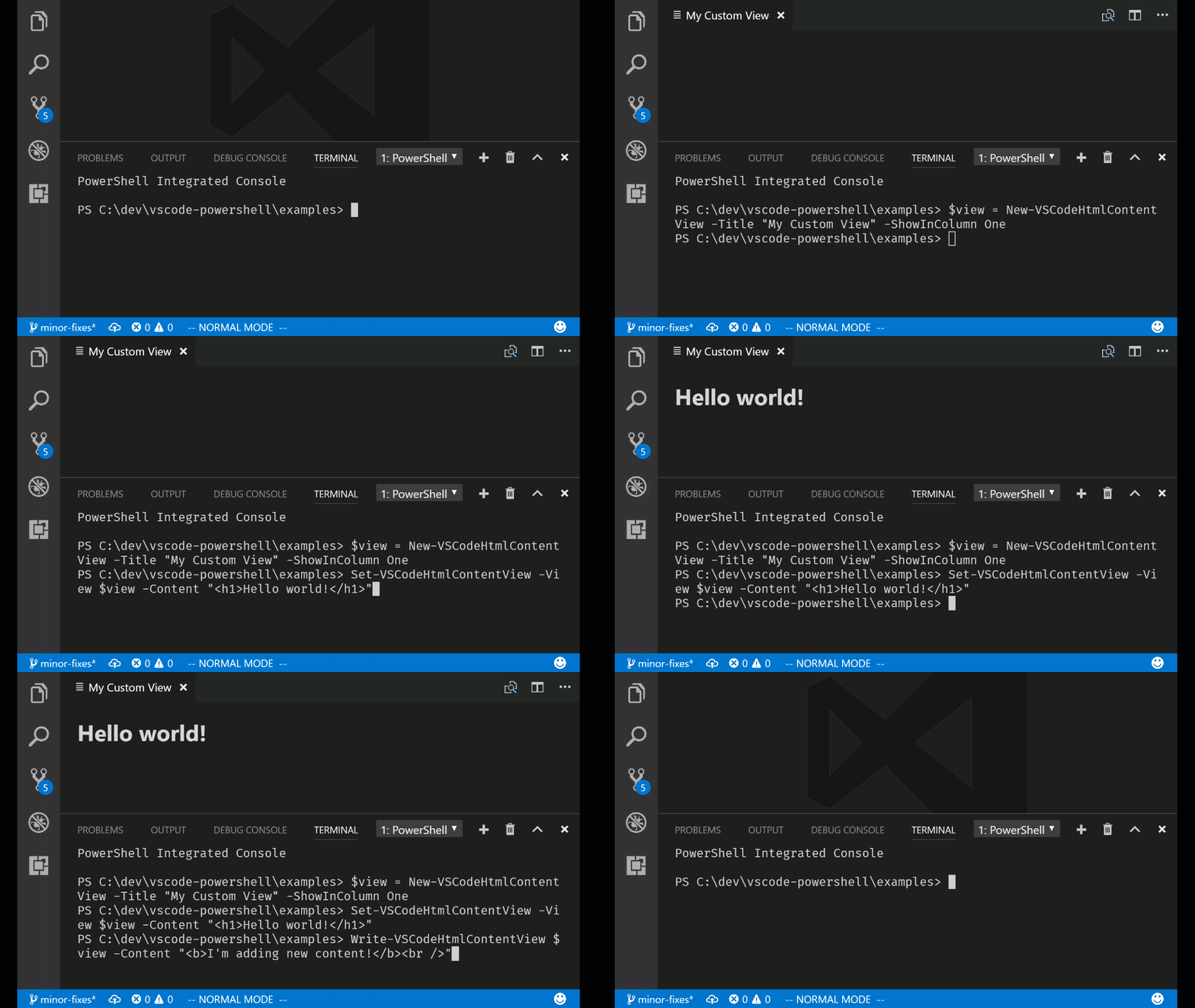
Check out the cmdlet help for the following commands to learn more:
- `New-VSCodeHtmlContentView`
- `Show-VSCodeHtmlContentView`
- `Close-VSCodeHtmlContentView`
- `Set-VSCodeHtmlContentView`
- `Write-VSCodeHtmlContentView`
Since this is a first release, we've restricted the use of JavaScript
inside of the HTML. We will add this capability in a future release!
#### Code formatting setting presets for common styles
We've now added code formatting presets for the most common code style
conventions used in the PowerShell community:
- **[OTBS](https://en.wikipedia.org/wiki/Indent_style#Variant:_1TBS_.28OTBS.29)** -
Known as the "One True Brace Style". Causes `else`, `catch`, and other
keywords to be "cuddled", keeping them on the same line as the previous
closing brace:
```powershell
if ($var -eq $true) {
# Do the thing
} else {
# Do something else
}
```
- **[Stroustrup](https://en.wikipedia.org/wiki/Indent_style#Variant:_Stroustrup)** -
Causes beginning curly braces to be placed on the same line as the statement:
```powershell
if ($var -eq $true) {
# Do the thing
}
else {
# Do something else
}
```
- **[Allman](https://en.wikipedia.org/wiki/Indent_style#Allman_style)** - All curly braces are preceded by a newline:
```powershell
if ($var -eq $true)
{
# Do the thing
}
else
{
# Do something else
}
```
- **Custom** - Allows full customization of the code formatting settings.
In addition, code formatting now respects your `editor.insertSpaces` and
`editor.tabSize` settings!
#### Debugging in a temporary PowerShell Integrated Console
We've added the ability to debug your PowerShell code in a temporary
PowerShell Integrated Console so that you have a fresh runspace and
PowerShell process each time you hit F5!
This setting is necessary if you are developing with PowerShell 5
classes or modules using .NET assemblies because .NET types cannot
be reloaded inside of the same PowerShell process. This new setting
saves you from reloading your PowerShell session each time you debug
your code!
You can configure this behavior in two ways:
- Use the `launch.json` configuration parameter `createTemporaryIntegratedConsole`:
```json
{
"type": "PowerShell",
"request": "launch",
"name": "PowerShell Launch Current File in Temporary Console",
"script": "${file}",
"args": [],
"cwd": "${file}",
"createTemporaryIntegratedConsole": true
},
```
- Configure the setting `powershell.debugging.createTemporaryIntegratedConsole`:
```json
"powershell.debugging.createTemporaryIntegratedConsole": true,
```
The default value for these settings is `false`, meaning that the temporary
console behavior is **opt-in**.
Configuring the user or workspace setting will cause all debugging sessions
to be run in a temporary Integrated Console so it's useful if you would prefer
this to be the default behavior. The `launch.json` setting overrides the user
setting so you can always customize the behavior for a specific launch
configuration.
#### NewFile() API and Out-CurrentFile command
You can now create a new untitled file from within the Integrated Console
by using the `$psEditor.Workspace.NewFile()` command! Also, you can send
the formatted output of any PowerShell command to the current file by using
the `Out-CurrentFile` command:
```powershell
Get-Process | Out-CurrentFile
```
Special thanks to [Doug Finke](https://github.com/dfinke) for the contribution!
#### Other fixes and improvements
- [#881](https://github.com/PowerShell/vscode-powershell/pull/881) -
When you select a different PowerShell version in the session menu, your choice
is persisted to the `powershell.powerShellExePath` setting.
- [#891](https://github.com/PowerShell/vscode-powershell/issues/891) -
Pester CodeLenses now run tests without string interpolation of test names
## 1.3.2
### Monday, June 12, 2017
- [PowerShell/vscode-powershell#864](https://github.com/PowerShell/vscode-powershell/issues/864) - Improved the visibility of hyphen characters on the currently edited line in the PowerShell ISE theme (thanks [Stefan Stranger](https://github.com/stefanstranger)!)
- [PowerShell/vscode-powershell#857](https://github.com/PowerShell/vscode-powershell/issues/855) - Typing a new function into a file no longer causes the language server to crash
- [PowerShell/vscode-powershell#855](https://github.com/PowerShell/vscode-powershell/issues/855) - "Format Document" no longer hangs indefinitely
- [PowerShell/vscode-powershell#859](https://github.com/PowerShell/vscode-powershell/issues/859) - Language server no longer hangs when opening a Pester test file containing dot-sourced script references
- [PowerShell/vscode-powershell#856](https://github.com/PowerShell/vscode-powershell/issues/856) - CodeLenses for function definitions no longer count the definition itself as a reference and shows "0 references" when there are no uses of that function
- [PowerShell/vscode-powershell#838](https://github.com/PowerShell/vscode-powershell/issues/838) - Right-clicking a debugger variable and selecting "Add to Watch" now has the desired result
- [PowerShell/vscode-powershell#837](https://github.com/PowerShell/vscode-powershell/issues/837) - Debugger call stack now navigates correctly to the user's selected stack frame
- [PowerShell/vscode-powershell#862](https://github.com/PowerShell/vscode-powershell/issues/862) - Terminating errors in the language server now close the Integrated Console immediately and prompt the user to restart the session
- [PowerShell/PowerShellEditorServices#505](https://github.com/PowerShell/PowerShellEditorServices/issues/505) - Added improved cmdlet help in the PowerShellEditorServices.Commands module
- [PowerShell/PowerShellEditorServices#509](https://github.com/PowerShell/PowerShellEditorServices/issues/509) - Importing the PowerShellEditorServices.Commands module no longer causes errors to be written about missing help languages
## 1.3.1
### Friday, June 9, 2017
#### Fixes and improvements
- [#850](https://github.com/PowerShell/vscode-powershell/issues/850) -
Fixed an issue where lower-cased "describe" blocks were not identified by
the CodeLens feature.
- [#851](https://github.com/PowerShell/vscode-powershell/issues/851) -
Fixed an issue where the language server would stop responding when typing out a describe
block.
- [#852](https://github.com/PowerShell/vscode-powershell/issues/852) -
Fixed an issue where Pester test names would not be detected correctly when
other arguments like -Tags were being used on a Describe block.
## 1.3.0
### Friday, June 9, 2017
#### CodeLens for running and debugging Pester tests
We've added two new CodeLens actions that show up above Describe blocks in
your Pester tests, "Run tests" and "Debug tests". By clicking one of these
CodeLenses, your tests will be executed in the Integrated Console with
the debugger attached. You can now set breakpoints and quickly debug a portion
of your test script:
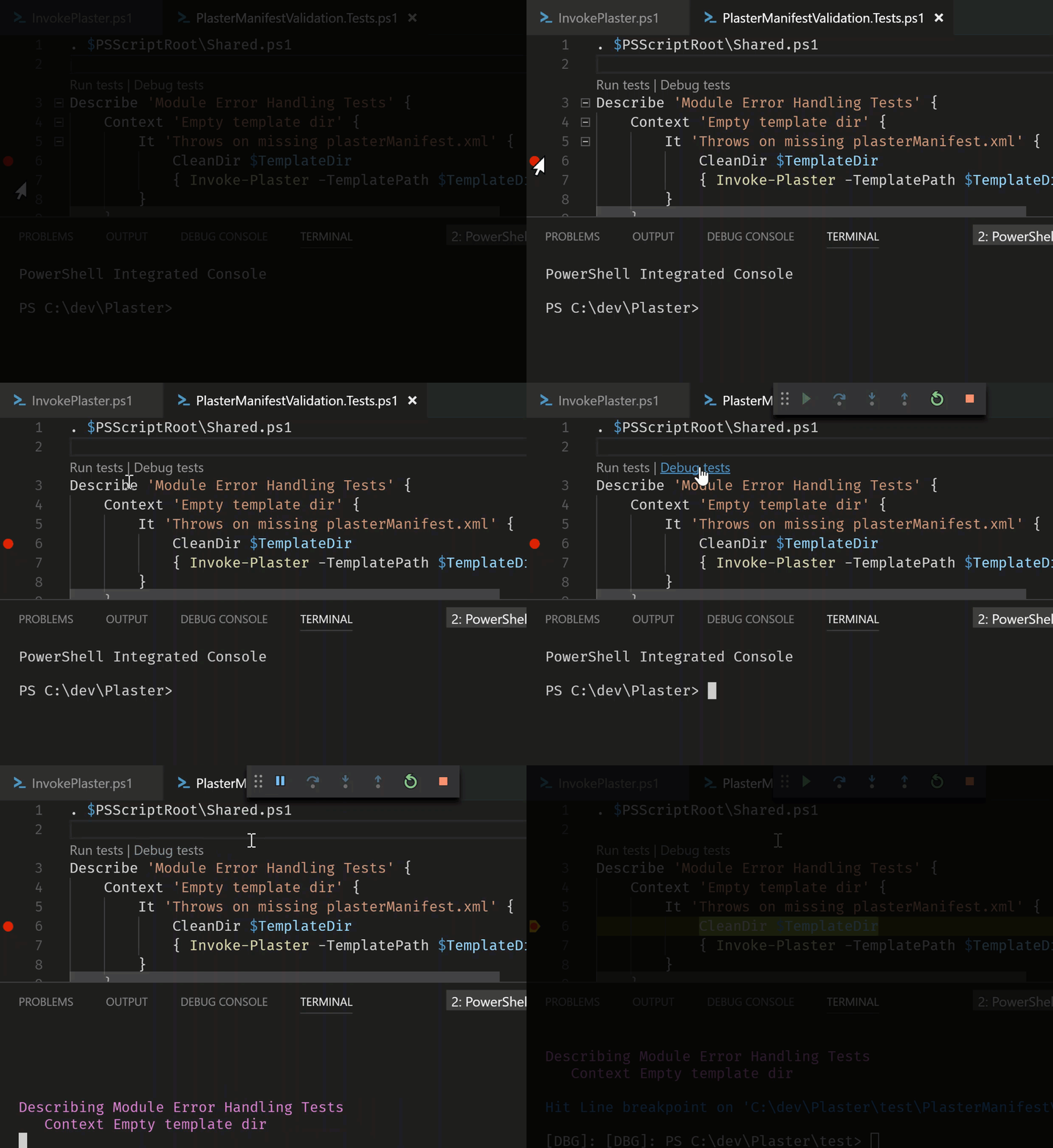
#### CodeLens support for finding references of a function or cmdlet
We've also added CodeLenses for showing the number of references for a function or
cmdlet that is defined in a script. If you click this CodeLens, the references
pane will appear so that you can navigate through all of the references:
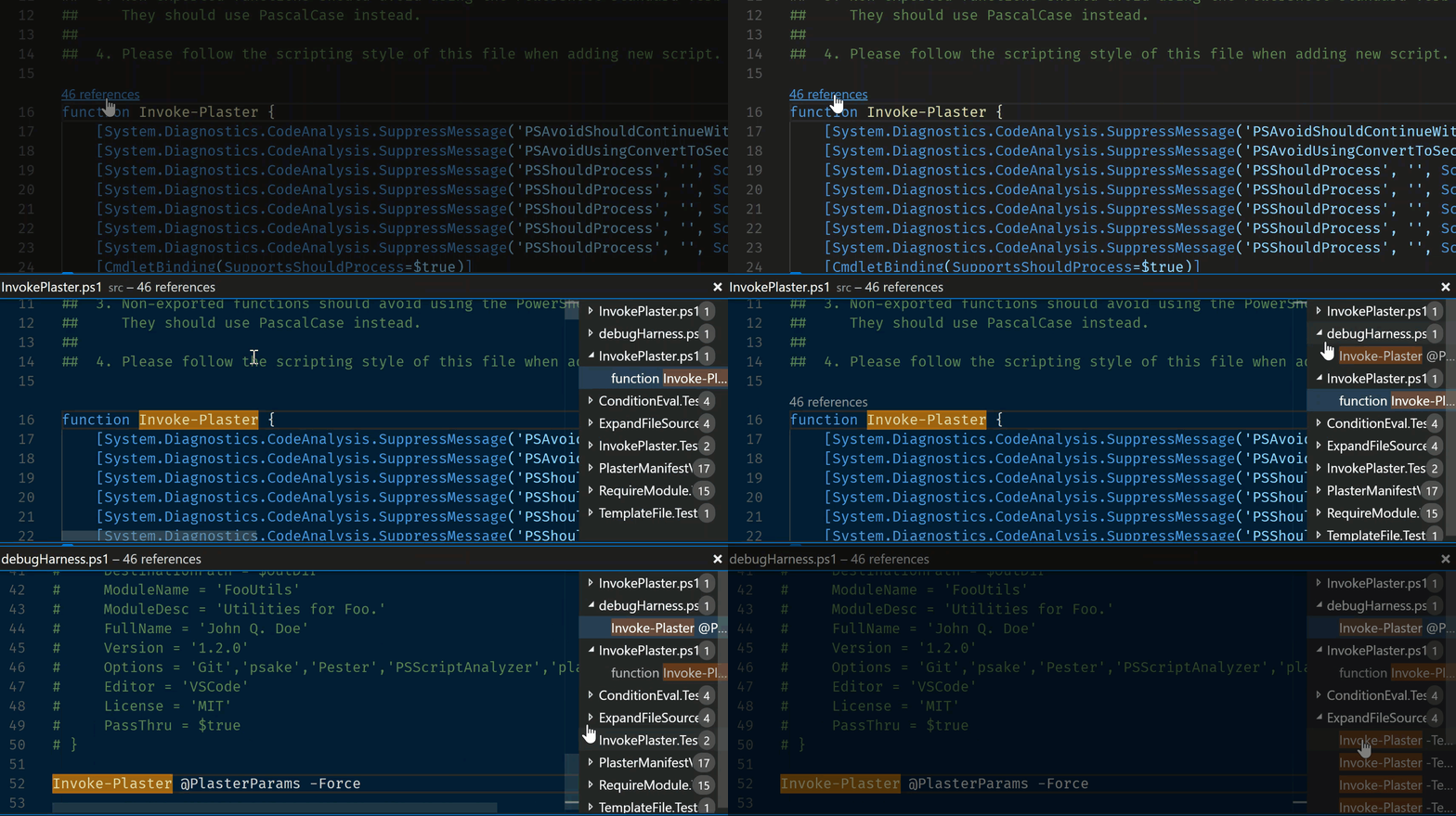
We will add CodeLens support for PowerShell 5+ classes and class methods in a future
update!
#### Document symbol support for Pester tests
We've also added document symbol support for Pester tests so that you can easily
navigate among the Describe, Context, and It blocks in large Pester script files:
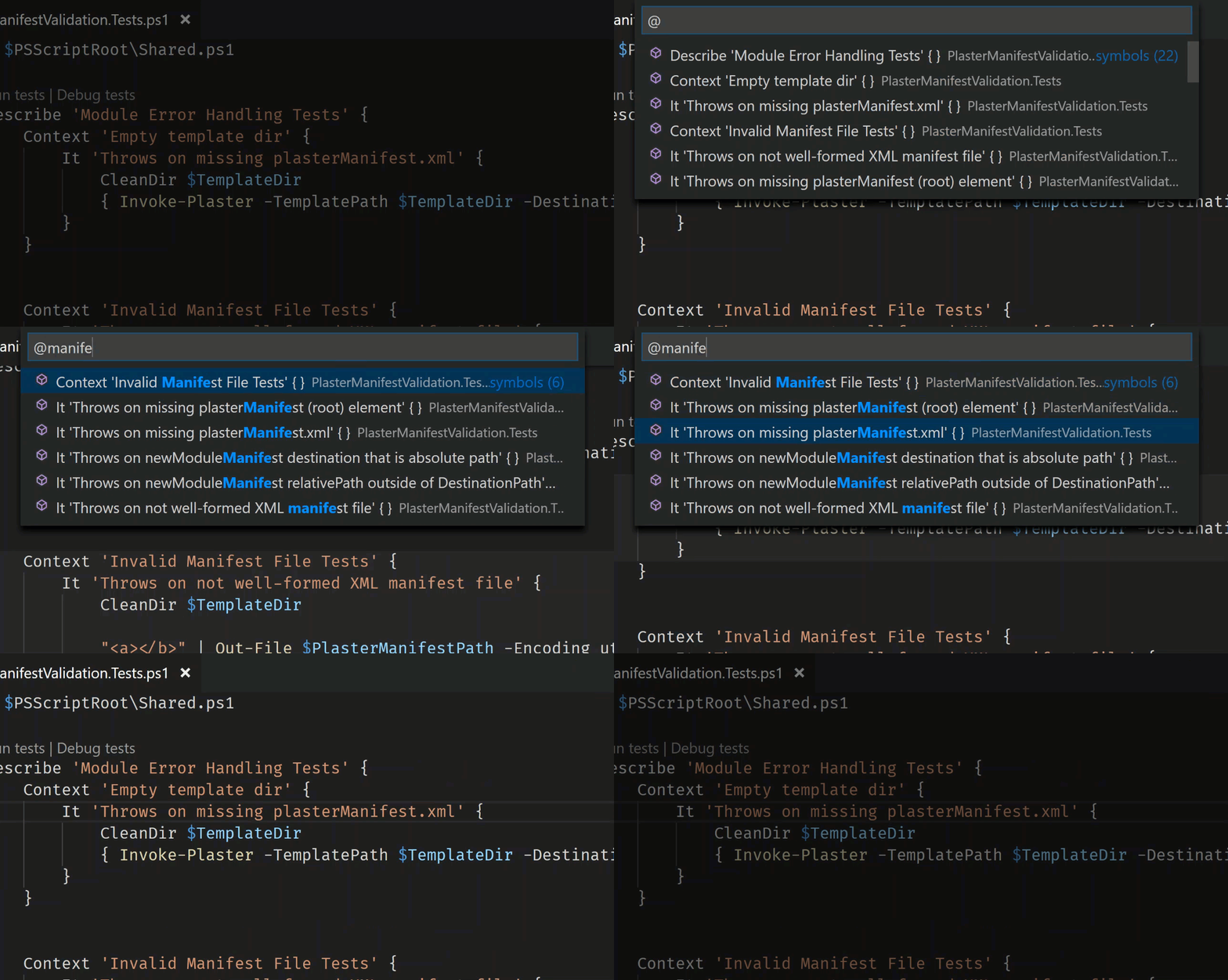
#### New PowerShell ISE theme
We now include a new color theme that tries to provide a faithful interpretation
of the PowerShell ISE's style, including a blue console background! To use this
theme open the Command Palette (Ctrl+Shift+P), run the "Preferences: Color Theme"
command, then select "PowerShell ISE".
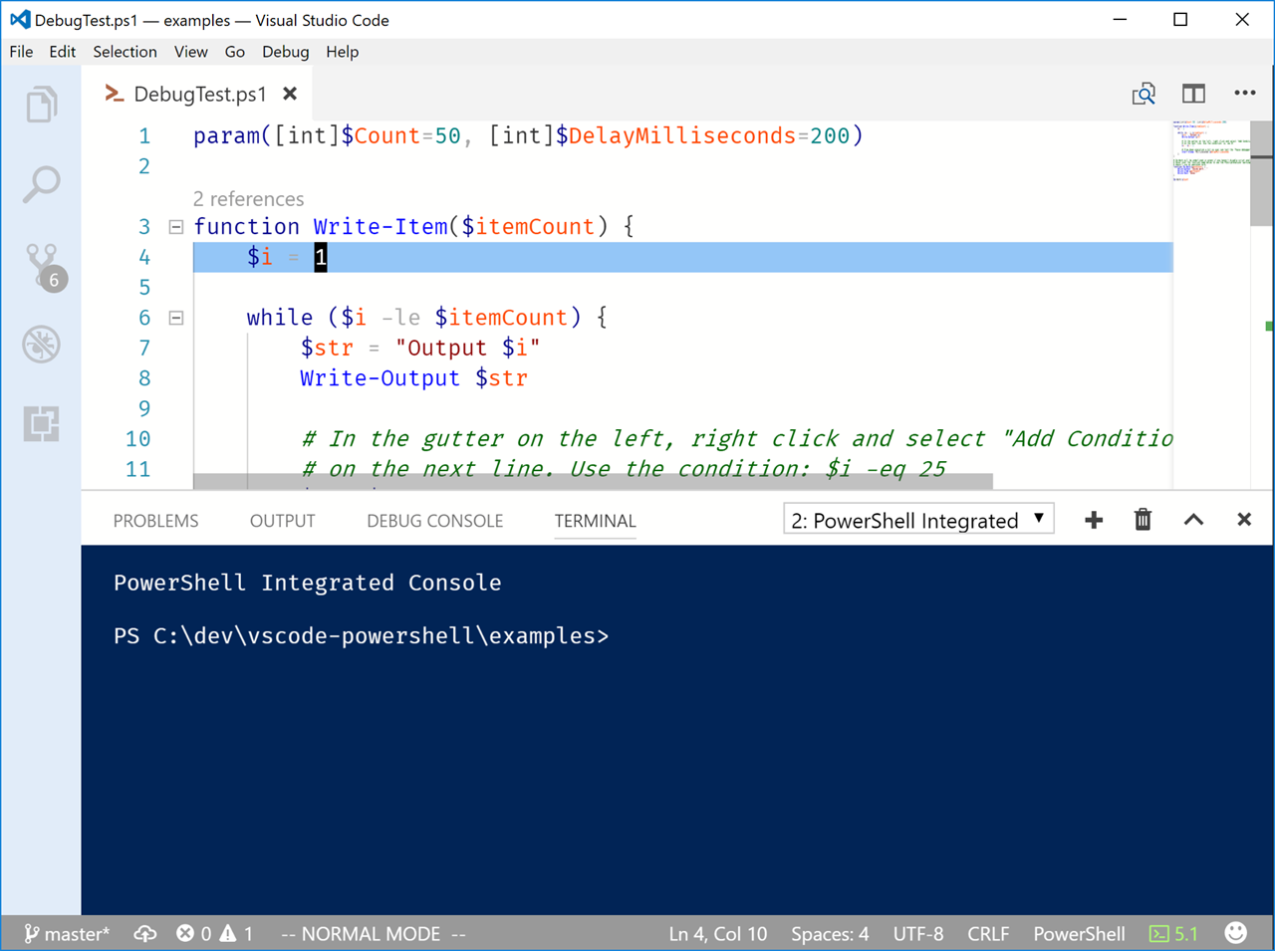
This is a first attempt at making this happen so [give us feedback](https://git.io/v9jnL)
if you think that the colors can be improved! Super huge thanks to
[Matt McNabb](https://twitter.com/mcnabbmh) for putting this together!
#### New cmdlets inside the Integrated Console
Thanks to new PowerShell Editor Services co-maintainer [Patrick Meinecke](https://github.com/SeeminglyScience),
we've gained a new set of useful commands for interacting with the $psEditor APIs
within the Integrated Console:
- [Find-Ast](https://github.com/PowerShell/PowerShellEditorServices/blob/main/module/docs/Find-Ast.md)
- [Get-Token](https://github.com/PowerShell/PowerShellEditorServices/blob/main/module/docs/Get-Token.md)
- [ConvertFrom-ScriptExtent](https://github.com/PowerShell/PowerShellEditorServices/blob/main/module/docs/ConvertFrom-ScriptExtent.md)
- [ConvertTo-ScriptExtent](https://github.com/PowerShell/PowerShellEditorServices/blob/main/module/docs/ConvertTo-ScriptExtent.md)
- [Set-ScriptExtent](https://github.com/PowerShell/PowerShellEditorServices/blob/main/module/docs/Set-ScriptExtent.md)
- [Join-ScriptExtent](https://github.com/PowerShell/PowerShellEditorServices/blob/main/module/docs/Join-ScriptExtent.md)
- [Test-ScriptExtent](https://github.com/PowerShell/PowerShellEditorServices/blob/main/module/docs/Test-ScriptExtent.md)
- [Import-EditorCommand](https://github.com/PowerShell/PowerShellEditorServices/blob/main/module/docs/Import-EditorCommand.md)
This should also resolve the issues some people were seeing when we tried
to load the unsigned temporary script containing `Register-EditorCommand`
on machines with an AllSigned execution policy ([#784](https://github.com/PowerShell/vscode-powershell/blob/HEAD/[https:/github.com/PowerShell/vscode-powershell/issues/784])).
#### Fixes and improvements
- [#827](https://github.com/PowerShell/vscode-powershell/issues/827) -
Fixed an issue where an Output panel will appear with an error when you close
the PowerShell Integrated Terminal
## 1.2.1
### Thursday, June 1, 2017
#### Fixes and improvements
- [PowerShell/PowerShellEditorServices#478](https://github.com/PowerShell/PowerShellEditorServices/issues/478) -
Dynamic comment help snippets now generate parameter fields correctly
when `<#` is typed above a `param()` block.
- [#808](https://github.com/PowerShell/vscode-powershell/issues/808) -
An extra `PS>` is no longer being written to the Integrated Console for
some users who have custom prompt functions.
- [#813](https://github.com/PowerShell/vscode-powershell/issues/813) -
Finding references of symbols across the workspace now properly handles
inaccessible folders and file paths
- [#810](https://github.com/PowerShell/vscode-powershell/issues/810) -
`$psEditor.GetEditorContext()` now doesn't throw exceptions when in an
untitled file
- [#807](https://github.com/PowerShell/vscode-powershell/issues/807) -
The users's previously selected PowerShell session type is now retained
when running the "PowerShell: Restart Current Session" command.
- [#821](https://github.com/PowerShell/vscode-powershell/issues/821) -
Note properties on PSObjects are now visible in the debugger's Variables
view
## 1.2.0
### Wednesday, May 31, 2017
#### Dynamic comment-based help snippets now work inside functions ([#763](https://github.com/PowerShell/vscode-powershell/issues/748))
You asked for it, you got it! Dynamic comment-based help snippets now work
inside function definitions, both above the `param()` block and at the end
of the function body:

*NOTE: There is an issue where parameter sections don't get generated inside of a function
with a `[CmdletBinding()]` attribute. This is being tracked at [PowerShell/PSScriptAnalyzer#768](https://github.com/PowerShell/PSScriptAnalyzer/issues/768).*
#### Session menu now contains entries for PowerShell Core installations on Windows ([#794](https://github.com/PowerShell/vscode-powershell/issues/794))
It's now much easier to switch between Windows PowerShell and PowerShell Core installs
on Windows. When you run the "PowerShell: Show Session Menu" command or click the
PowerShell version indication in the status bar you'll now see PowerShell Core entries
in the menu:

#### Improved PSScriptAnalyzer marker display and suppression snippets ([#781](https://github.com/PowerShell/vscode-powershell/issues/781)) and ([#783](https://github.com/PowerShell/vscode-powershell/issues/783))
The green squiggle markers you receive from PSScriptAnalyzer now include the
name of the corresponding rule in their description:

This is really helpful with the new rule suppression snippets contributed by
[Jos Verlinde](https://github.com/Josverl)! You can access them by typing
`suppress-` and selecting one of the suppression snippet options:

#### New built-in Pester problem matcher ([#798](https://github.com/PowerShell/vscode-powershell/issues/798))
We now include a built-in [problem matcher](https://code.visualstudio.com/Docs/editor/tasks#_defining-a-problem-matcher)
for Pester test output so that you don't need to define one in your `tasks.json`
file any longer! You can reference the built-in problem matcher in your test
tasks by using the name `$pester`:
```json
{
"taskName": "Test",
"suppressTaskName": true,
"isTestCommand": true,
"showOutput": "always",
"args": [ "Invoke-Pester -PesterOption @{IncludeVSCodeMarker=$true}" ],
"problemMatcher": "$pester"
}
```
*NOTE: There is an issue with problem matchers when using the new `2.0.0`
version of VS Code's task runner. Pester errors may show up multiple
times in the Problems panel. This issue is being tracked at
[#797](https://github.com/PowerShell/vscode-powershell/issues/797).*
#### Other fixes and improvements
- [#710](https://github.com/PowerShell/vscode-powershell/issues/710) -
Variable definitions can now be found across the workspace
- [#771](https://github.com/PowerShell/vscode-powershell/issues/771) -
Improved dynamic comment help snippet performance in scripts with many functions
- [#786](https://github.com/PowerShell/vscode-powershell/issues/786) -
Running the "Show Integrated Console" command will now start the extension
if it isn't already started
- [#774](https://github.com/PowerShell/vscode-powershell/issues/774) -
Pressing Enter now causes custom prompt functions to be fully evaluated
- [#770](https://github.com/PowerShell/vscode-powershell/issues/770) -
Fixed issue where custom prompt function might be written twice when
starting the integrated console
- [#767](https://github.com/PowerShell/vscode-powershell/issues/767) -
Fixed placeholder navigation for many built-in snippets
- [#782](https://github.com/PowerShell/vscode-powershell/issues/782) -
Fixed extension host crash when restarting the PowerShell session
- [#737](https://github.com/PowerShell/vscode-powershell/issues/737) -
Fixed hangs and high CPU when restarting or switching between PowerShell sessions
- [#777](https://github.com/PowerShell/vscode-powershell/issues/777) -
Changed "Starting PowerShell" message to clearly indicate that we're in the
PowerShell Integrated Console
## 1.1.0
### Thursday, May 18, 2017
#### New dynamic snippet for adding comment-based help ([#748](https://github.com/PowerShell/vscode-powershell/issues/748))
We've added a really cool new feature that enables you to create comment-based
help blocks with ease! When you've defined a function in a PowerShell script
file, you can now start typing a comment block above the function definition
and it will be completed for you:

This comment block works like a snippet, allowing you to tab through the fields
to quickly add documentation for the parts you care about.
This is a first pass for this feature and we plan to do more with it in the future.
Please feel free to [file feature requests](https://git.io/v9jnL) for anything else
you'd like to see!
#### Breakpoints hit in the Integrated Console now activate the debugger UI ([#619](https://github.com/PowerShell/vscode-powershell/issues/619))
In previous releases it was necessary to start the "PowerShell Interactive Session"
debugging configuration before you could run a command or script from the Integrated
Console and hit breakpoints in the editor UI. We've just removed this limitation!
Now when you set a breakpoint using `Set-PSBreakpoint` and run a script or command in the
Integrated Console, the debugger UI now gets activated:

Note that breakpoints set in the Integrated Console [still do not show up](https://github.com/PowerShell/vscode-powershell/issues/660)
in the editor UI; this requires [changes to VS Code](https://github.com/Microsoft/vscode/issues/8642)
that we'll be contributing for their next feature release.
#### Improved output when loading profile scripts ([#663](https://github.com/PowerShell/vscode-powershell/issues/663) and [#689](https://github.com/PowerShell/vscode-powershell/issues/689))
We now write the errors and Write-Output calls that occur while loading profile
scripts so that it's easier to diagnose issues with your profile scripts. This
fix will help us identify the things missing from the Integrated Console which
cause your profile scripts to fail (like the current lack of a [PrivateData object for setting console colors](https://github.com/PowerShell/vscode-powershell/issues/571)).
Please feel free to [file issues](https://git.io/v9jnL) for anything that causes
your profile scripts to throw errors when they get loaded!
#### Other fixes and improvements
- [#751](https://github.com/PowerShell/vscode-powershell/issues/751) -
Removed keybinding for the "Find PowerShell Modules from the Gallery" command
because it conflicts with VS Code's default "Format Selection" keybinding.
- [#739](https://github.com/PowerShell/vscode-powershell/issues/739) -
Fixed wording of PowerShell extension commands to have consistent capitalization.
Thanks to [@AndySchneiderDev](https://github.com/AndySchneiderDev) for the
contribution!
## 1.0.0
### Wednesday, May 10, 2017
We are excited to announce that we've reached version 1.0! For more information,
please see the [official announcement](https://blogs.msdn.microsoft.com/powershell/2017/05/10/announcing-powershell-for-visual-studio-code-1-0/)
on the PowerShell Team Blog.
#### New script argument UI when debugging ([#705](https://github.com/PowerShell/vscode-powershell/issues/705))
You can now set PowerShell debugger configurations to prompt for arguments to be
passed to your script when it is executed. This is configured using the new
`${command:SpecifyScriptArgs}` configuration variable in `launch.json`:
```json
{
"type": "PowerShell",
"request": "launch",
"name": "PowerShell Launch DebugTest.ps1 w/Args Prompt",
"script": "${workspaceRoot}/DebugTest.ps1",
"args": [ "${command:SpecifyScriptArgs}" ],
"cwd": "${file}"
}
```
When you launch this configuration you will see a UI popup asking for arguments:

You can type your arguments to the script as you would in PowerShell:
```powershell
-Count 5
```
In future executions of this configuration, you will be presented with the arguments
you typed the last time you ran it so that you can easily edit them and test variations!
#### New hash table alignment formatting rule ([#672](https://github.com/PowerShell/vscode-powershell/issues/672))
We've added a new code formatting rule that automatically aligns the equal sign
in assignments of keys in hash tables or DSC configurations. It also works with
nested hash tables! Here's a simple example:
##### Before
```powershell
$formatTest = @{
Apple = 4
Tangerine = @{
Orange = 2
CornflowerBlue = 6
}
Banana = 3
}
```
##### After
```powershell
$formatTest = @{
Apple = 4
Tangerine = @{
Orange = 2
CornflowerBlue = 6
}
Banana = 3
}
```
This formatting rule is enabled by default but can be disabled with the following
setting:
```json
"powershell.codeFormatting.alignPropertyValuePairs": false
```
#### Added basic module-wide function references support
In the past, finding the references or definition of a function in `FileA.ps1` only
worked if `FileA.ps1` had an explicit dot-source invocation of `FileB.ps1`. We have
removed this limitation so that you can now find definitions and references of any
function across all the script files in your project folder! This is especially
useful if you write PowerShell modules where all of the source files are dot-sourced
inside of the .psm1 file.
This new implementation is very basic and may give unexpected results, so please [file
an issue on GitHub](https://github.com/PowerShell/vscode-powershell/issues) if you get
a result you did not expect!
#### Other integrated console and debugger improvements
- Fixed [#698](https://github.com/PowerShell/vscode-powershell/issues/698) -
When debugging scripts in the integrated console, the cursor position should now
be stable after stepping through your code! Please let us know if you see any
other cases where this issue appears.
- Fixed [#626](https://github.com/PowerShell/vscode-powershell/issues/626) -
Fixed an issue where debugging a script in one VS Code window would cause that script's
output to be written to a different VS Code window in the same process.
- Fixed [#618](https://github.com/PowerShell/vscode-powershell/issues/618) -
Pressing enter on an empty command line in the Integrated Console no longer adds the
empty line to the command history.
- Fixed [#617](https://github.com/PowerShell/vscode-powershell/issues/617) -
Stopping the debugger during a prompt for a mandatory script parameter no
longer crashes the language server.
- Fixed [PowerShellEditorServices #428](https://github.com/PowerShell/PowerShellEditorServices/issues/428) -
Debugger no longer hangs when you stop debugging while an input or choice prompt is
active in the integrated console.
## 0.12.2
### Friday, April 7, 2017
- Fixed [#662](https://github.com/PowerShell/vscode-powershell/issues/662) -
Changed usage of `$env:PSMODULEPATH` to `$env:PSModulePath` to conform to
a recent change in PowerShell 6 ([PowerShell/PowerShell#3255](https://github.com/PowerShell/PowerShell/pull/3255))
which makes the casing of `PSModulePath` consistent between Windows and
the *NIX platforms.
**NOTE: This is a breaking change for PowerShell extension users on Linux and macOS**
If you are using PowerShell 6.0.0-alpha.17 or lower you **will** need to upgrade
to 6.0.0-alpha.18.
- Fixed [#645](https://github.com/PowerShell/vscode-powershell/issues/645) -
"Go to Definition" or "Find References" now work in untitled scripts without
crashing the session
- Fixed [#632](https://github.com/PowerShell/vscode-powershell/issues/632) -
Debugger no longer hangs when launched while PowerShell session is still
initializing
- Fixed [#655](https://github.com/PowerShell/vscode-powershell/issues/655) -
Fixed an issue with current working directory being set incorrectly when
debugging untitled script files
- Fixed [PowerShellEditorServices #430](https://github.com/PowerShell/PowerShellEditorServices/issues/430) -
Resolved occasional IntelliSense slowness by preventing the implicit loading
of the PowerShellGet and PackageManagement modules. This change will be reverted
once a bug in PackageManagement is fixed.
- Fixed [PowerShellEditorServices #427](https://github.com/PowerShell/PowerShellEditorServices/issues/427) -
Fixed an occasional crash when requesting editor IntelliSense while running
a script in the debugger
- Fixed [PowerShellEditorServices #416](https://github.com/PowerShell/PowerShellEditorServices/issues/416) -
Cleaned up errors that would appear in the `$Errors` variable from the use
of `Get-Command` and `Get-Help` in IntelliSense results
## 0.12.1
### Tuesday, April 4, 2017
- Fixed [#648](https://github.com/PowerShell/vscode-powershell/issues/648) -
Resolved an error when launching an untitled script file in a workspace
with no launch.json or in a window without a workspace path
## 0.12.0
### Tuesday, April 4, 2017
#### Debugging untitled files ([#555](https://github.com/PowerShell/vscode-powershell/issues/555))
You can now debug untitled files that are set to the PowerShell language mode. When you
create a new untitled file, use the "Change Language Mode" command (<kbd>Ctrl+K M</kbd>)
and choose "PowerShell" from the menu that appears. You can now press F5 to start
debugging the script file without saving it.
In the upcoming 1.11.0 release of Visual Studio Code (or in the current VS Code Insiders
release), you can configure the new `files.defaultLanguage` setting to `powershell` in either
your User or Workspace settings to cause all untitled files to be created with the PowerShell
mode by default. This will allow you to create new PowerShell scripts and debug them
immediately without saving first!
#### New right-click context menu for Run Selection ([#581](https://github.com/PowerShell/vscode-powershell/issues/581))
By user request, we've also added a new "Run Selection" item in the right-click context menu
for PowerShell script files:

#### Debugging improvements
- Fixed [#620](https://github.com/PowerShell/vscode-powershell/issues/620) -
PowerShell session now does not crash when a breakpoint is hit outside of
debug mode
- Fixed [#614](https://github.com/PowerShell/vscode-powershell/issues/614) -
Auto variables are now populating correctly in the debugger. **NOTE**: There is
a known issue where all of a script's variables begin to show up in the
Auto list after running a script for the first time. This is caused by
a change in 0.11.0 where we now dot-source all debugged scripts. We will
provide an option for this behavior in the future.
- Fixed [#641](https://github.com/PowerShell/vscode-powershell/issues/641) -
PowerShell script files with capitalized extensions (.PS1, .PSM1) can now
be launched in the debugger
- Fixed [#616](https://github.com/PowerShell/vscode-powershell/issues/616) -
Debugger now shows column position indicators when debugging pipelines or
nested expressions:

#### Integrated console improvements
- Fixed [PowerShell/PowerShellEditorServices#411](https://github.com/PowerShell/PowerShellEditorServices/issues/411) -
Commands run outside of the integrated console prompt now interrupt the prompt
correctly. This resolves a class of issues that appear when running commands
in the extension like "New Project from Plaster Template" or any `$psEditor`
commands added with the "Register-EditorCommand" function. Running any of
these commands will now cause the current input prompt to be cancelled so that
the command's output will be written correctly.
#### Code formatting improvements
- Fixed [#595](https://github.com/PowerShell/vscode-powershell/issues/595) -
High CPU usage when using formatOnType has now been resolve
- Fixed [#559](https://github.com/PowerShell/vscode-powershell/issues/559) -
The `newLineAfterCloseBrace` behavior has been improved to respect common syntax
usages
- Fixed[PowerShell/PowerShellEditorServices#380](https://github.com/PowerShell/PowerShellEditorServices/issues/380) -
The `whitespaceBeforeOpenBrace` behavior now leaves "magic" functions with the
correct formatting. For example: `(0 .. 10).foreach{$_}` now does not have a
whitespace inserted before the `{`.
#### New Project with Plaster improvements
- Fixed [#643](https://github.com/PowerShell/vscode-powershell/issues/643) -
Running Plaster using the New Project command now interrupts the command prompt
correctly
- Fixed [#504](https://github.com/PowerShell/vscode-powershell/issues/504) -
Confirming default values in Plaster input prompts by pressing Enter now works
correctly
#### Other fixes and improvements
- Added [#639](https://github.com/PowerShell/vscode-powershell/pull/639) and
[#640](https://github.com/PowerShell/vscode-powershell/pull/640) -
Our configuration setting descriptions have been edited for superior clarity
thanks to [June Blender](https://github.com/juneb)!
- Fixed [#611](https://github.com/PowerShell/vscode-powershell/pull/640) -
Example-* snippets are now displaying correctly in IntelliSense results
- Added [#624](https://github.com/PowerShell/vscode-powershell/pull/624) -
When you update the PowerShell extension after this release, you will now see
version update indicators which offer to display the changelog in a preview
tab
## 0.11.0
### Wednesday, March 22, 2017
#### Remotely edited files can now be saved
- Added [#583](https://github.com/PowerShell/vscode-powershell/issues/583) -
When you open files in a remote PowerShell session with the `psedit` command,
their updated contents are now saved back to the remote machine when you save
them in the editor.
#### Integrated console improvements
- Fixed [#533](https://github.com/PowerShell/vscode-powershell/issues/533) -
The backspace key now works in the integrated console on Linux and macOS. This
fix also resolves a few usability problems with the integrated console on all
supported OSes.
- Fixed [542](https://github.com/PowerShell/vscode-powershell/issues/542) -
Get-Credential now hides keystrokes correctly on Linux and macOS.
We also added some new settings ([#580](https://github.com/PowerShell/vscode-powershell/issues/580),
[#588](https://github.com/PowerShell/vscode-powershell/issues/588)) to allow fine-tuning
of the integrated console experience:
- `powershell.startAutomatically` (default: `true`) - If true, causes PowerShell extension
features to start automatically when a PowerShell file is opened. If false, the user must
initiate startup using the 'PowerShell: Restart Current Session' command. IntelliSense,
code navigation, integrated console, code formatting, and other features will not be
enabled until the extension has been started. Most users will want to leave this
setting to `true`, though it was added to save CPU cycles if you often use new VS Code
instances to quickly view PowerShell files.
- `powershell.integratedConsole.showOnStartup` (default: `true`) - If true, causes the
integrated console to be shown automatically when the PowerShell extension is initialized.
- `powershell.integratedConsole.focusConsoleOnExecute` (default: `true`) - If `true`,
causes the integrated console to be focused when a script selection is run or a
script file is debugged.
#### Interactive debugging improvements
- Added [#540](https://github.com/PowerShell/vscode-powershell/issues/540) -
The scripts that you debug are now dot-sourced into the integrated console's
session, allowing you to experiment with the results of your last execution.
- Added [#600](https://github.com/PowerShell/vscode-powershell/issues/600) -
Debugger commands like `stepInto`, `continue`, and `quit` are now available
in the integrated console while debugging a script.
- Fixed [#596](https://github.com/PowerShell/vscode-powershell/issues/596) -
VS Code's Debug Console now warns the user when it is used while debugging
a script. All command evaluation now happens through the integrated console
so this message should help alleviate confusion.
#### Other fixes and improvements
- Fixed [#579](https://github.com/PowerShell/vscode-powershell/issues/579) -
Sorting of IntelliSense results is now consistent with the PowerShell ISE
- Fixed [#591](https://github.com/PowerShell/vscode-powershell/issues/591) -
"Editor commands" registered with the `Register-EditorCommand` function are
now sorted alphabetically by their `Name` field, causing commands to be grouped
based on their source module.
- Fixed [#575](https://github.com/PowerShell/vscode-powershell/issues/575) -
The interactive console no longer starts up with errors in the `$Error` variable.
- Fixed [#599](https://github.com/PowerShell/vscode-powershell/issues/599) -
The [SSASCMDLETS module](https://msdn.microsoft.com/en-us/library/hh213141.aspx?f=255&MSPPError=-2147217396)
from SQL Server Analytics Service should now load correctly in the integrated
console.
## 0.10.1
### Thursday, March 16, 2017
#### Fixes and improvements
- Fixed [#566](https://github.com/PowerShell/vscode-powershell/issues/566) -
Enable editor IntelliSense while stopped at a breakpoint
- Fixed [#556](https://github.com/PowerShell/vscode-powershell/issues/556) -
Running and debugging scripts in the integrated console should not steal focus from the editor
- Fixed [#543](https://github.com/PowerShell/vscode-powershell/issues/543) -
Keyboard input using <kbd>AltGr</kbd> <kbd>Ctrl+Alt</kbd> modifiers does not work
- Fixed [#421](https://github.com/PowerShell/vscode-powershell/issues/421) -
Session startup should give a helpful error message if ConstrainedLanguage mode is turned on
- Fixed [#401](https://github.com/PowerShell/vscode-powershell/issues/401) -
Session startup should indicate if current PowerShell version is unsupported (PSv1 and v2)
- Fixed [#454](https://github.com/PowerShell/vscode-powershell/issues/454) -
ExecutionPolicy set via group policy or registry key should not cause language server to crash
- Fixed [#532](https://github.com/PowerShell/vscode-powershell/issues/532) -
DEVPATH environment variable not being set for interactive console session
- Fixed [PowerShellEditorServices #387](https://github.com/PowerShell/PowerShellEditorServices/issues/387) -
Write-(Warning, Verbose, Debug) are missing message prefixes and foreground colors
- Fixed [PowerShellEditorServices #382](https://github.com/PowerShell/PowerShellEditorServices/issues/382) -
PSHostUserInterface implementation should set SupportsVirtualTerminal to true
## 0.10.0
### Tuesday, March 14, 2017
#### New interactive console experience
We are excited to provide you with the first release of our new interactive
console experience! When you open up a PowerShell script file, you will
be greeted with a new VS Code integrated terminal window called
"PowerShell Integrated Console"

In this console you will have an experience that falls somewhere between
the PowerShell ISE and the PowerShell console host:
- Tab completion of commands and their parameters
- Basic command history, accessed using the up/down arrow keys
- The `psedit` command opens existing files in an editor pane
- Pressing <kbd>F8</kbd> in an editor pane runs the current line or selection in the console
- Native applications like `git` are fully supported
- Script debugging shares the same console session with the editor for
a true ISE-like debugging experience
It even works with your fancy prompt function if configured in your
VS Code profile (`$HOME\Documents\WindowsPowerShell\Microsoft.VSCode_profile.ps1`):

The integrated console is supported on PowerShell v3 through v6 and works
on Linux and macOS with PowerShell Core. By default you don't have to
configure which PowerShell to run, we will pick an appropriate default
based on your platform. If you'd like to choose a different install
of PowerShell you can always change the `powershell.developer.powerShellExePath`
setting.
Keep in mind that this is the first release for this feature and there are
bound to be issues and missing functionality. Please feel free to file
GitHub issues for any bugs or feature requests!
##### Known Issues and Limitations
- [#535](https://github.com/PowerShell/vscode-powershell/issues/535) PSReadline
is currently **not** supported in the integrated console. We will enable this
in a future release.
- [#534](https://github.com/PowerShell/vscode-powershell/issues/534) Integrated console
prompt is not restarted when you stop the debugging of a local runspace in another
process. This will be addressed soon in a patch update.
- [#533](https://github.com/PowerShell/vscode-powershell/issues/533) Backspace key
does not work in the integrated console on Linux and macOS. The workaround for now
is to use <kbd>Ctrl+H</kbd> instead of the Backspace key. This will be addressed
soon in a patch update.
- [#536](https://github.com/PowerShell/vscode-powershell/issues/536) Integrated console
sometimes does not have a scrollbar at startup. The workaround is to resize the width
of the VS Code window slightly and the scrollbar will appear. This will be addressed
soon in a patch update.
#### Get-Credential and PSCredential support
Now that we have the integrated console, we have added support for the `Get-Credential`
cmdlet, `Read-Host -AsSecureString`, and any input prompt of type `SecureString` or `PSCredential`.
When you run any of these cmdlets you will be prompted inside the integrated console:

#### Code formatting improvements
We now support VS Code's `editor.formatOnType` setting so that your code gets formatted
as you type! Formatting will be triggered when you press Enter or the closing curly
brace character `}`.
Based on your feedback, we've also added new code formatting options, all of which
are turned on by default:
- `powershell.codeFormatting.newLineAfterCloseBrace` - Causes a newline to be inserted
after a closing brace in multi-line expressions like if/else
- `powershell.codeFormatting.whitespaceBeforeOpenBrace` - Causes whitespace to be
inserted before an open brace like `Foreach-Object {`
- `powershell.codeFormatting.whitespaceBeforeOpenParen` - Causes whitespace to be
inserted before an open parentheses like `if (`
- `powershell.codeFormatting.whitespaceAroundOperator` - Causes whitespace to be
inserted around operators like `=` or `+`
- `powershell.codeFormatting.whitespaceAfterSeparator` - Causes whitespace to be
inserted around separator characters like `;` and `,`
- `powershell.codeFormatting.ignoreOneLineBlock` - Single-line expressions, like
small if/else statements, will not be expanded to multiple lines.
We've also made many improvements to the performance and stability of the formatter.
#### Debugging improvements
We've added a new configuration for debugging your Pester tests. By default it
merely runs `Invoke-Pester` at the workspace path, but you can also edit the
configuation to add additional arguments to be passed through.
We've also added support for column breakpoints. Now you can set a breakpoint
directly within a pipeline by placing your cursor at any column on a line and
running the `Debug: Column Breakpoint` command:

For the latest PowerShell Core release ([6.0.0-alpha.17](https://github.com/PowerShell/PowerShell/releases/tag/v6.0.0-alpha.17)),
we have also added the ability to step into ScriptBlocks that are executed on another
machine using `Invoke-Command -Computer`.
Set a breakpoint on an `Invoke-Command` line and then once it's hit:

Press `F11` and you will step into the ScriptBlock. You can now continue to use
"step in" and trace the ScriptBlock's execution on the remote machine:

Note that you cannot currently set breakpoints in the script listing file as
this code is being executed without an actual script file on the remote machine.
#### Other fixes and improvements
- Fixed [#427](https://github.com/PowerShell/vscode-powershell/issues/427) -
The keybinding for "Expand Alias" command has been changed to <kbd>Shift+Alt+E</kbd>
- Fixed [#519](https://github.com/PowerShell/vscode-powershell/issues/519) -
Debugger hangs after continuing when watch expressions are set
- Fixed [#448](https://github.com/PowerShell/vscode-powershell/issues/448) -
Code formatter should keep indentation for multi-line pipelines
- Fixed [#518](https://github.com/PowerShell/vscode-powershell/issues/518) -
Code formatter fails when dollar-paren `$()` expressions are used
- Fixed [#447](https://github.com/PowerShell/vscode-powershell/issues/447) -
Code formatter crashes when run on untitled documents
## 0.9.0
### Thursday, January 19, 2017
#### New PowerShell code formatter
We've added a formatter for PowerShell code which allows you to format an
entire file or a selection within a file. You can access this formatter by
running VS Code's `Format Document` and `Format Selection` commands inside
of a PowerShell file.
You can configure code formatting with the following settings:
- `powershell.codeFormatting.openBraceOnSameLine` - Places open brace on the
same line as its associated statement. Default is `true`.
- `powershell.codeFormatting.newLineAfterOpenBrace` - Ensures that a new line
occurs after an open brace (unless in a pipeline statement on the same line).
Default is `true`
- `editor.tabSize` - Specifies the indentation width for code blocks. This
is a VS Code setting but it is respected by the code formatter.
- `editor.formatOnSave` - If true, automatically formats when they are saved.
This is a VS Code setting and may also affect non-PowerShell files.
Please note that this is only a first pass at PowerShell code formatting, it
may not format your code perfectly in all cases. If you run into any issues,
please [file an issue](https://github.com/PowerShell/vscode-powershell/issues/new)
and give us your feedback!
#### Streamlined debugging experience - launch.json is now optional
**NOTE: This improvement depends on VS Code 1.9.0 which is due for release
early February!** However, you can try it out right now with the [VS Code Insiders](https://code.visualstudio.com/insiders)
release.
Thanks to a new improvement in VS Code's debugging APIs, we are now able to
launch the PowerShell debugger on a script file without the need for a `launch.json`
file. You can even debug individual PowerShell scripts without opening a
workspace folder! Don't worry, you can still use a `launch.json` file to configure
specific debugging scenarios.
We've also made debugger startup much more reliable. You will no longer see the
dreaded "Debug adapter terminated unexpectedly" message when you try to launch
the debugger while the language server is still starting up.
#### Support for debugging remote and attached runspaces
We now support remote PowerShell sessions via the [`Enter-PSSession`](https://msdn.microsoft.com/en-us/powershell/reference/5.0/microsoft.powershell.core/enter-pssession)
cmdlet. This cmdlet allows you to create a PowerShell session on another machine
so that you can run commands or debug scripts there. The full debugging
experience works with these remote sessions on PowerShell 4 and above, allowing
you to set breakpoints and see remote files be opened locally when those breakpoints
are hit.
For PowerShell 5 and above, we also support attaching to local and remote PowerShell
host processes using the [`Enter-PSHostProcess`](https://msdn.microsoft.com/en-us/powershell/reference/5.0/microsoft.powershell.core/enter-pshostprocess)
and [`Debug-Runspace`](https://msdn.microsoft.com/en-us/powershell/reference/5.0/microsoft.powershell.utility/debug-runspace)
cmdlets. This allows you to jump into another process and then debug a script that
is already running in one of the runspaces in that process. The debugger will break
execution of the running script and then the associated script file will be opened
in the editor so that you can set breakpoints and step through its execution.
We've also added a new `launch.json` configuration for debugging PowerShell host processes:

When launched, the default "attach" configuration will prompt you with a list of
PowerShell host processes on the local machine so that you can easily select one
to be debugged:

You can also edit the launch configuration to hardcode the launch parameters, even
setting a remote machine to connect to before attaching to the remote process:
```json
{
"type": "PowerShell",
"request": "attach",
"name": "PowerShell Attach to Host Process",
"computerName": "my-remote-machine",
"processId": "12345",
"runspaceId": 1
}
```
Please note that we currently do not yet support initiating remote sessions from Linux
or macOS. This will be supported in an upcoming release.
#### Initial support for remote file opening using `psedit`
Another nice improvement is that we now support the `psedit` command in remote and
attached sessions. This command allows you to open a file in a local or remote session
so that you can set breakpoints in it using the UI before launching it. For now these
remotely-opened files will not be saved back to the remote session when you edit and
save them. We plan to add this capability in the next feature update.
#### New "interactive session" debugging mode
You can now create a new launch configuration which drops you directly into the
debug console so that you can debug your scripts and modules however you wish.
You can call Set-PSBreakpoint to set any type of breakpoint and then invoke your
code through the console to see those breakpoints get hit. This mode can also be
useful for debugging remote sessions.

Please note that this is NOT a replacement for a true interactive console experience.
We've added this debugging configuration to enable a few other debugging scenarios, like
debugging PowerShell modules, while we work on a true interactive console experience using
VS Code's Terminal interface.
#### New document symbol support for PSD1 files
We've extended our document symbol support to `.psd1` files to make it really easy to
navigate through them. When you have a `.psd1` file open, run the `Go to Symbol in File...`
command (<kbd>Ctrl + Shift + O</kbd>) and you'll see this popup:

You can type a symbol name or navigate using your arrow keys. Once you select one of the
symbol names, the editor pane will jump directly to that line.
#### Other fixes and improvements
- Added a new `Open Examples Folder` command to easily open the extension's
example script folder.
- Added a new setting `powershell.developer.powerShellExeIsWindowsDevBuild`
which, when true, indicates that the `powerShellExePath` points to a Windows
PowerShell development build.
- Fixed [#395](https://github.com/PowerShell/vscode-powershell/issues/395):
Quick Fix for PSAvoidUsingAliases rule replaces the entire command
- Fixed [#396](https://github.com/PowerShell/vscode-powershell/issues/396):
Extension commands loaded in PowerShell profile are not being registered
- Fixed [#391](https://github.com/PowerShell/vscode-powershell/issues/391):
DSC IntelliSense can cause the language server to crash
- Fixed [#400](https://github.com/PowerShell/vscode-powershell/issues/400):
Language server can crash when selecting PSScriptAnalyzer rules
- Fixed [#408](https://github.com/PowerShell/vscode-powershell/issues/408):
Quick fix requests meant for other extensions crash the language server
- Fixed [#401](https://github.com/PowerShell/vscode-powershell/issues/401):
Extension startup should indicate if the current PowerShell version is unsupported
- Fixed [#314](https://github.com/PowerShell/vscode-powershell/issues/314):
Errors/Warnings still show up in Problems window when file is closed
- Fixed [#388](https://github.com/PowerShell/vscode-powershell/issues/388):
Syntax errors are not reported when powershell.scriptAnalysis.enable is set to false
## 0.8.0
### Friday, December 16, 2016
#### Improved PowerShell session management
It's now much easier to manage the active PowerShell session. We've added a
new item to the status bar to indicate the state of the session and the version
of PowerShell you're using:

When this status item is clicked, a new menu appears to give you some session
management options:

You can restart the active session, switch between 32-bit and 64-bit PowerShell on
Windows or switch to another PowerShell process (like a 6.0 alpha build) that
you've configured with the `powershell.developer.powerShellExePath`.
We've also improved the overall experience of loading and using the extension:
- It will prompt to restart the PowerShell session if it crashes for any reason
- It will also prompt to restart the session if you change any relevant PowerShell
configuration setting like the aforementioned `powershell.developer.powerShellExePath`.
- You can easily access the logs of the current session by running the command
`Open PowerShell Extension Logs Folder`.
#### Create new modules with Plaster
In this release we've added integration with the [Plaster](https://github.com/PowerShell/Plaster)
module to provide a `Create New Project from Plaster Template` command. This command will
walk you through the experience of selecting a template and filling in all of
the project details:


We include one basic project template by default and will add more in the very
near future. However, you won't need to update the PowerShell extension to get these
new templates, they will appear when you install an update to the Plaster module from
the [PowerShell Gallery](https://www.powershellgallery.com/).
Check out [Plaster's documentation](https://github.com/PowerShell/Plaster/tree/master/docs/en-US)
for more details on how it can be used and how you can create your own templates.
#### New "quick fix" actions for PSScriptAnalyzer rules
The PowerShell extension now uses any "suggested corrections" which are returned with
a rule violation in your script file to provide a "quick fix" option for the affected
section of code. For example, when the `PSAvoidUsingCmdletAliases` rule finds the use
of a non-allowlisted alias, you will see a light bulb icon that gives the option to
change to the full name (right click or <kbd>Ctrl+.</kbd> on the marker):

If you'd like to see more quick fixes for PowerShell code, head over to the
[PSScriptAnalyzer](https://github.com/PowerShell/PSScriptAnalyzer) GitHub page and
get involved!
#### Easily enable and disable PSScriptAnalyzer rules
Another improvement related to PSScriptAnalyzer is the ability to change the active
PSScriptAnalyzer rules in the current editing session using a helpful selection menu:

You can enable and disable active rules by running the `Select PSScriptAnalyzer Rules`
command. For now this only changes the active session but in a future release we will
modify your PSScriptAnalyzer settings file so that the changes are persisted to future
editing sessions.
#### New "hit count" breakpoints in the debugger
When debugging PowerShell scripts you can now set "hit count" breakpoints which
cause the debugger to stop only after the breakpoint has been encountered a specified
number of times.

#### Other fixes and improvements
- We now provide snippets for the `launch.json` configuration file which make it easier
to add new PowerShell debugging configurations for your project.
- In PowerShell `launch.json` configurations, the `program` parameter has now been
renamed to `script`. Configurations still using `program` will continue to work.
- Fixed #353: Cannot start PowerShell debugger on Windows when offline
- Fixed #217: PowerShell output window should be shown when F8 is pressed
- Fixed #292: Check for Homebrew's OpenSSL libraries correctly on macOS
- Fixed #384: PowerShell snippets broken in VS Code 1.8.0
## 0.7.2
### Friday, September 2, 2016
- Fixed #243: Debug adapter process has terminated unexpectedly
- Fixed #264: Add check for OpenSSL on OS X before starting the language service
- Fixed #271: PSScriptAnalyzer settings path isn't being passed along
- Fixed #273: Debugger crashes after multiple runs
- Fixed #274: Extension crashes on Ctrl+Hover
## 0.7.1
### Tuesday, August 23, 2016
- "Auto" variable scope in debugger UI now expands by default
- Fixed #244: Extension fails to load if username contains spaces
- Fixed #246: Restore default PSScriptAnalyzer ruleset
- Fixed #248: Extension fails to load on Windows 7 with PowerShell v3
## 0.7.0
### Thursday, August 18, 2016
#### Introducing support for Linux and macOS
This release marks the beginning of our support for Linux and macOS via
the new [cross-platform release of PowerShell](https://github.com/PowerShell/PowerShell).
You can find installation and usage instructions at the [PowerShell GitHub repository](https://github.com/PowerShell/PowerShell).
## 0.6.2
### Friday, August 12, 2016
- Fixed #231: In VS Code 1.4.0, IntelliSense has stopped working
- Fixed #193: Typing "n" breaks intellisense
- Fixed #187: Language server sometimes crashes then $ErrorActionPreference = "Stop"
## 0.6.1
### Monday, May 16, 2016
- Fixed #180: Profile loading should be enabled by default
- Fixed #183: Language server sometimes fails to initialize preventing IntelliSense, etc from working
- Fixed #182: Using 'Run Selection' on a line without a selection only runs to the cursor position
- Fixed #184: When running a script in the debugger, $host.Version reports wrong extension version
## 0.6.0
### Thursday, May 12, 2016
#### Added a new cross-editor extensibility model
- We've added a new extensibility model which allows you to write PowerShell
code to add new functionality to Visual Studio Code and other editors with
a single API. If you've used `$psISE` in the PowerShell ISE, you'll feel
right at home with `$psEditor`. Check out the [documentation](https://powershell.github.io/PowerShellEditorServices/guide/extensions.html)
for more details!
#### Support for user and system-wide profiles
- We've now introduced the `$profile` variable which contains the expected
properties that you normally see in `powershell.exe` and `powershell_ise.exe`:
- `AllUsersAllHosts`
- `AllUsersCurrentHost`
- `CurrentUserAllHosts`
- `CurrentUserCurrentHost`
- In Visual Studio Code the profile name is `Microsoft.VSCode_profile.ps1`.
- `$host.Name` now returns "Visual Studio Code Host" and `$host.Version` returns
the version of the PowerShell extension that is being used.
#### Other improvements
- IntelliSense for static methods and properties now works correctly. If you
type `::` after a type such as `[System.Guid]` you will now get the correct
completion results. This also works if you press `Ctrl+Space` after the `::`
characters.
- `$env` variables now have IntelliSense complete correctly.
- Added support for new VSCode command `Debug: Start Without Debugging`. Shortcut
for this command is <kbd>Ctrl+F5</kbd>.
- Changed the keyboard shortcut for `PowerShell: Expand Alias` from <kbd>Ctrl+F5</kbd> to <kbd>Ctrl+Alt+e</kbd>.
- Added support for specifying a PSScriptAnalyzer settings file by
providing a full path in your User Settings for the key `powershell.scriptAnalysis.settingsPath`.
You can also configure the same setting in your project's `.vscode\settings.json`
file to contain a workspace-relative path. If present, this workspace-level setting
overrides the one in your User Settings file. See the extension's `examples\.vscode\settings.json`
file for an example.
- The debug adapter now does not crash when you attempt to add breakpoints
for files that have been moved or don't exist.
- Fixed an issue preventing output from being written in the debugger if you
don't set a breakpoint before running a script.
#### New configuration settings
- `powershell.scriptAnalysis.settingsPath`: Specifies the path to a PowerShell Script Analyzer settings file. Use either an absolute path (to override the default settings for all projects) or use a path relative to your workspace.
## 0.5.0
### Thursday, March 10, 2016
#### Support for PowerShell v3 and v4
- Support for PowerShell v3 and v4 is now complete! Note that for this release,
Script Analyzer support has been disabled for PS v3 and v4 until we implement
a better strategy for integrating it as a module dependency
#### Debugging improvements
- Added support for command breakpoints.
Hover over the Debug workspace's 'Breakpoints' list header and click the 'Add'
button then type a command name (like `Write-Output`) in the new text box that
appears in the list.
- Added support for conditional breakpoints.
Right click in the breakpoint margin to the left of the code editor and click
'Add conditional breakpoint' then enter a PowerShell expression in the text box
that appears in the editor.
#### Other improvements
- Added a preview of a possible project template for PowerShell Gallery modules in
the `examples` folder. Includes a PSake build script with Pester test, clean,
build, and publish tasks. See the `examples\README.md` file for instructions.
Check it out and give your feedback on GitHub!
- `using 'module'` now resolves relative paths correctly, removing a syntax error that
previously appeared when relative paths were used
- Calling `Read-Host -AsSecureString` or `Get-Credential` from the console now shows an
appropriate "not supported" error message instead of crashing the language service.
Support for these commands will be added in a later release.
#### New configuration settings
- `powershell.useX86Host`: If true, causes the 32-bit language service to be used on 64-bit Windows. On 32-bit Windows this setting has no effect.
## 0.4.1
### Wednesday, February 17, 2016
- Updated PSScriptAnalyzer 1.4.0 for improved rule marker extents
- Added example Pester task for running tests in the examples folder
- Fixed #94: Scripts fail to launch in the debugger if the working directory path contains spaces
## 0.4.0
### Tuesday, February 9, 2016
#### Debugging improvements
[@rkeithhill](https://github.com/rkeithhill) spent a lot of time polishing the script debugging experience for this release:
- You can now pass arguments to scripts in the debugger with the `args` parameter in launch.json
- You can also run your script with the 32-bit debugger by changing the `type` parameter in launch.json to "PowerShell x86" (also thanks to [@adamdriscoll](https://github.com/adamdriscoll)!)
- The new default PowerShell debugger configuration now launches the active file in the editor
- You can also set the working directory where the script is run by setting the `cwd` parameter in launch.json to an absolute path. If you need a workspace relative path, use ${workspaceRoot} to create an absolute path e.g. `"${workspaceRoot}/modules/foo.psm1"`.
We recommend deleting any existing `launch.json` file you're using so that a new one will
be generated with the new defaults.
#### Console improvements
- Improved PowerShell console output formatting and performance
- The console prompt is now displayed after a command is executed
- Command execution errors are now displayed correctly in more cases
- Console output now wraps at 120 characters instead of 80 characters
- Added choice and input prompt support
- When executing code using the 'Run Selection' command, choice and input prompts appear as VS Code UI popups
- When executing code in the debugger, choice and input prompts appear in the Debug Console
#### New commands
- "Find/Install PowerShell modules from the gallery" (`Ctrl+K Ctrl+F`): Enables you to find and install modules from the PowerShell Gallery (thanks [@dfinke](https://github.com/dfinke)!)
- "Open current file in PowerShell ISE" (`Ctrl+Shift+i`): Opens the current file in the PowerShell ISE (thanks [@janegilring](https://github.com/janegilring)!)
#### Editor improvements
- Path auto-completion lists show just the current directory's contents instead of the full path (which had resulted in clipped text)
- Parameter auto-completion lists are now sorted in the same order as they are in PowerShell ISE where command-specific parameters preceed the common parameters
- Parameter auto-completion lists show the parameter type
- Command auto-completion lists show the resolved command for aliases and the path for executables
- Many improvements to the PowerShell snippets, more clearly separating functional and example snippets (all of the latter are prefixed with `ex-`)
- Added some additional example script files in the `examples` folder
#### New configuration settings
- `powershell.developer.editorServicesLogLevel`: configures the logging verbosity for PowerShell Editor Services. The default log level will now write less logs, improving overall performance
## 0.3.1
### Thursday, December 17, 2015
- Fix issue #49, Debug Console does not receive script output
## 0.3.0
### Tuesday, December 15, 2015
- Major improvements in variables retrieved from the debugging service:
- Global and script scope variables are now accessible
- New "Auto" scope which shows only the variables defined within the current scope
- Greatly improved representation of variable values, especially for dictionaries and
objects that implement the ToString() method
- Added new "Expand Alias" command which resolves command aliases used in a file or
selection and updates the source text with the resolved command names
- Reduced default Script Analyzer rules to a minimal list
- Fixed a wide array of completion text replacement bugs
- Improved extension upgrade experience
## 0.2.0
### Monday, November 23, 2015
- (Experimental) Added a new "Run selection" (F8) command which executes the current code selection and displays the output
- Added a new online help command! Press Ctrl+F1 to get help for the symbol under the cursor.
- Enabled PowerShell language features for untitled and in-memory (e.g. in Git diff viewer) PowerShell files
- Added `powershell.scriptAnalysis.enable` configuration variable to allow disabling script analysis for performance (issue #11)
- Fixed issue where user's custom PowerShell snippets did not show up
- Fixed high CPU usage when completing or hovering over an application path
## 0.1.0
### Wednesday, November 18, 2015
Initial release with the following features:
- Syntax highlighting
- Code snippets
- IntelliSense for cmdlets and more
- Rule-based analysis provided by PowerShell Script Analyzer
- Go to Definition of cmdlets and variables
- Find References of cmdlets and variables
- Document and workspace symbol discovery
- Local script debugging and basic interactive console support